Color Notification


Color Notification |
|
| User Options > Shortcuts > Configure |
Customize the color notification scheme
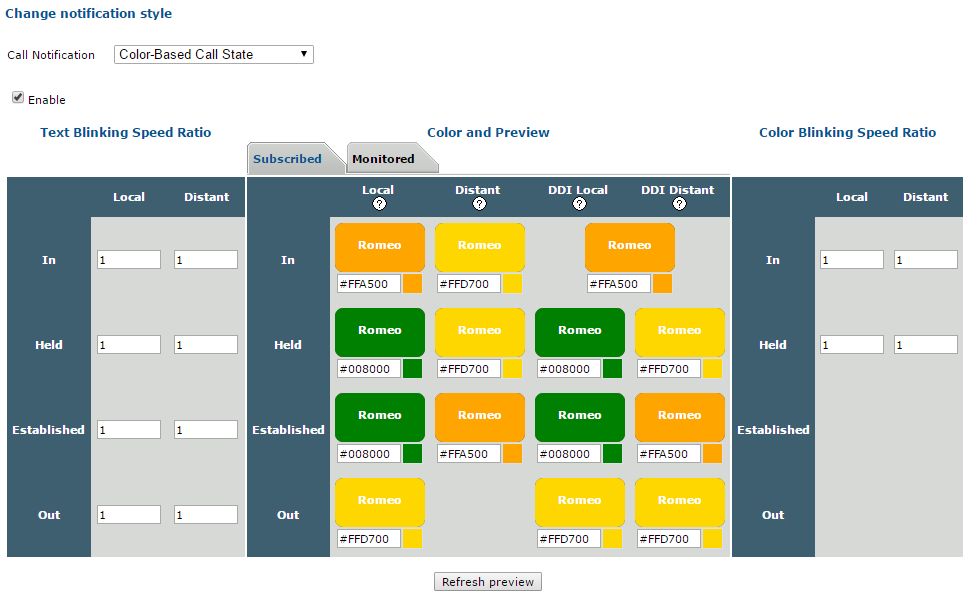
The color scheme can be customize under the Call Notification tab in the user edition's form.
All possible combinations for call state and location are represented by blinking shortcuts in the central table (Color and Preview). The color picker under each shortcut allow you to define the color for the corresponding call state and location.
In the DDI Lines Coverage context, different colors for those combinations can be configured according to the line subscription state (Subscribed or Monitored tab).
The two others laterals tables are used to configure the text and color blinking speeds.
Press "Refresh preview" button to see your changes in the simulation. |