User defined Custom Ringtones


User defined Custom Ringtones |
|
| User Options > Ringtones > Configure |
Rather than using built-in ringtones, you have the option to create and use your own custom ones. User defined ringtones can only be created from the TSS Console.
Create a custom ringtone
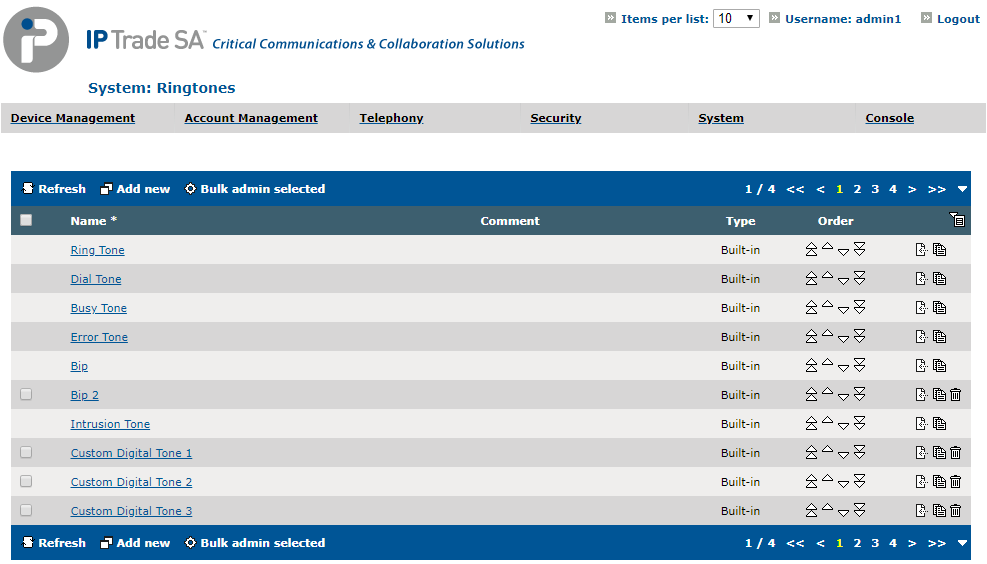
Go to System > Ringtones. This page lists all the built-in and custom ringtones currently defined in the TSS.
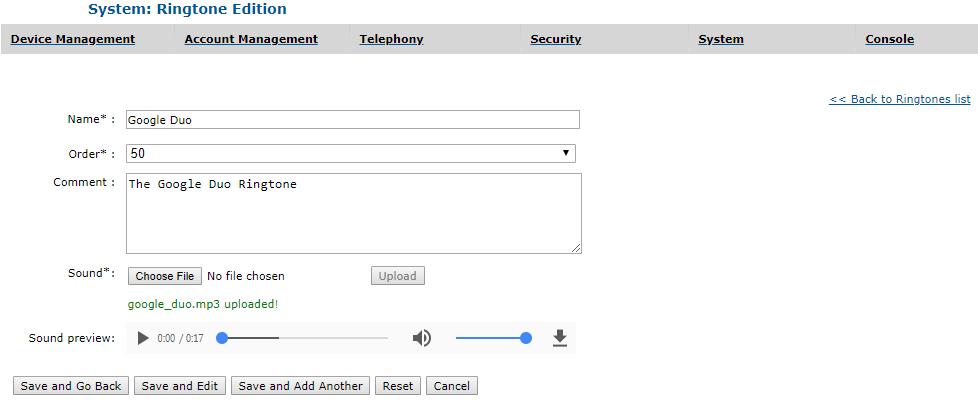
Click on the "Add new" button to open the ringtone edition form.
This form allow the administrator to create a new custom ringtone. The name, the order and the sound are all required fields: - The comment field is used to add meta-information about the ringtone to clearly identify it.
Fill in the form and click on one of the Save buttons to create a custom ringtone. It is possible to create up to 60 custom ringtones.
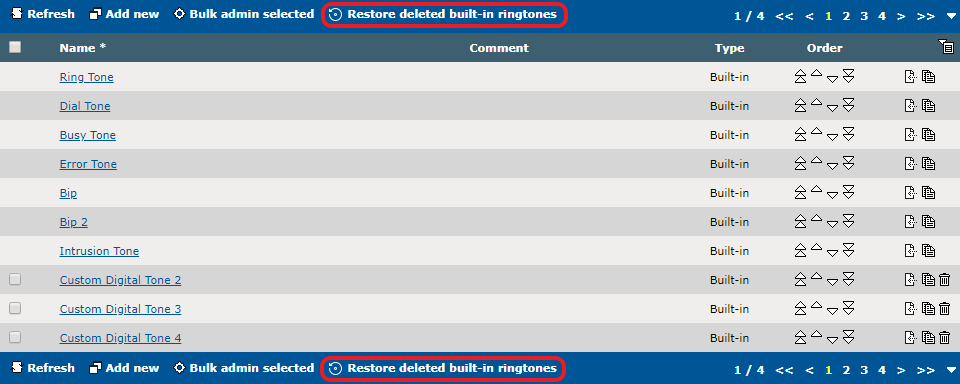
For the turret to play the new ringtones, it is imperative that the user logs out and logs back in. Order the ringtonesThe order defines the position of the ringtones in the ringtones list in the TSS and in the "Tone" panel in the Turret. Ringtones can be directly reordered from the ringtones list or the ringtone edition form. Delete most built-in ringtonesMost built-in ringtones can be freely deleted if they are not used in a ringtone set. This action is not irreversible since it is possible to restore them later from the ringtones list. On the other hand, deleted custom ringtones can not be restored.
Deleted ringtones will not be visible in the ringtones list in the Turret. |