TPO, Setup cluster


TPO, Setup cluster |
|
| Trading and C&C > Turret Proxy To Open communication (TPO) > TPO Clusters > Hot Backup > Virtual IP mode > Configure |
Now we’re about to setup the cluster itself.
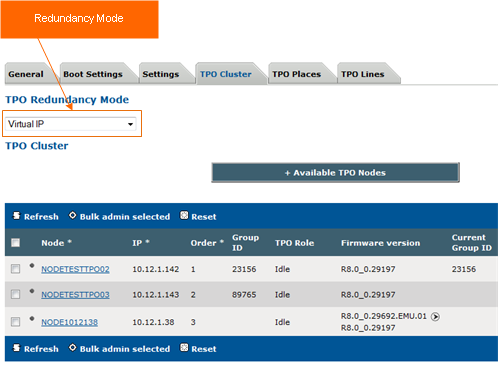
1)Open your preferred Internet navigator, connect to the TSS administration console URL and log onto the system with administrator privileges ; 2)From the main menu, select Device Management | TPO Clusters ; 3)From the list, select your TPO Cluster; 4)Select the tab panel TPO Cluster and set the TPO Redundancy Mode to Virtual IP; then press update.
5)Select the tab panel TPO Cluster. Under TPO Group ID section, a)edit 297303 group id and assign Virtual IP 10.12.1.73 with netmask 255.255.255.0 and the TPO Name tpotest.iptrdtest.local
Important Note: there is no need to define the virtual IP address on the TPO machine. The Cluster will do it automatically as per the configuration defined in the TSS. The local IT must ensure that virtual IP address can be used properly on the local network.
6)Select the tab panel Settings and go under SIP section. a)Under basic mode, ensure that SIP Connection mode & SIP Proxy Transport Type are set to UDP b)Under basic mode, ensure that Use bulk registration is set to false c)Under basic mode, fill the following fields: SIP local domain, SIP proxy address, SIP server name. d)Under Expert mode, ensure that Enable TCP on SIP stack is set to True; then press update.
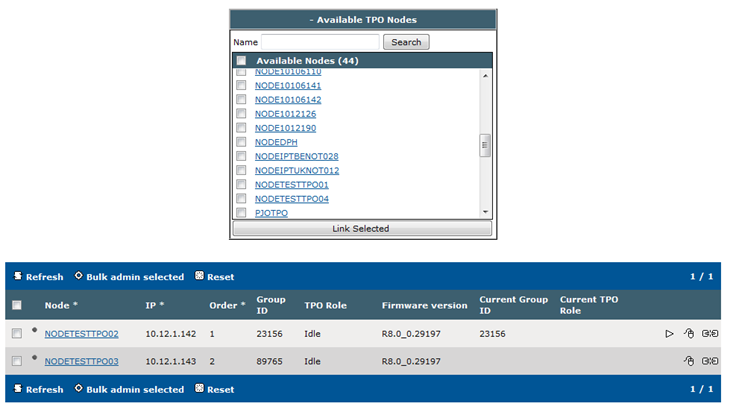
7)Under Defined profiles, search for TPO node that you want to add to the cluster; press on Link Selected.
8)Press the Refresh button until the added node have inline edition capability. 9)Press the small In-line edition button (mouse icon) a)For Node NODETESTTPO02, assign 23156 as group ID and set TPO Role to Active. b)For Node NODETESTTPO03, do NOT assign any group ID and set TPO Role to Passive c)For Node NODETESTTPO04, do NOT assign any group ID and set TPO Role to Passive 10) Select the nodes and press the start button (as a result, the current TPO roles of the nodes become active or passive) Note : - Power Down : Passive TPOs should always stopped first. Then, Active TPOs can be stopped. - Power Up : Active TPOs should always started first. Then, Passive TPOs can be started.
|