Configure


Configure |
|
| Trading and C&C > Turret Proxy To Open communication (TPO) > TPO Static Links > Static Links between TPOs not belonging to the same TSS |
To create a Static Links between two TPOs not belonging to the same TSS, a Remote Distributed Place has to be defined in the TSS.
Defining a Remote Distributed Place is performed the following way. Enable mandatory TSS settingBy default, the TSS service (API resource) used to get all TPO Clusters defined in a TSS is disabled. •authenticated: means that only authenticated administrators are authorized to access the TSS services (more secure) •all: means that everybody is authorized to access the TSS services without providing any authentication token (less secure) Create the Remote Clusters and Remote Master PlacesFirst, at least one Remote Master Place needs to be defined inside a Remote Cluster in the local TSS. Remote clusters and their related Remote Master places are automatically created by fetching/synchronizing TPO clusters from another (remote) TSS.
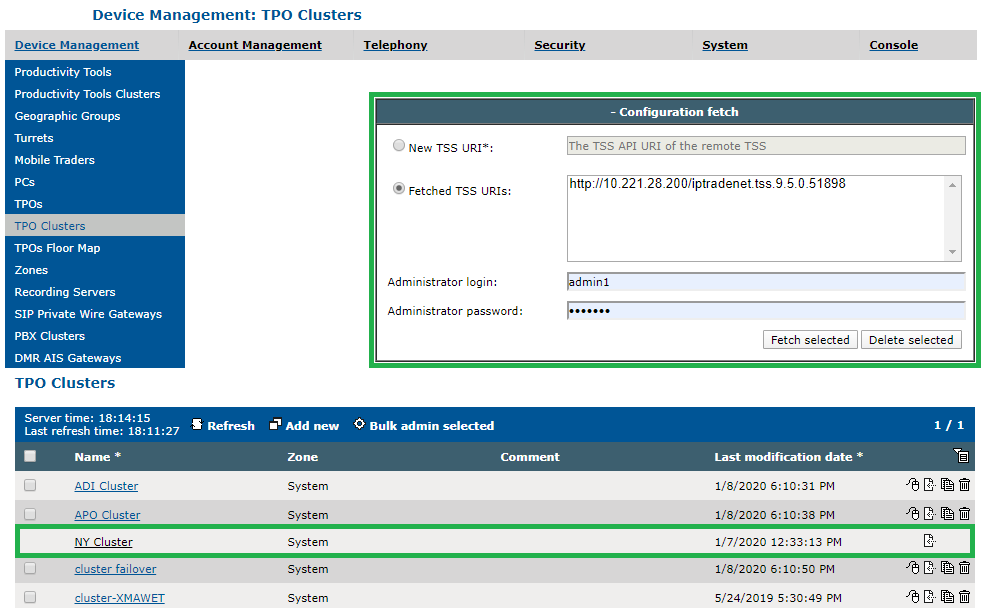
Fetching TPO clusters can be performed in TPO Clusters list page. As shown on the figure below, it is as easy as providing the URI of the remote TSS API clicking on the "Fetch" button. Once fetching succeed (see Limitations), the URI is appears in the list of fetched TSS URIs. Depending on the configuration of the remote TSS, the credentials of an administrator may also be required.
To update (resynchronize) or delete the local copies of all TPO clusters fetched from a specific TSS URI (also named remote clusters), simply select the URI(s) in the list of fetched TSS URIs and then click on the "Fetch selected" or "Delete selected" button. Fetched TPO Clusters appear with dark links in the TPO Clusters list.
The example below shows a Remote TPO cluster named "NY Cluster" fetched from http://10.221.28.200/iptradenet.tss.9.5.0.51898 which contains one Master place named "NY main line".
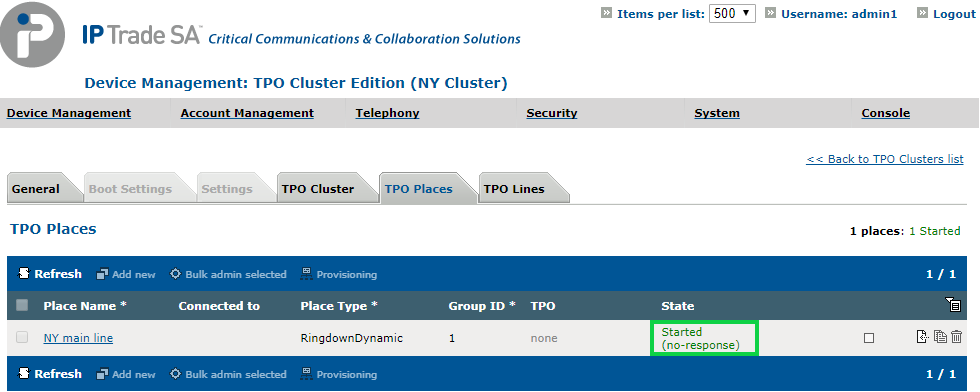
Because a TSS is not notified about the state of its remote master places, they are considered as always started. As local copies of fetched TPO clusters are not editable, it is not possible to "stop" a remote master place.
Create a Remote Slave Place pointing to a Remote Master PlaceNext, a Remote Slave place needs to be defined. The creation process is the same as creating a local slave place.
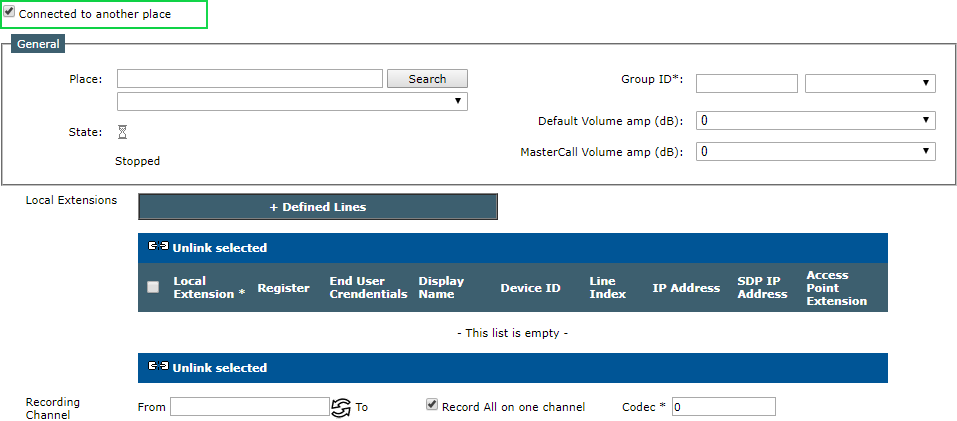
In a TPO cluster defined locally, start the TPO place creation process and check the Connected to another place check box. This switches to the Slave place mode of the TPO place creation form which allows selecting a (remote) Master place to connect to.
Enter the name of the Remote Master place and press the Search button.
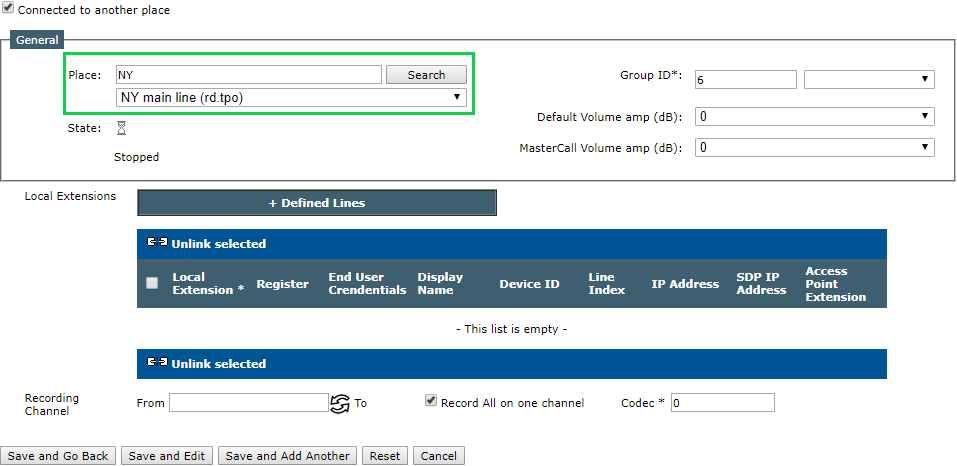
Select the Remote Master place in the results list, fill in the other parameters, such as volume amplification, recording properties, and press Save and Go Back.
At this point, the remote distributed place is ready to be started. Repeat the Remote Slave Place creation process if the place needs to be accessed from other TPOs.
Start the distributed placeOpen the Remote Master place in edition form.
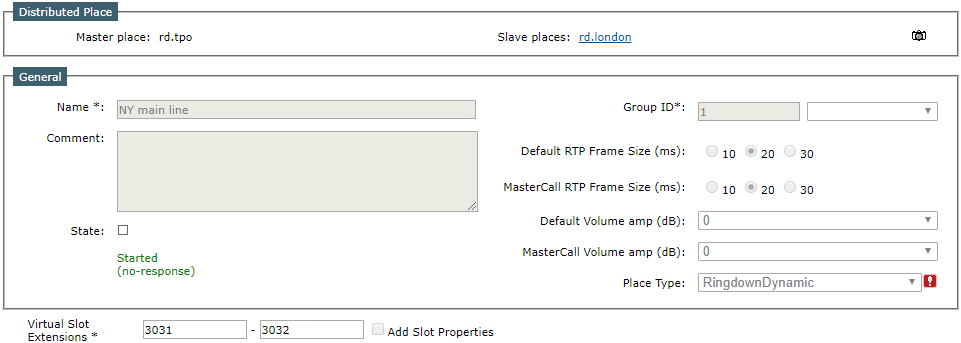
As explained above, the Remote Master place is considered as always started and cannot be stopped.
The place edition forms now presents a dedicated area that allows: •Switching between all the places being part of the remote distributed place, each place being identified by its TPO Name (the (remote) Master place is displayed on the left side of the area while the Slave places are displayed on the right side) •Requesting a debug information dump on the whole distributed place
Click the Slave place link on the right of the area, and start the Slave place by clicking the Start arrow.
Once all the Slave places are properly started, the distributed place is operational.
|




