Configure Net Broadcast for Netrix


Configure Net Broadcast for Netrix |
|
| Trading and C&C > Netrix > Net Broadcast |
Net Broadcast is enabled by adding one or more PRESET Shortcuts to a users' private positional Shortcut Pages.
1.Log in to the TSS console 2.On the main menu select Account Management > Users > YourUser > Shortcuts 3.If the user does not already have a private positional shortcut page, add one and assign it to a line bank. 4.Add a PRESET Shortcut to the users' private positional Shortcut Page. 5.To configure the preferred handset navigate to Account Management > Users > YourUser > Settings > Netrix > Expert mode > Net Broadcast Handset.
Feature Interaction with Grouptalkback on Handset: The preferred handset to initiate a Grouptalkback has been defined by the user setting netrix.settings.speaker.grouptalkonhandset in TSS. oIf the GroupTalkback handset and Net Broadcast handset are the same, only one of the feature shall be used at any point in time. oIf the GroupTalkback handset and Net Broadcast handset are different, oBoth features shall be used at the same time. oIf channel A is part of group 1 and it is actively used in broadcast, a group talk for group 1 shall result in the mixing of audio transmitted from both handsets.
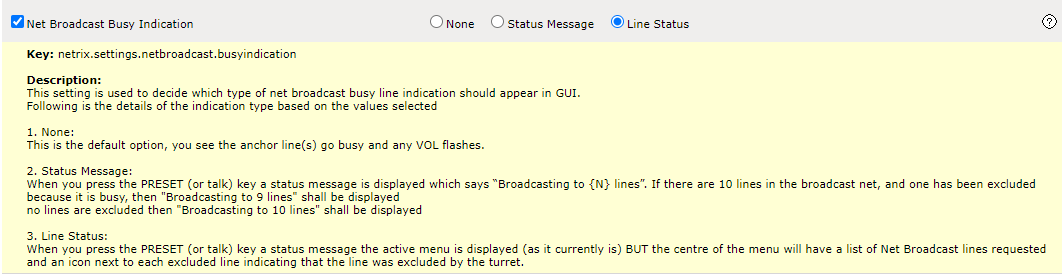
Broadcast Busy Indication: The busy indication style can be defined in TSS in shared profile and user profile. User profile setting takes preference over shared profile setting. 1.Navigate to Shared profile or User profile in TSS. 2.Select "Netrix" in the drop-down box in the left panel. 3.Select the "Basic" tab for "User Settings". 4.Choose any of the three options for "Net Broadcast Busy Indication".
|