Activity Key


Activity Key |
|
| Trading and C&C > Netrix > Introduction > Command Module (CM) |
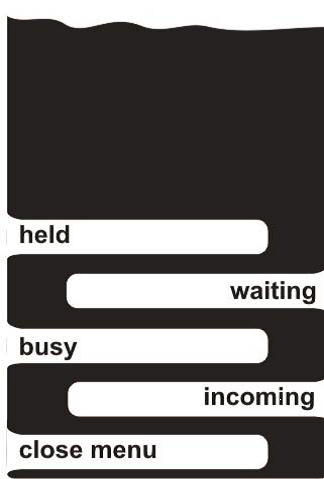
Activity keypages allow you to view current call activity on lines programmed on any line module keypages assigned to your Netrix. It removes the need for you to hunt through all your assigned keypages to source an active call and is particularly useful if all the soft keys on a keypage are currently full. Many users often prefer to work with activity keypages, especially if they primarily deal with incoming calls. The activity key on the top of each Line Module (LM20) displays the Busy activity keypage for this LM20. Pressing the menu key displays the Activity menu (displayed at the bottom of the Activity page). This menu provides links to all the activity keypages: •Busy calls – calls that are busy here or elsewhere. •Incoming calls – all incoming calls yet to be answered. •Waiting calls – incoming calls yet to be answered and calls on hold here and elsewhere. •Held calls – call on hold here and elsewhere. All calls appearing in any activity keypage operate in the same way as their corresponding key would on a line module keypage, allowing you to answer, hold, clear or privatise the call. All activity keypages are displayed independently on each Line Module (LM20). Opening the Activity keypagesThe activity key is positioned in the middle of the top row of keys on each Line Module. Press …the Busy activity keypage is displayed Viewing the Activity menuThe activity menu provides links to all activity keypages. It is accessed by pressing menu in any of the activity keypages. Note: the menu key is displayed at the bottom of each activity keypage.
With any activity keypage displayed:
press menu …activity menu is displayed press appropriate key …to display that activity keypage
Busy Activity Keypage •The Busy activity keypage allows you to view any lines which are currently busy here or elsewhere if they are programmed on line module keypages at this Netrix. •Busy calls are displayed in order, with the oldest busy call displayed first. •Busy calls include the following call types: oany line currently included in a conference call initiated by yourself at this Netrix. oany line currently included in a conference call initiated elsewhere. oany line currently connected to a speaker channel at this Netrix. oany line currently connected to a speaker channel elsewhere oany line currently connected to a handset at this Netrix oany line currently connected to a handset elsewhere. •When a busy call is held or cleared, then the call is removed from the Busy activity keypage. •If no free keys are available for additional busy calls, they are not displayed. Waiting Activity Keypage•The Waiting activity keypage allows you to view call activity for: oany incoming calls. oany calls currently on hold at this turret oany calls currently on hold at turret elsewhere oany calls connected to any handset at this turret. •Waiting calls are displayed in priority order, with the oldest waiting calls displayed first. •If an incoming call is answered via the Waiting Call activity keypage, then that call continues to be shown on the same key. If that incoming all is abandoned or answered elsewhere, then the call is removed from the Waiting Call activity keypage. •If a call is removed from hold here, the supervisory labels show the changed status but the call continues to be shown in the Waiting activity keypage. •If a call is removed from hold elsewhere or the far party clears the call, then the call is removed from the Waiting activity keypage. •If no free keys are available for an incoming call, the new call is not displayed. •Pressing the close menu key at the bottom of the waiting activity keypage displays the activity menu. Held Activity Keypage•The Held Calls activity keypage allows you to view any held calls for those keys programmed on line module keypages at this Netrix. •Held calls are displayed in priority order, with the oldest held calls displayed first. •Held calls include the following call types: oCalls on hold here oCalls on hold elsewhere oCalls on hold on a handset at this Netrix •If a call is removed from hold here, the supervisory labels show the changed status but the call continues to be shown on the Held activity keypage. •If a call is removed from hold elsewhere or the far party clears the call, then the call is removed from the Held activity keypage. •If no free keys are available for additional held calls, they are not displayed. •Pressing the close menu key at the bottom of the held activity keypage displays the activity menu. |