Broadcasting is the ability to make a simultaneous transmission over a group of Private-Wire lines. A broadcast is initiated by pressing the net-broadcast key for the group of lines (the Net) you wish to broadcast to. You then simply speak via your handset across all the lines included in the Net. You can add and remove lines from any Net, to suit your requirements.
Your user profile must be configured with net-broadcast keys by your platform administrator. Access to, and configuration of, each net is provided by menus shown in the application display.
Each net must be populated with the appropriate Private-Wire lines. Once completed, to transmit a broadcast you simply press the associated net-broadcast key. The net-broadcast keys can also be programmed on a personal keypage by your platform administrator.
Opening the Net Broadcast menu
The Net Broadcast applet displays all nets that you can utilize.
Each net is provided with a default name, which can be changed.
Expand quick access button '+', to access the 'Net broadcast' button.
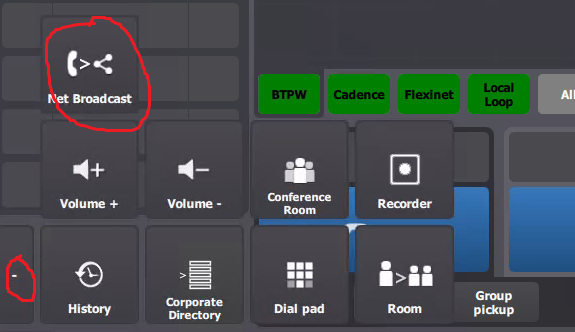
Pressing 'Net broadcast' button displays Net broadcast applet.
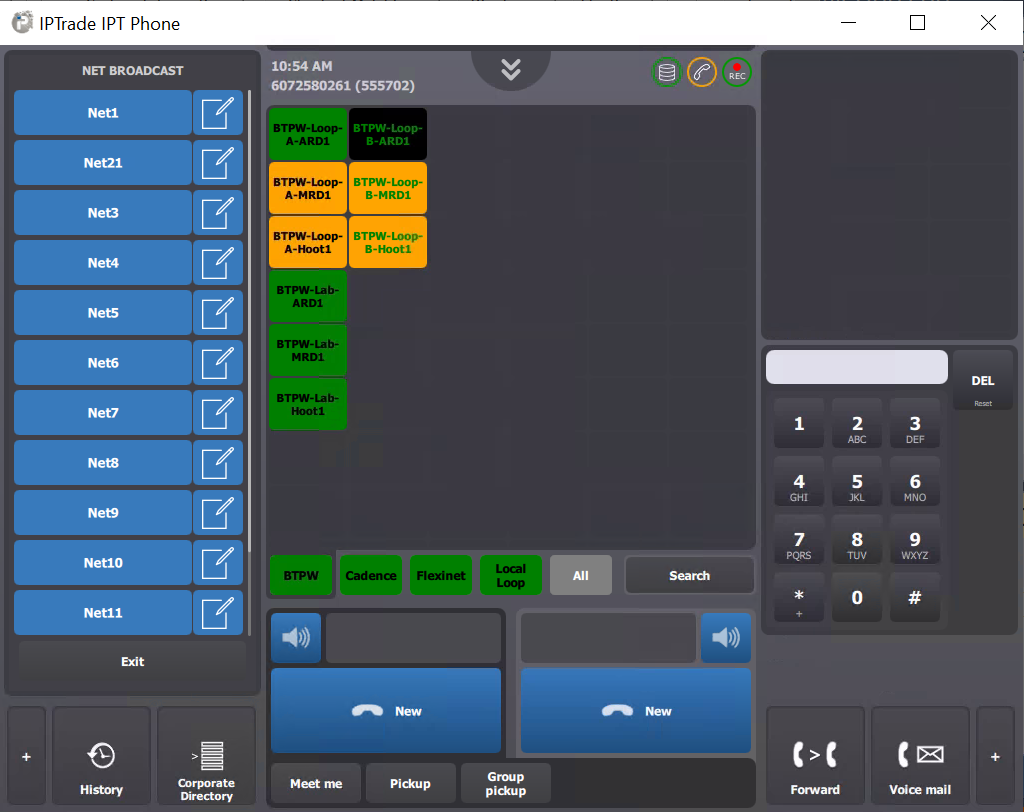
Changing the Net name
Each of the nets is provided with a default name (e.g. Net Broadcast 1). These names can be changed to something more suitable.
As soon as the net name has been changed the Net Broadcast key on the line bank and in the menu list is automatically updated to reflect the new name.
With the Net Broadcast menu displayed:
press edit button against the name of net broadcast as shown below:
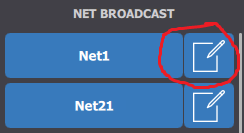
…the edit net details menu is displayed.
enter name
…in field using your keyboard.
press save
… to confirm change
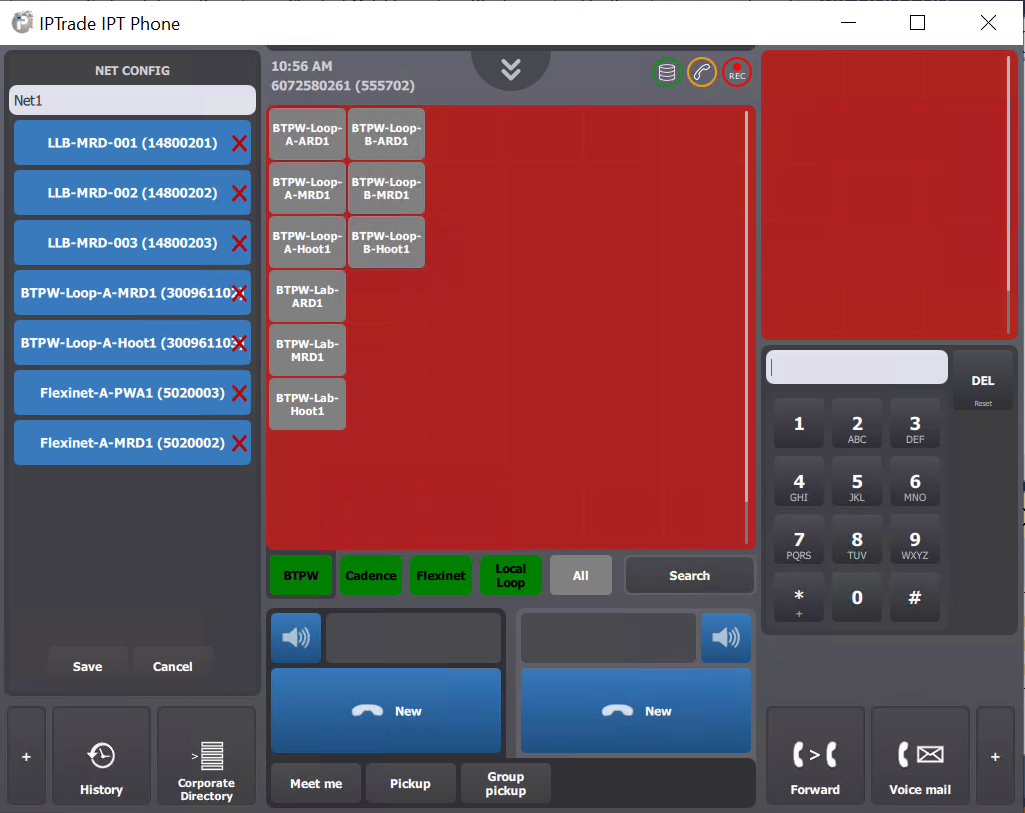
Removing line from a Net
On the edit page, click on any line(with a red cross) in the 'NET BROADCAST' applet to remove it from the net.
Adding lines to a Net
On the edit page, the center panel becomes red. Click on a permanent private wire in the red panel to add it to the net. Choosing a shortcut which is not a permanent private wire will result in an error message in the center panel.
Broadcasting to a Net
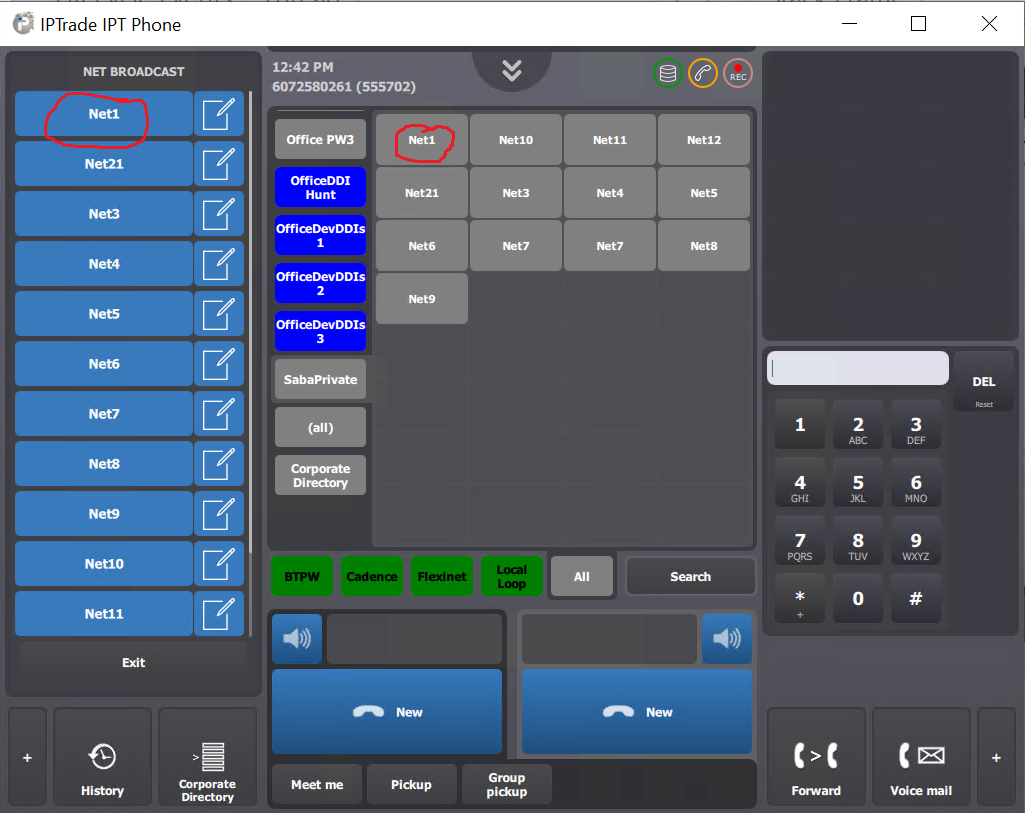
Net broadcast can be initiated by clicking on the net via the Applet or the shortcut on the shortcut panel as indicated above.
Note: If the Net Broadcast preferred handset is already busy on a call, initiating a net broadcast shall hold or clear the current call on the handset. This is dependent on the user’s auto hold settings.
On net broadcast, the number of lines included is displayed.
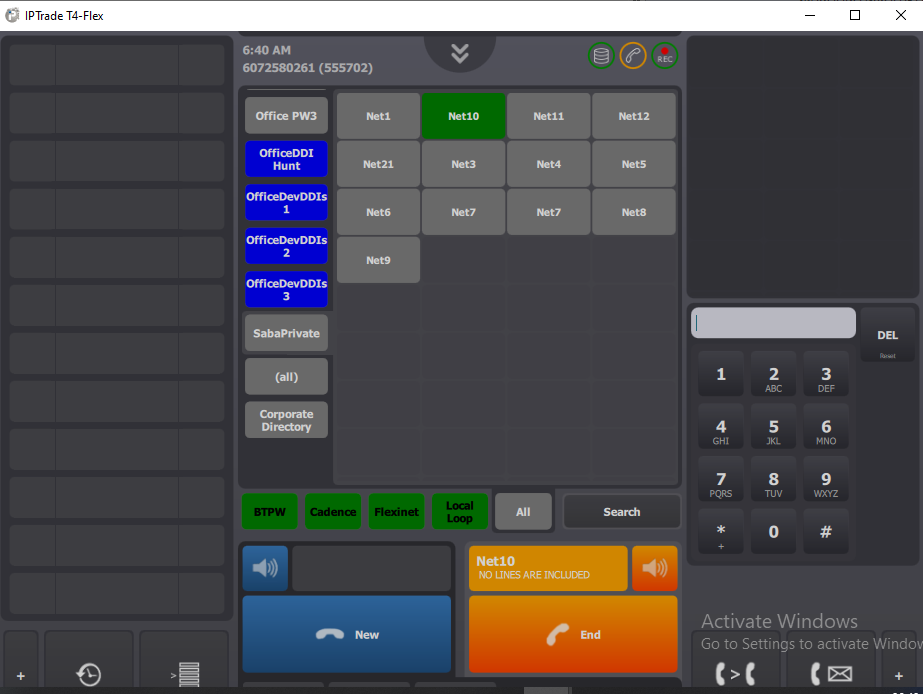
To clear the Broadcast
Once you have finished the broadcast you need to clear it.
press end
…for appropriate handset
To exit from Broadcast Applet
press 'Exit' on the NET BROADCAST applet to hide it. Or alternatively clicking on the 'net broadcast' in the quick access keys will also exit the applet.
|


