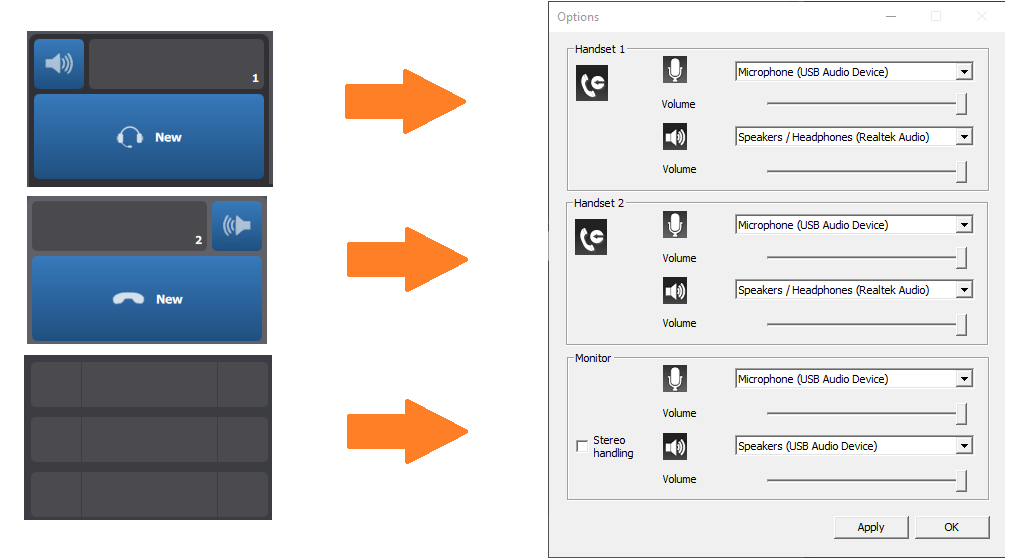
Audio Options panel


Audio Options panel |
|
| Software Solution > FlexPro > Configure > Device Association |
1.Click on the Options button of the turret application
2.Select the Sound tab and click on the button Audio Setup => the device option panel is shown.
3.Select Handset 1 Recording device
4.Select Handset 1 Speaker device
5.Redo steps 1 and 2 for Handset 2 device and Monitor device
6.Click to OK to validate and save the configuration => The device option panel will automatically close after the validation.
Note: •The device option panel is automatically shown if no audio device configuration has been done (first time).
•The device option panel is able to detect the plug or unplug of an USB audio device. The association can be done on the fly.
|