Usage


Usage |
|
| Voice Recording > Recording tone |
This chapter shows typical usage scenario of the recording of DDI lines sharing.
The context of the scenarios is described below:
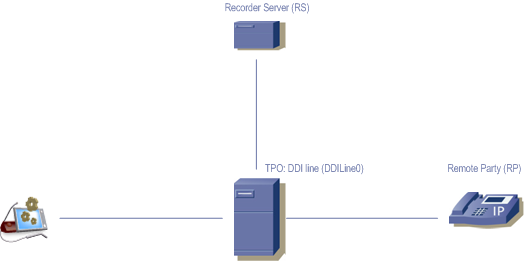
•Turrets: Turret (T) is configured to record calls to the Recorder Server (RS) •TPO has DDI Line named DDILine with DDI slot 101 to 130 •Remote Party: RP
Scenario:
1.Turret (T) calls the Remote Party (RP) by using the DDILine0;
2.RP answers and the call is established on the slot 101;
3. RP and T can hear and speak each to other. RP can also hear at regular intervals the warning tone which notifies him that the conversation is recorded.
4. T can also be configured to hear the warning tone as well. See the Turret configuration section.
5. T can also see which trader is currently recording the call, through a small red/white dot in the Call Browser applet for that DDI slot:
6. T also has the option to control (increase or decrease) the remote or local warning tone, with two buttons located in the Call Browser applet for that DDI slot (please note that there is no visual feedback of the volume change):
|