Replay the last 20 seconds of a call


Replay the last 20 seconds of a call |
|
| Voice Recording > Instant Replay over TPO > Usage |
Let's say that a trader has a opened TPO call, hosted on his handset.
Suddenly, he feels the need to listen back to what has been said previously, a few seconds ago. This can be either to personally re-listen to something he has missed, or to let another neighbor trader listen to what has been said.
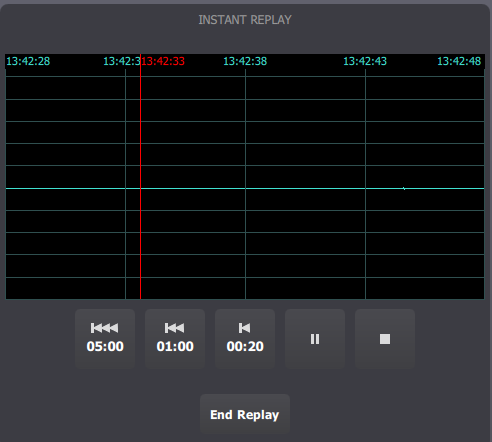
He presses the Instant Replay button in the handset's buttons bar, and the Instant Replay panel appears:
The Instant Replay panel contains several elements:
1.The audio graph area, divided into three parts: a. The time stamps, giving time references inside the graph; b. The audio graph data, representing audio levels for the replay duration; c. The replay cursor (in red) that indicates the current replay position. 2.Playback control buttons: a. Three Back buttons, allowing to go back in time (from now), by 20 seconds (default), one minute or five minutes; b. A Play/Pause button; c. A Stop button, allowing to stop the replay and send the cursor to the start position, keeping the current replay data. 3.An End button, stopping the replay and discarding the replay data for that call, when not needed anymore.
When requesting an Instant Replay session using the Instant Replay button, the requested replay duration is, by default, 20 seconds (in the above example, replay data goes from 4:22:27 PM to 4:22:47 PM). Replay automatically starts.
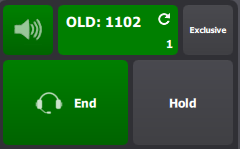
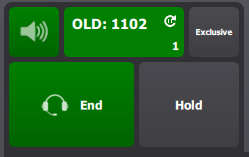
If, any time during a replay session, user needs to switch to another panel to perform a specific action, the replay still goes on and is notified with an icon on the handset (as well as on the monitor entry) :
He can return to the Replay panel by pressing the Instant Replay button again.
When the replay cursor reaches the end of the graph, the replay is automatically stopped and the cursor returns to the start position. User is able to replay the same audio data again if needed, by pressing the Play button.
When the replay data is no longer needed, user has to press the End button to discard it and put the call in its initial state.
|