On/Off Button

Top  Previous  Next
TouchPro Unpacking

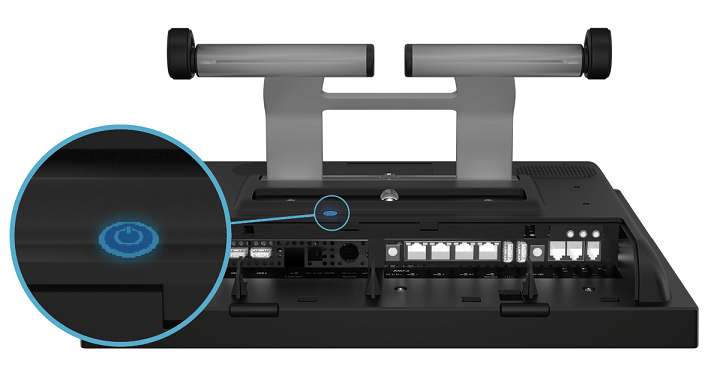
Power On/Off Button:

The “power” button is situated behind the turret/console, under the stand. The touch button will light up in blue to indicate that the device is on.

IPT_PowerButton


IPT_USB_Reset

Factory settings:

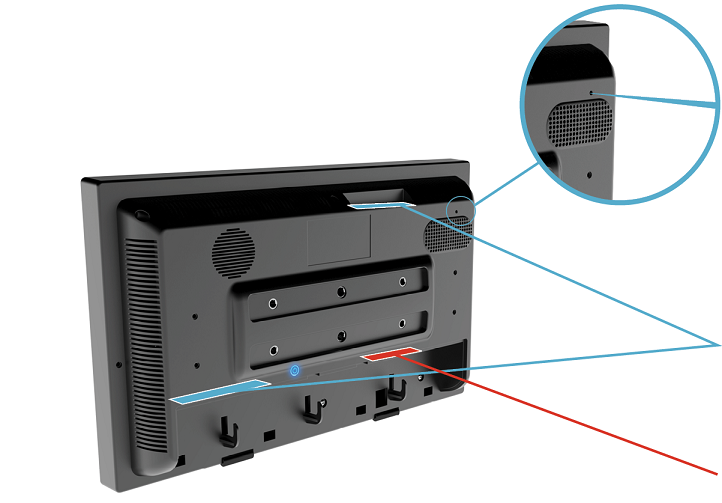
To restore the XMA into factory settings, insert a thin metal pin into the small hole situated on the top right hand side of the turret/console.


The factory reset is only allowed if it has been authorized by an IP Trade certifed engineer.

USB Ports:

8 USB ports are available for external peripherals. There are 4 USB ports at the top of the TouchPro and 4 USB ports behind the rear connector cover.


Those ports are dedicated to IP Trade approved USB devices and can only be accessed by IP Trade certifed engineers. Connecting unapproved devices in the USB ports may result in voiding the warranty



IPT_WarningRed_Icon

The 2 USB ports on the XMA2 should not be used (future use only).


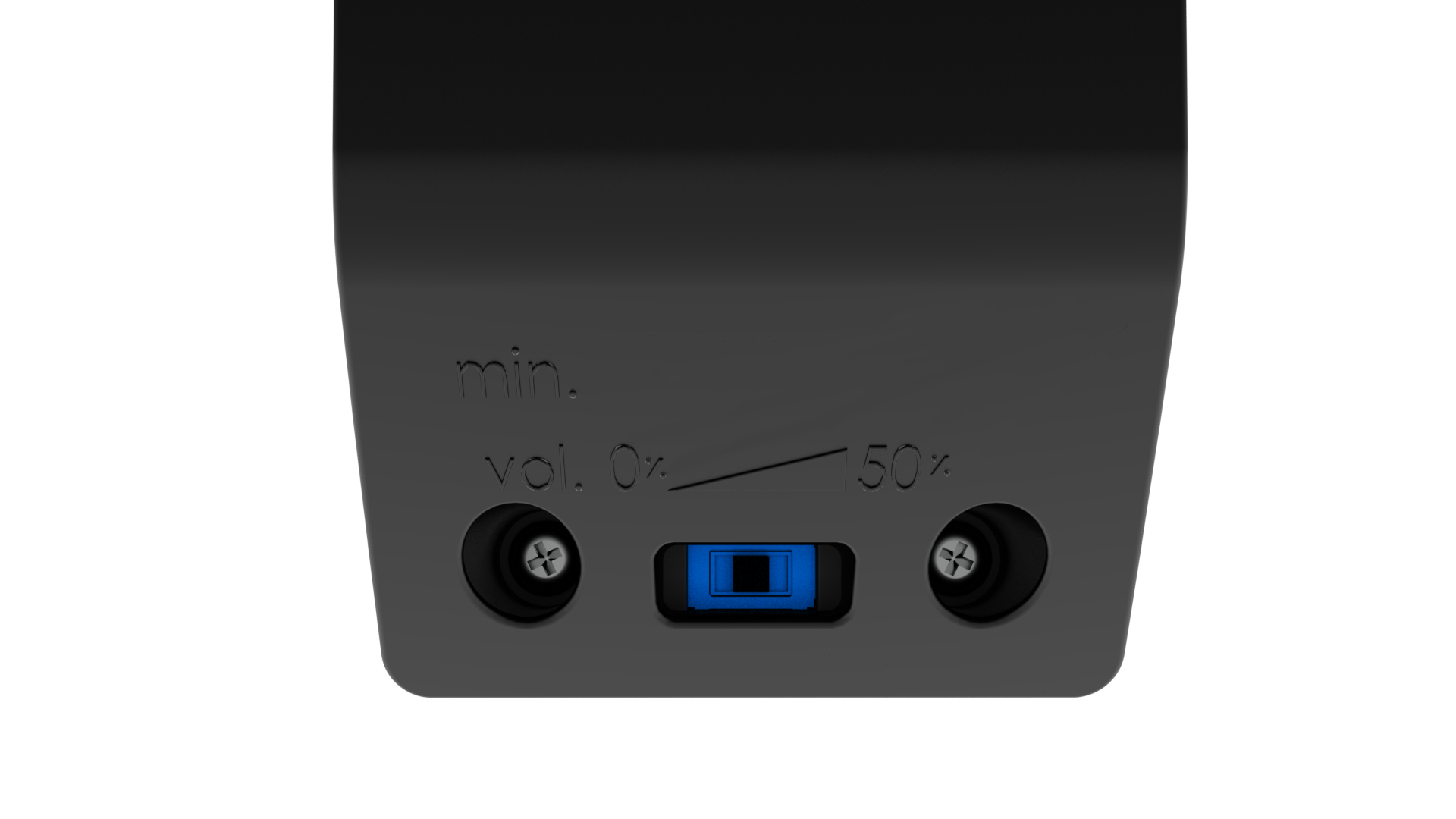
Speaker sound controller:

The speakers have 2 setup confgurations. The minimum volume can be either 0 or 50%. A switch is accessible behind the speaker, lef for 0 and right for 50%.

IPT_Speaker_Back