Job Policy Affecting Zone

Top  Previous  Next
IT&Operations > Devices & Users zones > Usage

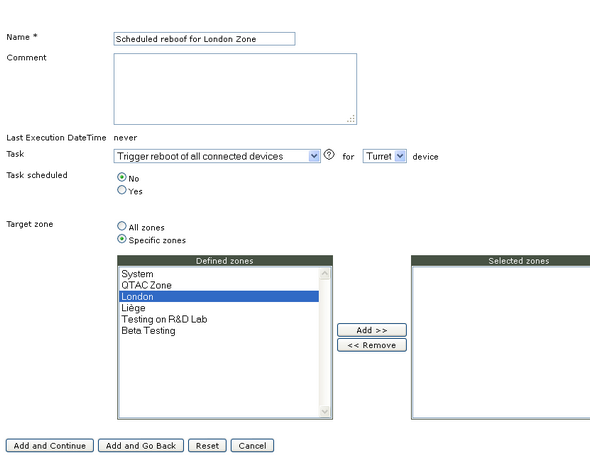
This scenario illustrates how to setup a job policy affecting one or multiples zones.

The description above assumes the following system configuration:

•Zone “London” exists.


On "System/Job Policies" click on "Add new".


Enter a job name and Task Type.


Set optionally Task scheduled properties.


Select Specific zones and select “London zone” in the left box.

Click on “Add>>” to move the selected zones in the right box.

And click on “Add and Go Back” button to commit changes.