Configure


Configure |
|
| IT&Operations > Time Zones Management |
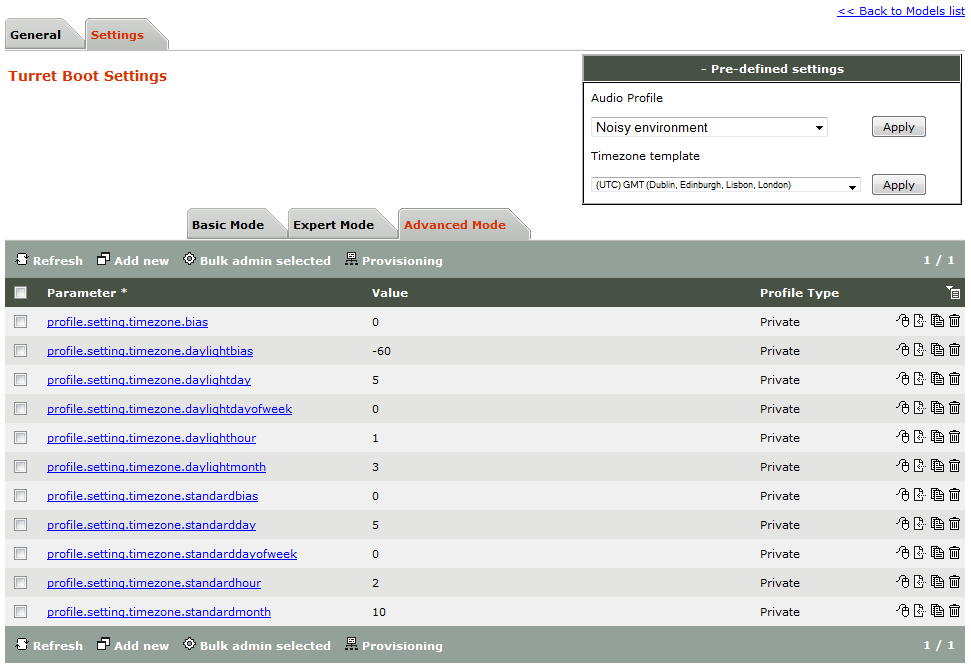
Enable time zone feature IT & voice administrators must proceed as follows 1)Connect to the TSS administration console from your preferred Internet navigator and log onto the system with administration privileges ; 2)From the main menu, open one of following section: oDevice Management / Turrets / Edit Turret / Turret Boot Settings oDevice Management / Zones / Edit Zone / Turret Boot Settings oSystem / Models / Edit Model / Settings 3)Select the desired time zone from the Timezone template drop-down list, and press the button Apply located next to the list ; as result, time zone options are automatically selected and valued using the pre-defined time zone settings ;
Note •Time zone options are applied and saved in the boot settings s immediately after pressing the Apply button. Hence, pressing Update button at the button of the options edition pane is not required. •Options can be freely edited after applying the template. Default values can be restored at any time by proceeding as described here above. Disable time zone feature IT & voice administrators must proceed as follows 4)Connect to the TSS administration console from your preferred Internet navigator and log onto the system with administration privileges ; 5)From the main menu, open one of following section: oDevice Management / Turrets / Edit Turret / Turret Boot Settings oDevice Management / Zones / Edit Zone / Turret Boot Settings oSystem / Models / Edit Model / Settings 6)Open the TimeZone | Expert options pane, uncheck the option TimeZone Bias and press Update button to commit the changes ; Note ·Although this is not mandatory, it is advisable to uncheck other options present in the time zone management ; |