Configure


Configure |
|
| IT&Operations > Job Policies > Adjusting Load balancing of TPO by TSS Job policy |
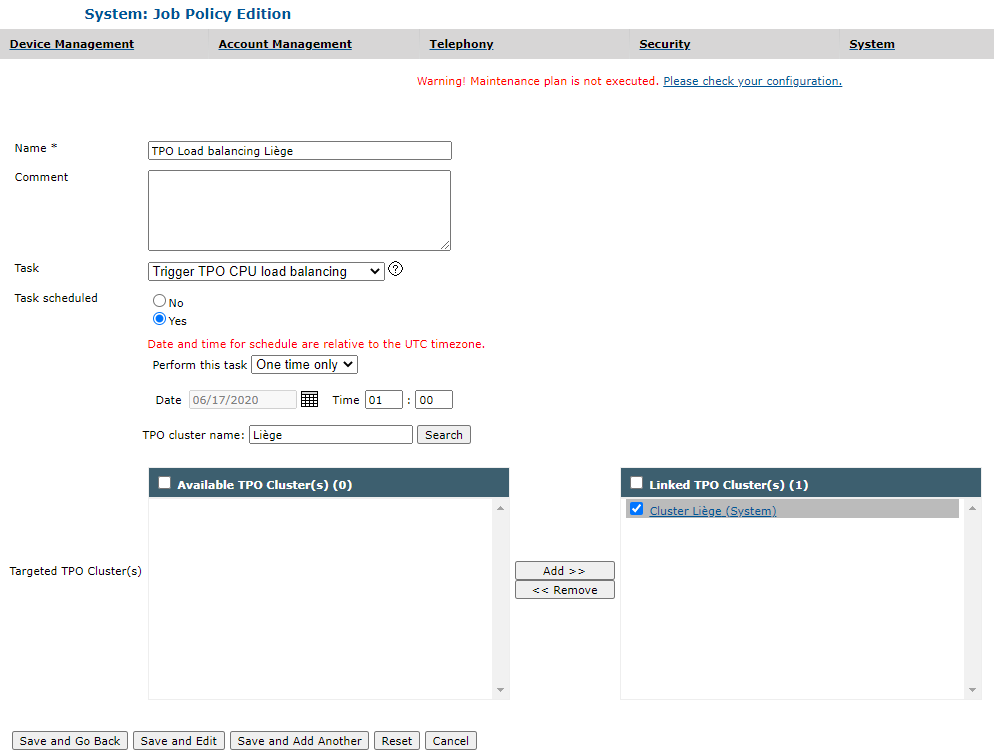
Create or edit a Job Policy of type "TPO CPU Load Balancing"From menu entry System>Job Policies, click on "Add new" or edit an existing job policy to open the Job Policies edition form. •On the task type drop-down, select "Trigger TPO CPU load balancing", which will update the form. •Give a name to the task. •Specify whether the task is scheduled (select Yes) or for pre-execution (select No). If the task is scheduled, select a periodicity and a date (time in UTC). •Link to the job policy, the TPO cluster(s) whose active TPOs will have to perform a CPU load balancing when the job policy is executed. •Save or update the job policy.
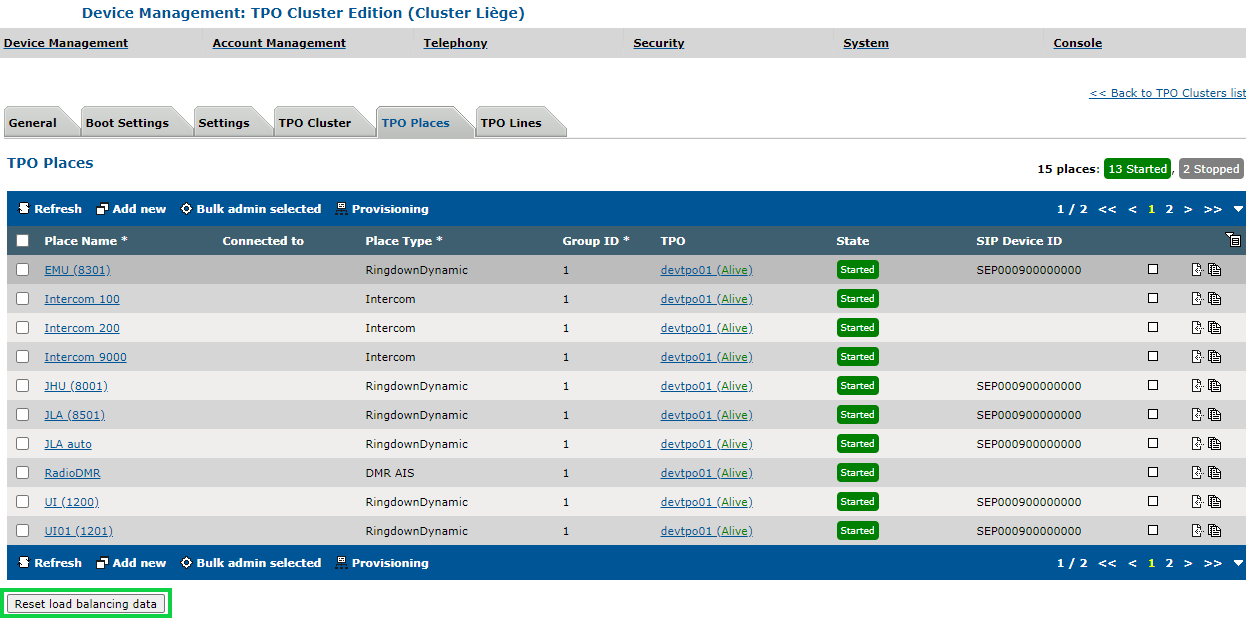
Reset TPO CPU Load Balancing DataThe load distribution result is saved in the TSS in order to be restored when restarting the TPOs of a cluster. To erase the TPOs CPU load balancing data for a cluster: •Edit the TPO cluster •Navigate to the "TPO Places" tab •Click on the "Reset load balancing data" button at the bottom of the form
Load Balancing - Delta:The following setting defines the precision of the load balancing (the higher the value, the lower the precision, so a value of 0 will be most precise). For more information, please refer to the Yellow Pages.
|
||||||||||