Manage Operating System upgrade


Manage Operating System upgrade |
|
| Solution Installation > Turret/Console Installation > Upgrade OS Image > Windows OS patching |
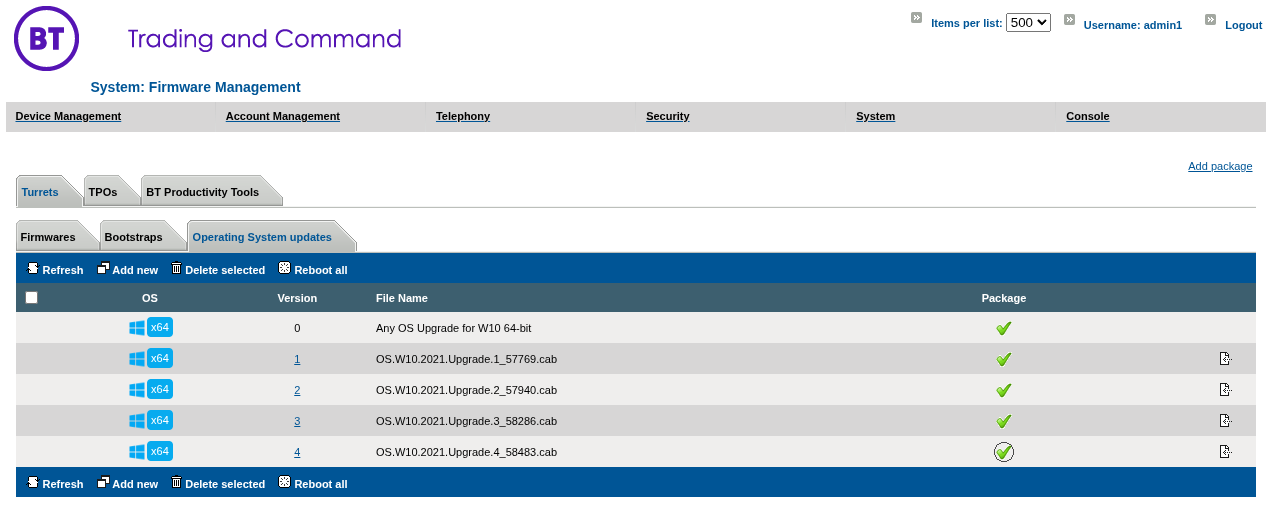
In order to be available for turrets, an Operating System upgrade must be uploaded on the TSS Administration Console. On the TSS console, go to System > Firmware Management > Operating System updates
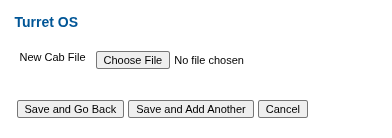
On the Turrets > Operating System updates" tab, press "Add new" button
Select the Operating System upgrade cab file and press "Save and Go Back" in order to go back to the Turret Operating System Upgrades list. Select the newly added version by clicking on the Check Mark next to the version you want applied to turrets. Please note that a turret reboot is required, to apply the selected Operating System Upgrade. If multiple upgrades are added to the list, the devices will apply the available upgrades in a sequential order until they reach the highest upgrade version specified previously. |