Assign an Operating System upgrade to a specific zone


Assign an Operating System upgrade to a specific zone |
|
| Solution Installation > Turret/Console Installation > Upgrade OS Image > Windows OS patching |
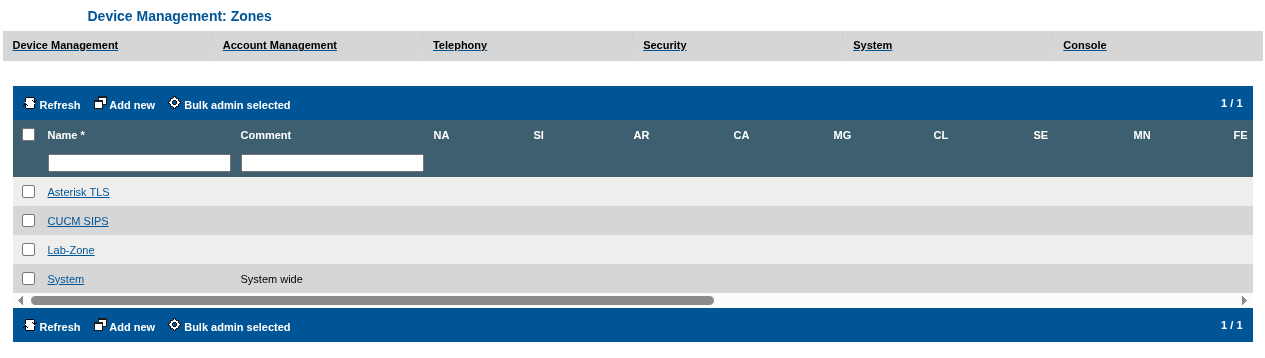
Open the Zones list by navigating to Device Management > Zones
To assign the newly uploaded upgrade to a specific zone, edit the zone by clicking its name in the list.
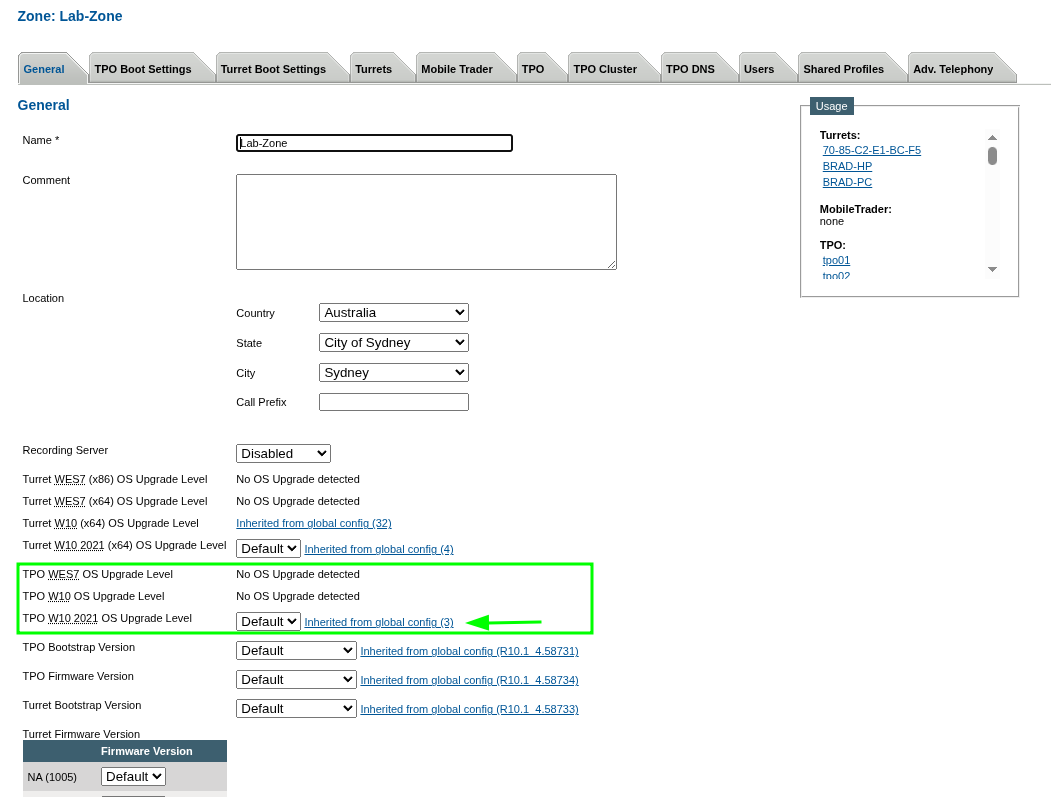
Here, the Lab-Zone does not currently specify any Operating System upgrade level (Default is selected), so the version is inherited from the global default selection (see Assign an Operating System upgrade to all devices).
Select the level of Operating System upgrade in the Turret OS Upgrade level drop-down menu.
Press the Update and Go Back button.
From now on, any turret that is linked to that zone will install and use this Operating System upgrade level at the next reboot.
Please note that Operating System upgrades are applied sequentially by increasing order. For example: If the turret has been updated to Operating System upgrade version 1 and the latest available is version 3, the upgrade 2 will be applied before applying upgrade 3.
|