Manage TPO Bootstrap upgrade


Manage TPO Bootstrap upgrade |
|
| Solution Installation > TPO Installation > TPO Upgrades |
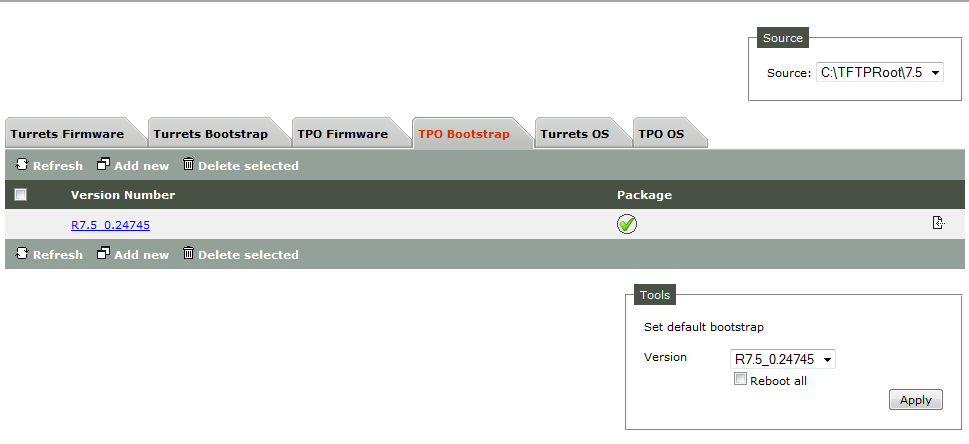
On the TSS console, go to System/Firmware management
On the "TPO Bootstrap" tab, press "Add new" button
Select the TPO Bootstrap firmware and press "Save and Go Back" in order to go back to the TPO Bootstrap firmware list. Select the newly added version in the "Tools" box and then press "Apply". The TPO bootstrap becomes now the default TPO bootstrap for all devices connected to this the TSS FTP site. Restart TPO is necessary to apply upgrade on TPO.
The TPO bootstrap can also be deployed with package bundles. See Package deployment with Package Bundles.
|