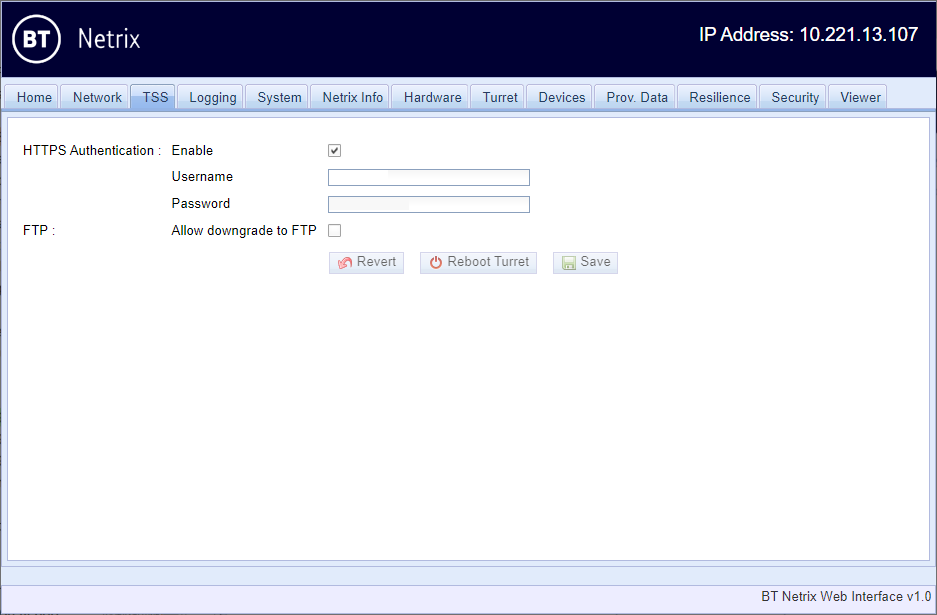
TSS


TSS |
|
| Solution Installation > Netrix Installation > Troubleshooting > Web Diagnostics |
Allows the site engineer to configure the connection to the TSS.
TSS URLThis configuration can be currently found on the Network Tab HTTP AuthenticationWhen Netrix 9.6 powers up it downloads configuration and firmware using HTTP(S) If Basic HTTP Authentication has been enabled at the TSS, then you must •Enable HTTPS Authentication at the turret •Enter the username and password that the TSS is expecting
If the HTTP Authentication fails during turret boot up, then the turrets command window will show the error Rebooting <ip-address> in <time> unable to determine tss version NEX!E0042 (HTTP Authentication failed) at which point, point a browser at <ip-address>, go to the TSS tab and correct the HTTPS Authentication configuration. FTPThe setting "Allow downgrade to FTP" should be left unticked, so that if the turret cannot download the configuration and firmware using HTTP(S) it will reboot every 5 minutes until it can do so. In very specific cases where accessing https://<tss-address>/conf fails, e.g. you are pointing a 9.6 turret at a 9.5 backend, or there is an bug which stops downloading over HTTP(S), then enabling "Allow downgrade to FTP" will let the turret use FTP to continue booting. Note that •Netrix supports FTPES, but does not support using an FTP username/password. •Prevent FTP usage must be set to disabled on the TSS Component Manager |