Assigning a Default Line


Assigning a Default Line |
|
| Solution Installation > Netrix Installation > Provision a User |
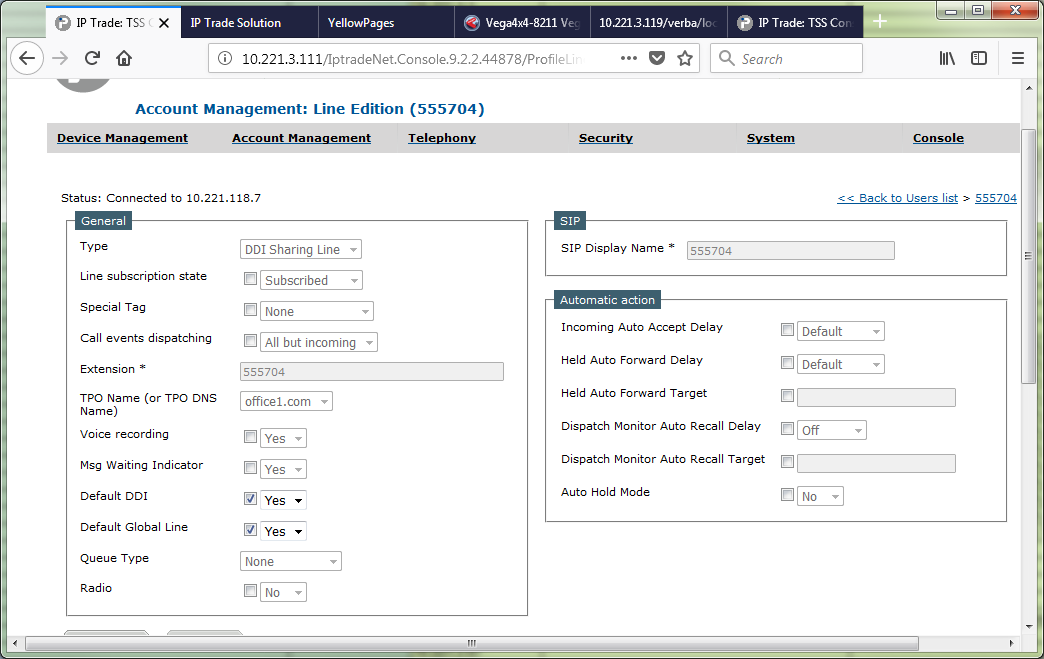
Netrix only supports DDI sharing lines it does not support primary or secondary PBX lines. When using DDI Sharing lines you need to go into the user profile and select one of the lines to act as the default Line that the Netrix will use for auto seize or speed dials to do this. 1.Log in to the TSS console 2.On the main menu select Account Management>Users>YourUser>Settings>lines 3.On the lines panel select the line you wish to use as default. 4.Tick both Default DDI and Default Global Line and set them to Yes and Update.
|