Configure


Configure |
|
| Enterprise Telephony > Common > Conferencing |
Standard or Ad-hoc conference does not need much configuration. By default turret would use Ad-hoc conference. On the TSS console, in order to change this mode, use the following setting:
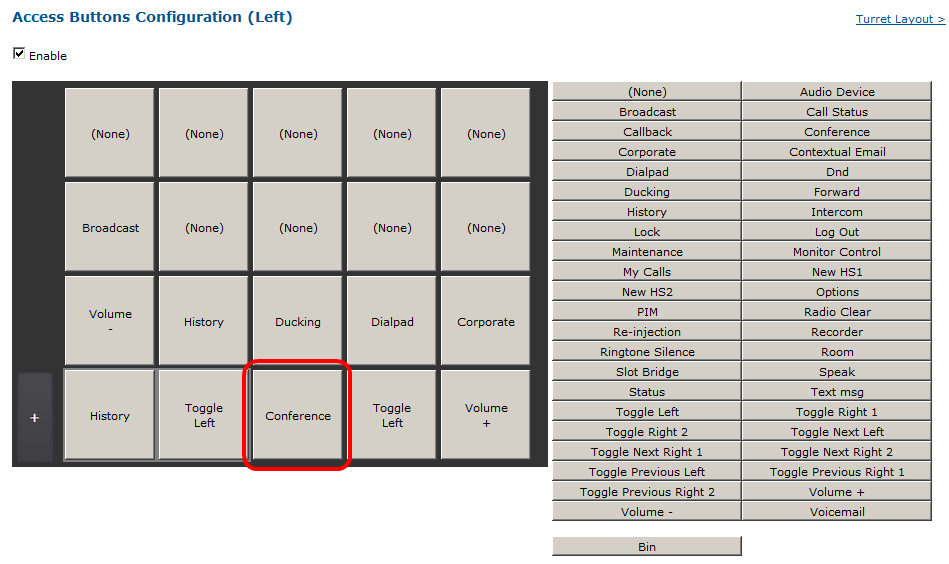
Administrators must also insure that a "Conference" button is configured on user profile in order to give access to conference panel. Go into user profile, Turret layout tab and click on "Access buttons configuration".
Click on "conference" button(on the right list) and on a free slot (on the left list) and click update.
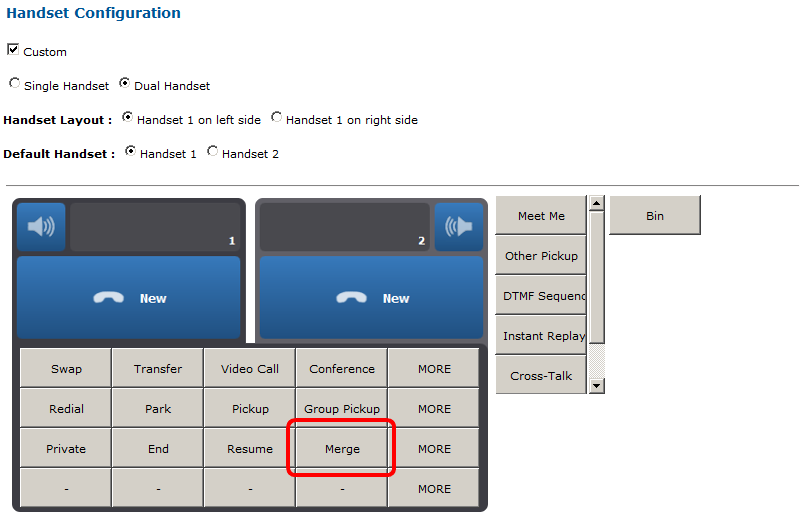
If the merge call schema is used, administrator may have to insure that the merge button will be available for the user on the handset. Go into user profile, Turret layout tab and click on "Handset configuration" link.
Click on the merge button on the right list and on a free slot position under the handset panel. Then click on update to commit changes.
To disable the merge feature with a pinch gesture, use the following setting:
|
||||||||||||||||||||