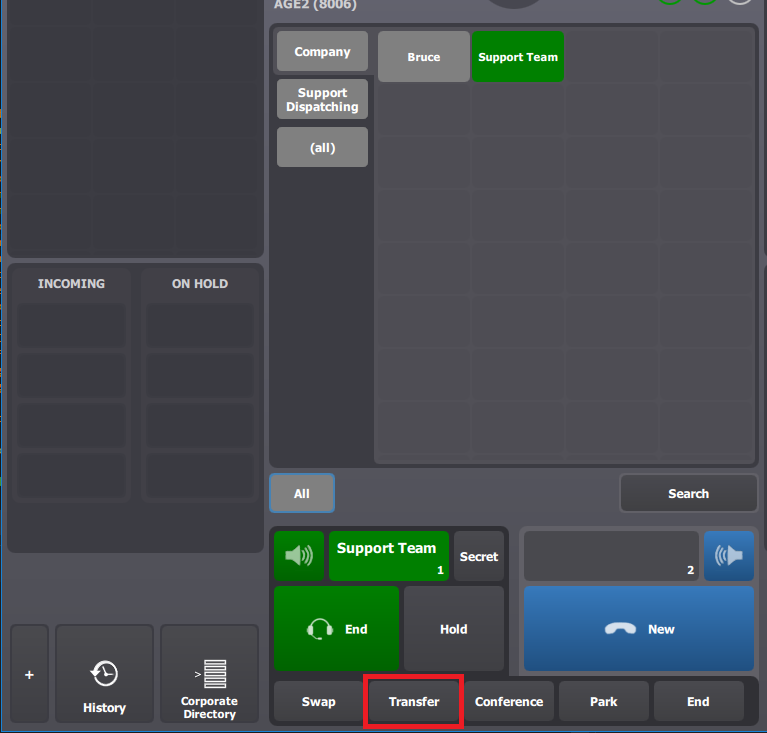
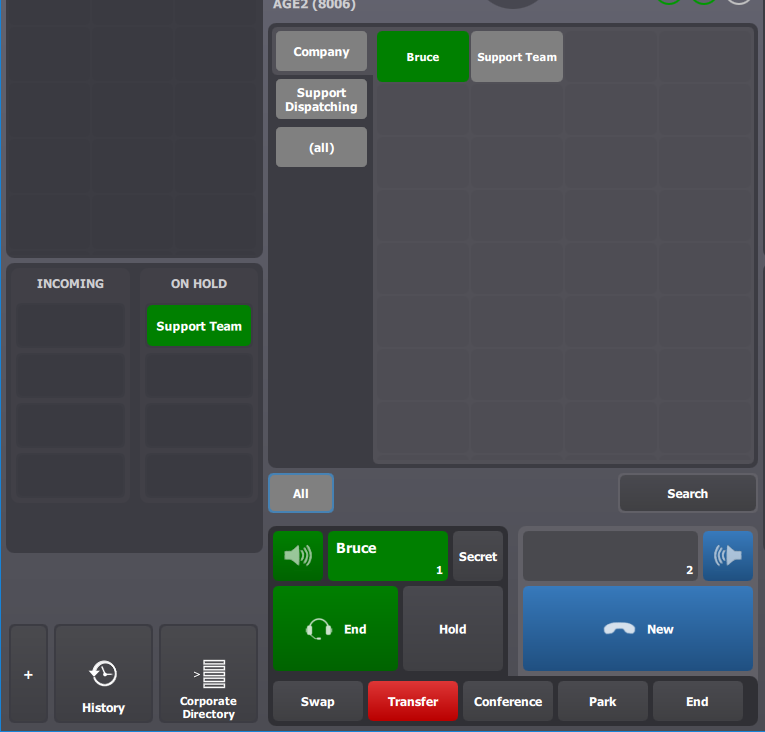
1.The user attempt to transfer the call to Bruce (extension 1102) using the transfer action on his handsets button (circled in red). |
|
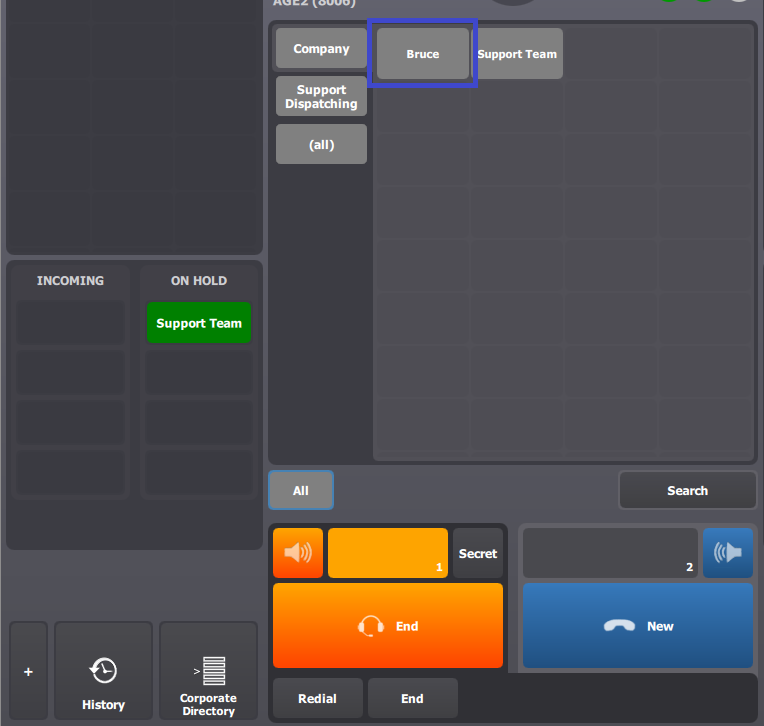
2.After he has pressed on the transfer button, he presses on his "Bruce" shortcut (circle in blue). |
|
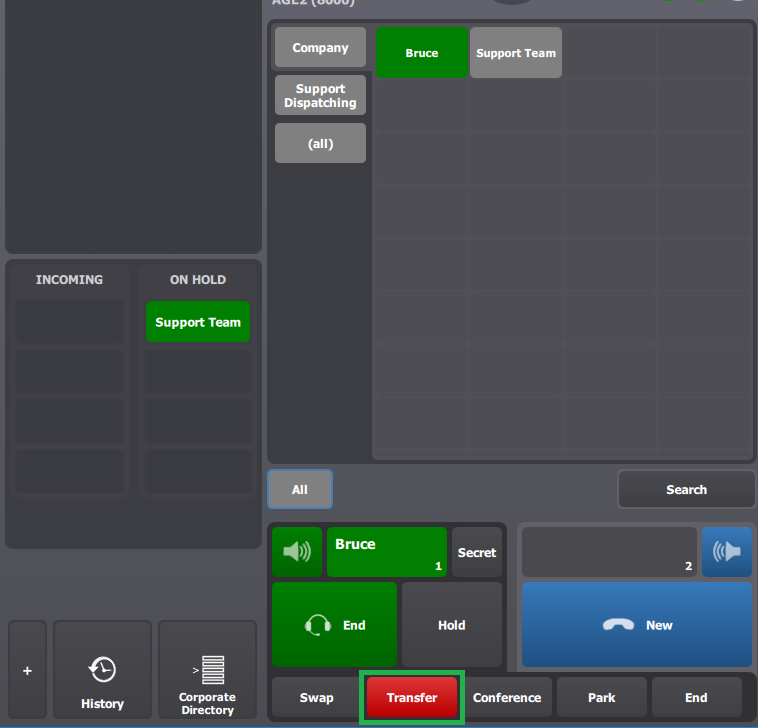
2.The call is correctly established. The user presses the transfer button (circled in green) to attempt to transfer the call. |
|
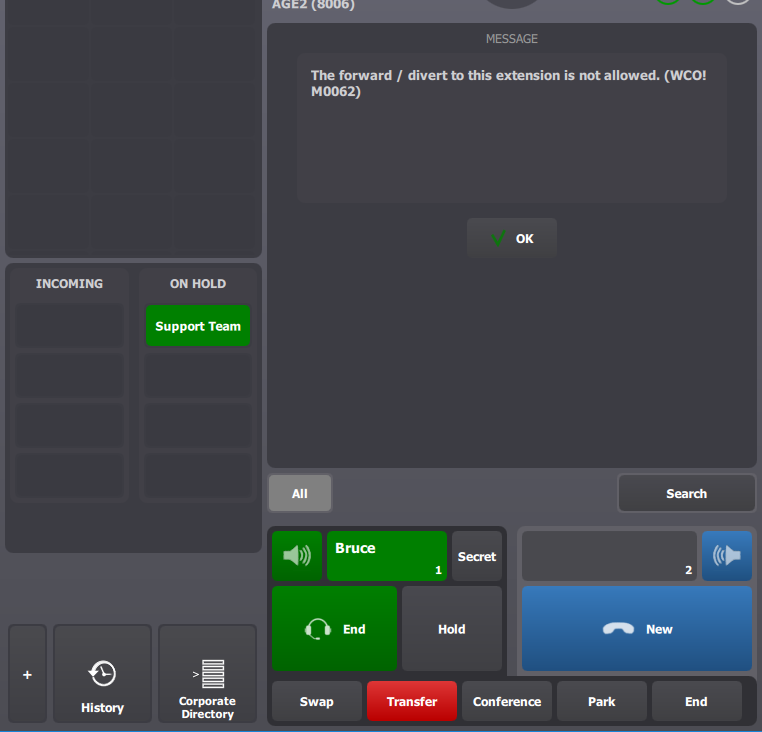
3.The call cannot be transferred and the user is notified by en error message. |
|
4.The call to Bruce is still established and the user is able to end it in order to attempt an other transfer to an other extension. |
|
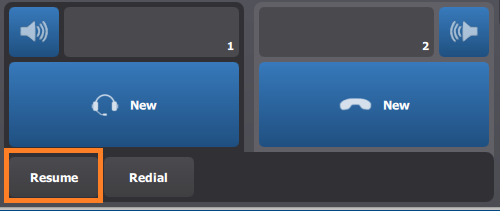
5.The user can also simply cancel the transfer operation by ending Bruce's call and he can press the resume button in its handset buttons bar (circled in orange). |
|