Global forward rule and Line forward rule


Global forward rule and Line forward rule |
|
| Enterprise Telephony > PBX dependent features > Call Forwarding > Configure |
Impacted lines By default, Global forward rule acts over lines which meet following conditions (TSS -> User -> Open edition form of the line): -Subscribe to notification is set to Yes -Line type is Primary, Secondary or Shared -User is allowed to forward such lines Note that impacted lines can be precisely defined in User settings -> PBX Features -> Expert Mode -> Forward all extensions
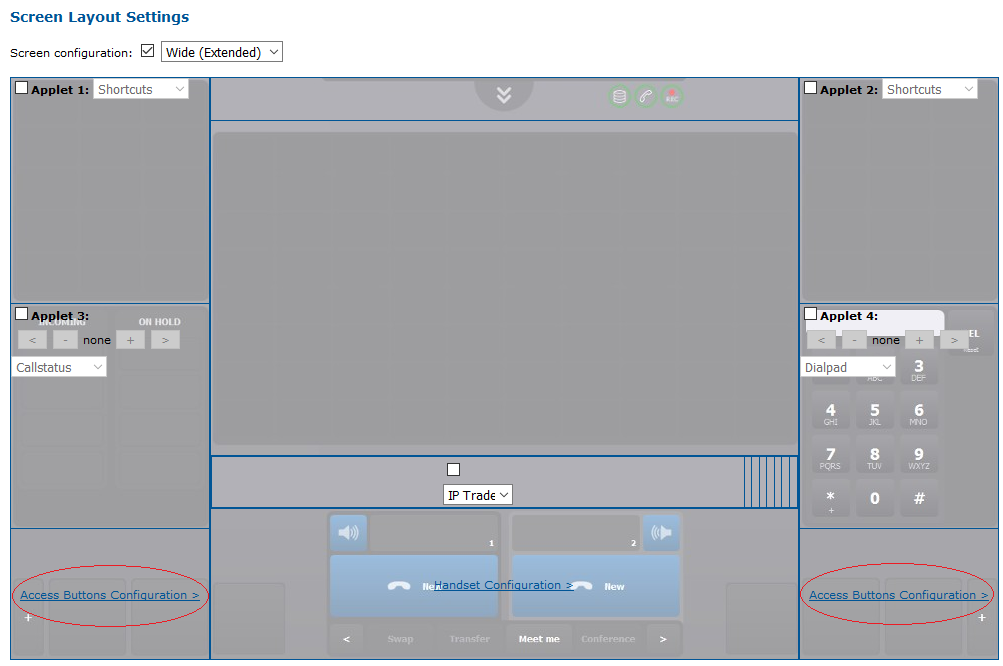
Global forward rule and Line forward rule are not persistent in IP Trade system. They are not stored in the TSS and so, cannot be edited through the TSS console. ·Rule is reset when user logs-out ·Rule is applied by the terminal (terminal answers incoming calls with 302 SIP messages) Note that the room button needs to be present to configure the line forwarding. To show the room button on the turret layout Go to TSSàProfileà Turret layout
Click on “access button configuration”.
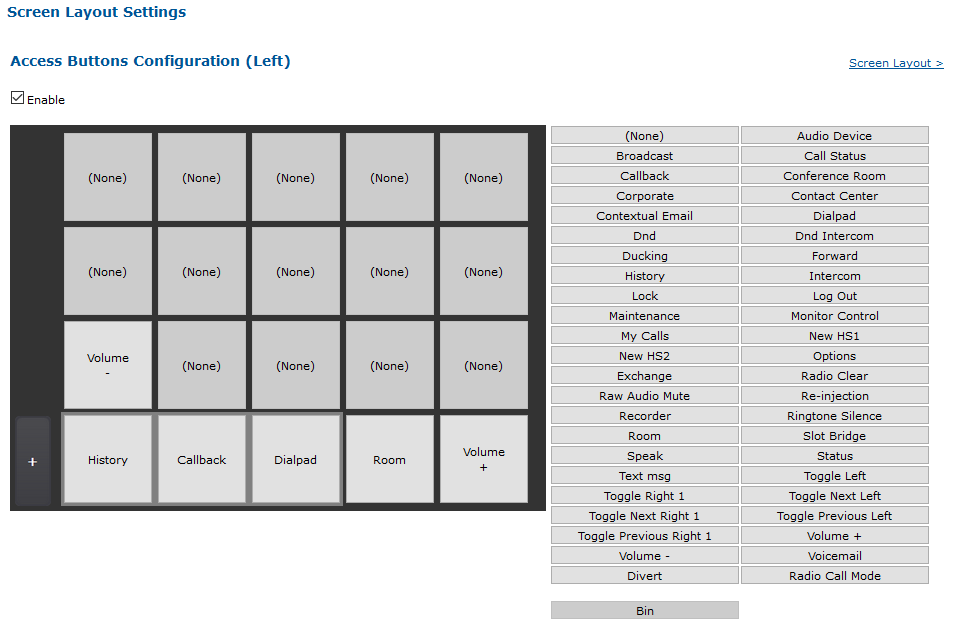
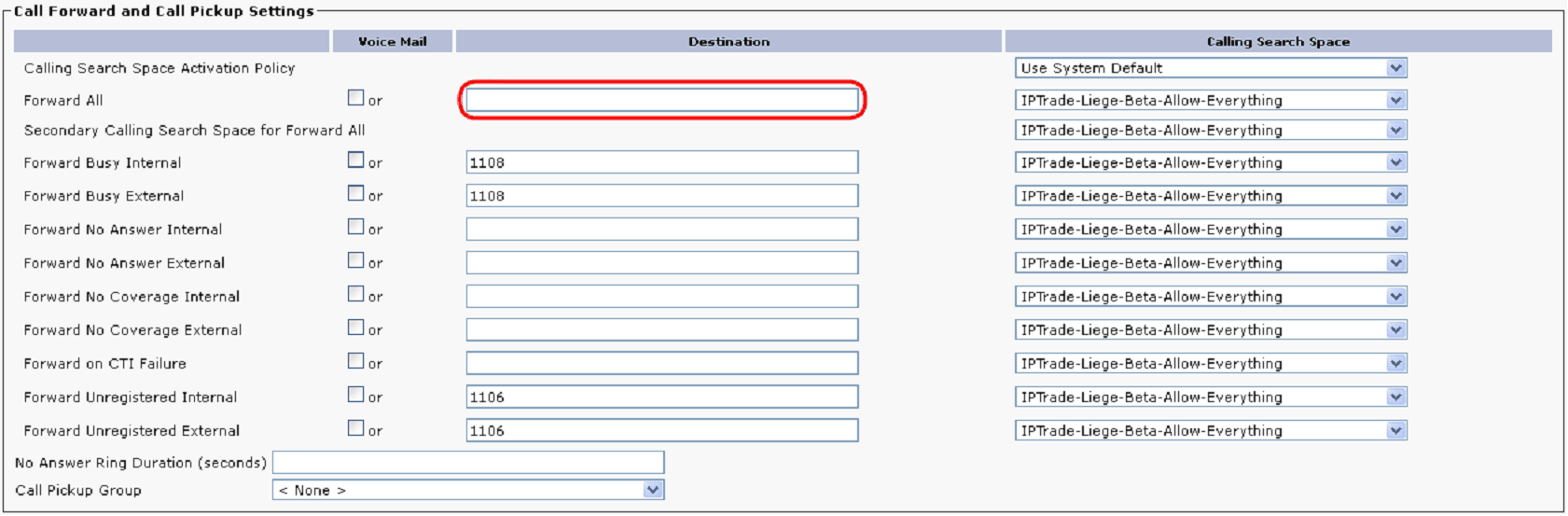
Place the room button where needed by pressing on the button on “room” on the right and then on a button on the left. Click on update. It is also needed to enable the following key, in order to have the local lines appearing in the room: profile.setting.room.showlocallines = true If one needs to have the DDI lines in the room he needs also to enable the following key: profile.setting.room.showddilines = true At this point, the Global or line forwarding rule can be configured in the GUI as describe in the Forwarding Rule capability section. PBX Forwarding (Cisco only) With Cisco, there is a mean to make “Line forwarding” rule persistent. When PBX Forwarding option is activated in user profile, “Line forwarding” rule is stored in CUCM. PBX Forwarding specification ·Rule is stored in the CUCM ·User is alerted when the rule changes ·Rule remains active when user logs-out ·Rule is applied by the CUCM (terminal doesn’t receive SIP messages about incoming calls) ·Rule can be edited in CUCM administration console: Call Routing à Directory Number
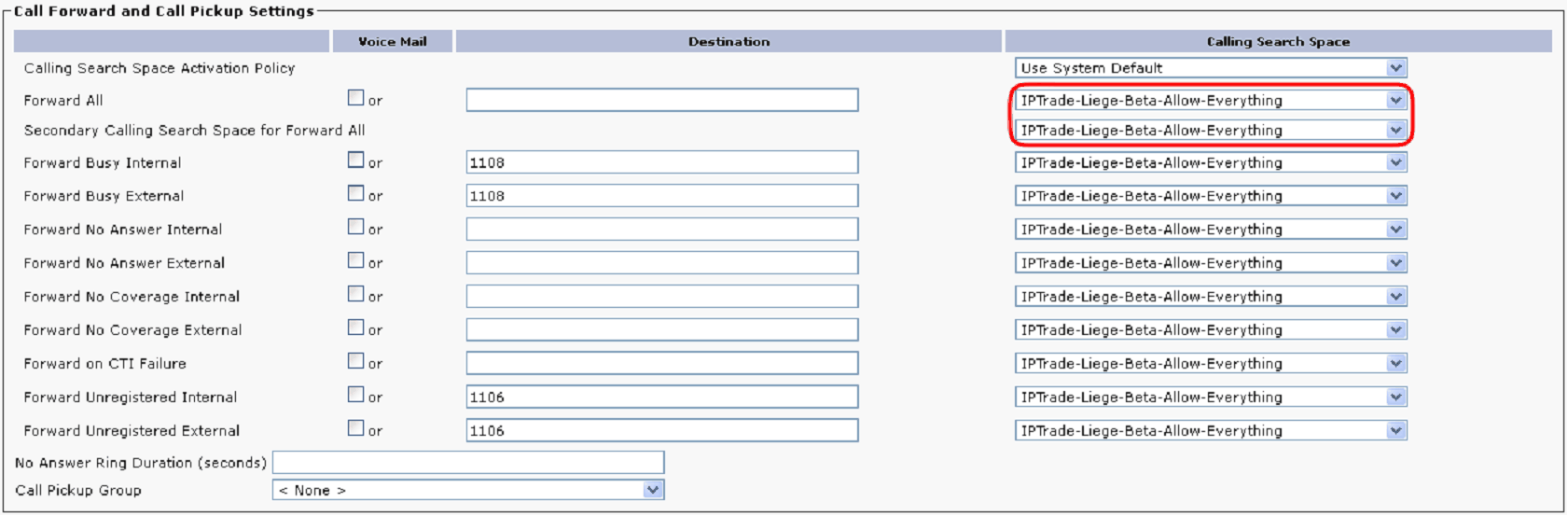
PBX Forwarding and Shared lines ·There is only one rule per line, independently the number of users which register the line ·Last changes made to the rule is applied to all users which register the line ·PBX forwarding avoid conflicts about forward rule setup PBX Forwarding and Calling search spaces Pay attention to properly configure calling search spaces for Forward All in CUCM Directory Number configuration. Two calling search spaces can be configured and must ensure target destination is found by the CUCM.
As it is a common mistake to activate PBX forwarding without properly setting related calling search spaces; double check that when you activate PBX forwarding.
Activate PBX Forwarding in user profile In TSS administration console: ·Go in Account Management à Profiles ·Click on a shared (or private) turret profile ·Select Settings pane ·Select PBX Features group ·Check PBX forwarding box ·Select true as PBX forwarding value ·Press Update button in order to validate changes |
||||||||||||||||||||