Schedule Walk The Floor


Schedule Walk The Floor |
|
| Compliance > Assure > Walk The Floor |
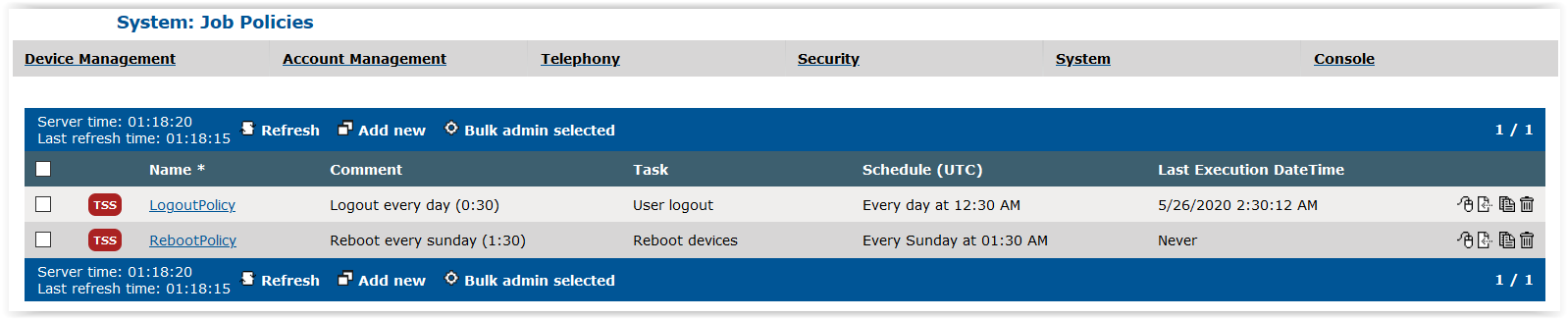
To schedule a Walk the Floor, go to the TSS Console > System > Job Policies
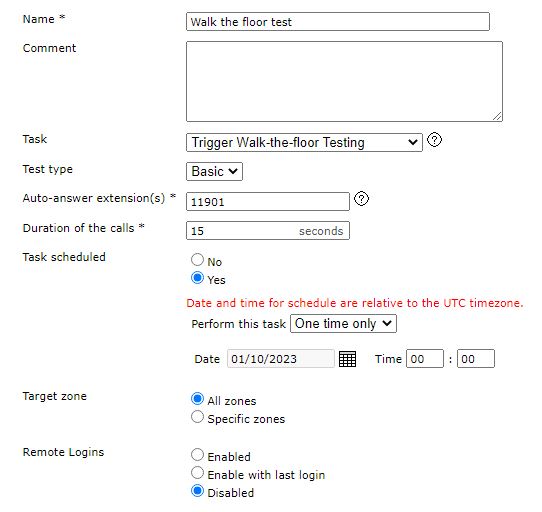
Press Add new to create a new Walk-the-floor automatic testing task
•Chose the Task "Trigger Walk-the-Floor Testing" •Auto-answers extension : it needs to be an extension that answers automatically. You can configure an intercom TPO place linked to a PBX line to do so. •Duration of the calls : it will be the duration of the call made during the test. The longer the duration of the call is, the longer the completion of the task will be as the calls are not made on all the turrets at the same time. •Task scheduled : configure the desired time when the task will run •Target zone : allow to select the zone of the turrets that will run the test •Remote Logins : if enabled, choose a list of users that will be used for the test. If disabled, a user needs to be logged on the turrets before the test is run, if Enable with last login is selected, the turrets will be logged in with their respective last logged user.
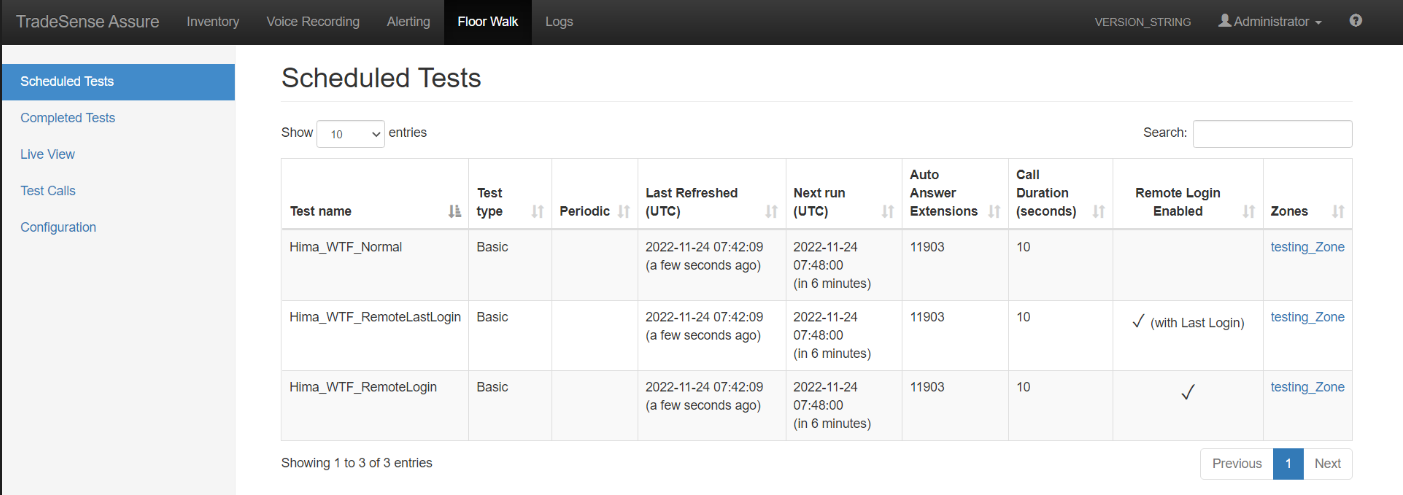
When the Job policy is created on the TSS, the task is automatically created in Assure. The task will be executed on all the turrets of the selected zones at the time set in “Next run”. Remote login enabled column shows as follows - empty , if remote login is disabled - ✓ , if remote login is enabled - ✓ (With Last Login) , if enable with last login is selected
|