Dashboard


Dashboard |
|
| Compliance > Assure > Inventory |
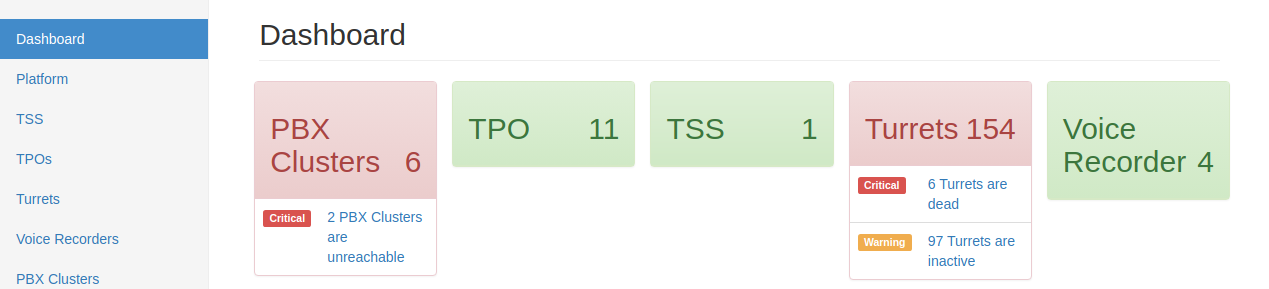
The Dashboard is intended to give you an overview of the current state of the platform. Within the Dashboard you will be able to see the current status for PBX Clusters, TPO, TSS, Turrets and Voice Recorder platforms if configured. Each system component is represented visually by an overall RAG status easily identified by a specific color:
•Green: Component is in a “Healthy” state •Amber: Component is in a “Warning” state (meaning that a component is inactive) •Red: Component is in a “Critical” state (meaning one or more component is unreachable or dead)
In the event of a component being in a “Warning” or “Critical” state, information will be displayed informing you how many of components are in that state at the current time. You can click on this information to display the impacted components.
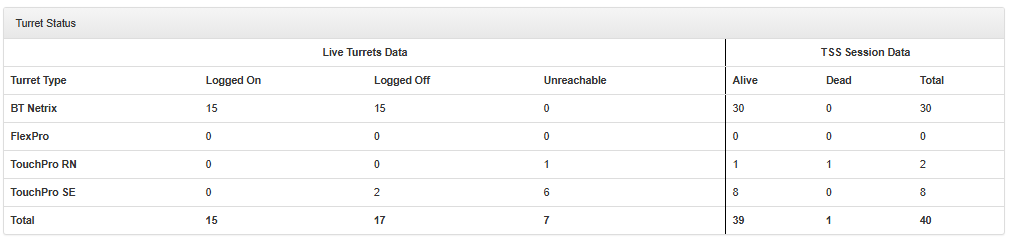
The Dashboard also displays an overview on the Turret Status. This will provide you with statistics referring to any turret type currently present on the platform. This information includes how many turrets are Logged On, Logged Off, unreachable, Alive, Dead. This Should be a true reflection of the TSS device sessions for turrets.
Auto refresh
Implemented an Auto Refresh option that automatically refreshes the TradeSense webpage every 10 minutes to prevent session timeout. If the option is disabled, the TradeSense will automatically logout after 10 minutes of inactivity.
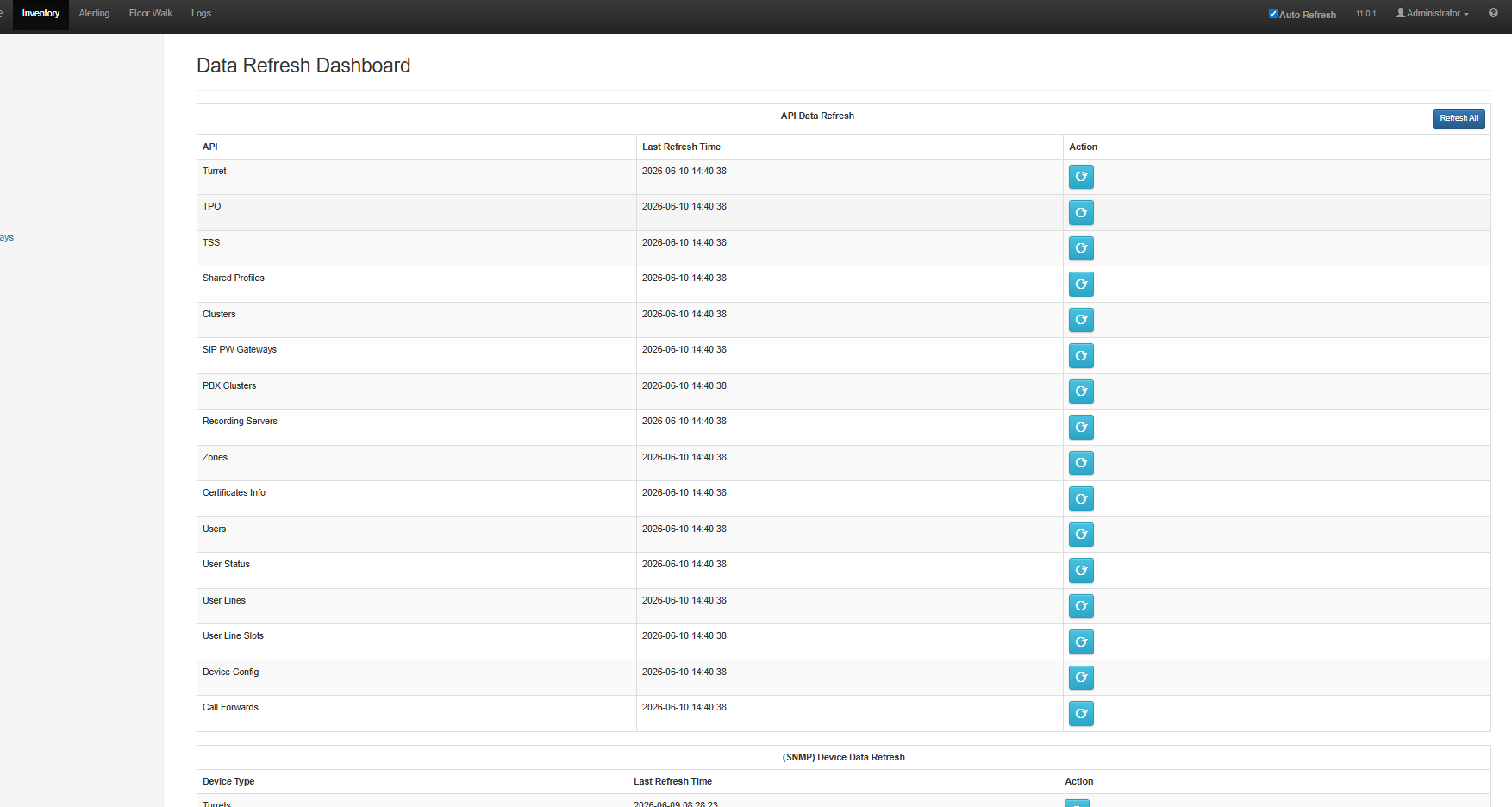
The Refresh All Data functionality allows users to update all API data sources within the application, including Turrets, TPOs, Zones, and others. This ensures that the displayed information is always current and accurate. 1.Refresh All APIs at Once By clicking the Refresh All Data button, the system triggers a refresh for all integrated APIs simultaneously, ensuring comprehensive data synchronization.
2.View Last Update Details The Last Update Details option provides a summary of all APIs along with their most recent refresh timestamps. This helps users verify when each data source was last updated. 3.Individual API Refresh From the Last Update Details view, users can also refresh specific APIs individually. This targeted refresh option is useful when only certain data sets require updating.
|