Outgoing Call


Outgoing Call |
|
| Attendant Features > Group Intercom Over Cisco intercom lines > Usage |
When a user wants to reach a group of CISCO Phones and/or users immediately, he has to click on his shortcut. The shortcut becomes green when all calls are established.
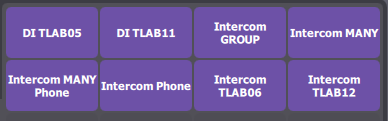
1)Here are the shortcuts in his initial state.
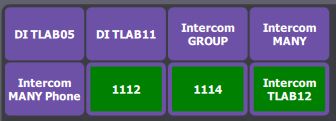
2)When the user reaches the group on their intercom lines, the shortcut of group intercom becomes green and the shortcuts of remote parties become green and blinks with the other user's names. He can immediately talk to the other users.
3)If a remote CISCO Phone or user (e.g.: 1114) has configured the direct intercom auto-answer mode (see configuration),
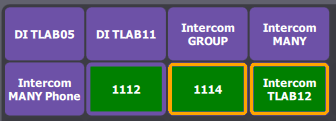
a.the intercom call between talker and remote user is bidirectional and shortcut of group intercom of the talker turns from violet to green circled orange blinking with the remote user's name ;
b.the shortcut of 1114 becomes green circled orange blinking with the remote user's name ;
c.the shortcuts of other remote parties become green and blink with their name.
The talker talks to everybody in the group but the remote party configured in auto-answer mode only talks to the talker.
|