Video stream


Video stream |
|
| Solution Integration > Media streaming to turrets > Configure |
PrerequisitesThe description below assumes that •IPTrade components are properly installed and running ; •More specifically, IT & voice administrators must check that : oOptions Video | Enable video module and User settings | Authorize video are enabled ; oA valid license that includes the item count IPT-PRO-TV (one per trader) is active in the system ; oThe network infrastructure is designed and configured to permit IP-based connectivity from turrets to Internet TV sites and to sustain the network traffic load ;
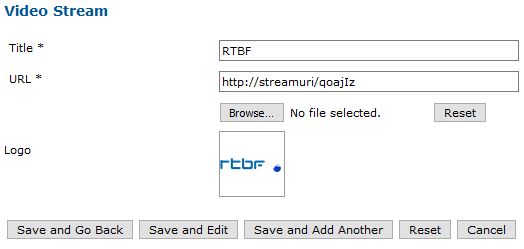
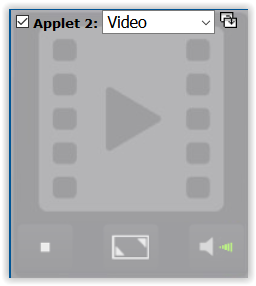
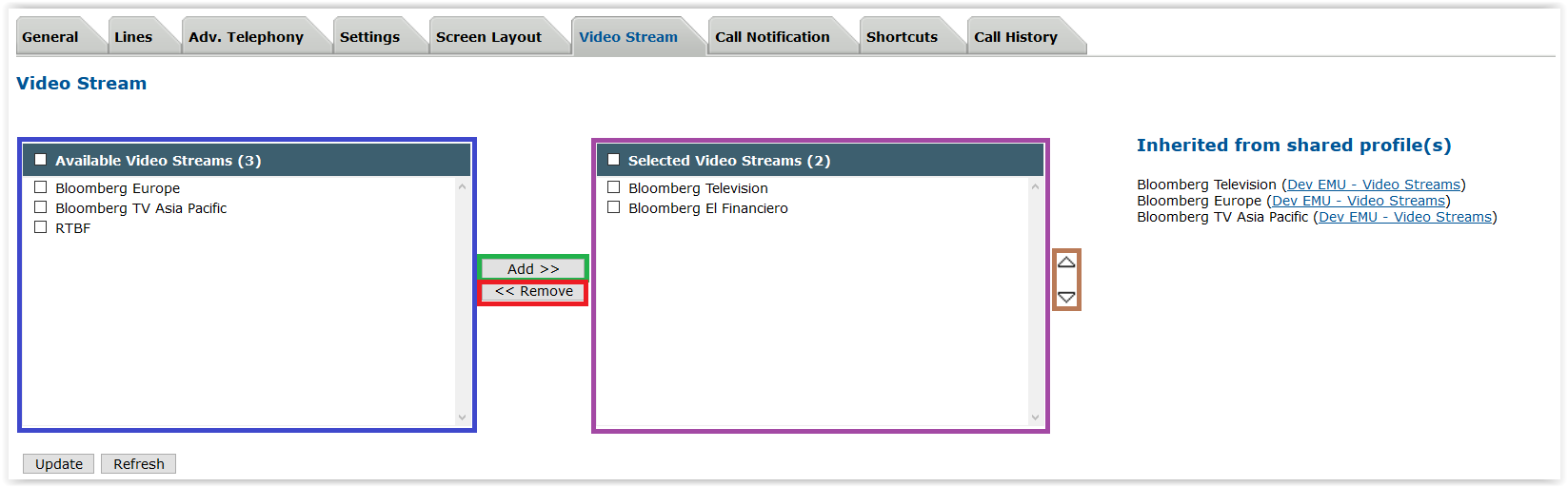
Configure the video streamsFirst, you have to configure the video stream(s) you want to add inside turret profile(s). 1)Connect to the TSS administration console using your preferred Internet navigator and log onto the system with administration privileges ; 2)On the TSS Console, navigate to System > Video Stream Configuration 3)Click on Add new button on the top of the list, it displays the video stream edition form 4)Fill the form with desired stream configuration, logo is optional. If the logo size is too big, it will be resized by the TSS (image ratio is kept). 5)Click on "Save and Go Back" 6)The new stream configuration entry should be present in the list Configure the appletThe video applet can be enabled in traders profile as per the procedure below 1)From the main menu, select the Account Management > Profiles panel ; 2)Select the profile (shared/private) associated to the user go to the Profile Edition panel ; 3)Open the Screen Layout tab panel ; check the applet placeholder and select Video option in the applet drop-down list ; 4)The video applet is displayed 5)To configure video streams to add or remove in the profile, select Video Stream tab
6)The Available Video Streams list contains video streams configured on the TSS and not already added to profile video streams. Select the desired stream(s) to add to the profile 7)Click on the "Add >>" button to add the selected streams to the Selected Video Streams list 8)(Optional) Streams list of a profile can be reordered by simply selecting stream title(s) in the Selected Video Streams list and using the "up" and "down" arrows on the right. It will move the selected stream(s) in the list. 9)(Optional) To remove a stream from profile, select the video stream(s) inside the Selected Video Streams list and press the "<< Remove" button. Video stream(s) will be displayed in the Available Video Streams list. 10)(Note) Inherited from shared profile(s) section in private profiles display inherited Video Streams configured in Shared Profiles. Those video streams are only available if a Video Applet is configured in shared profiles.
Audio output deviceIt is possible to set-up a list of output device on which the audio part of the stream is played. If this list contains more than one output device, a button appears in the video applet and panel allowing to switch from one device the the other.
|
||||||||||||||||||||||||||||||