Music on Hold


Music on Hold |
|
| Solution Integration > PBXs > BT Call Server > Web UI > Configuration |
Music on Hold Configuration
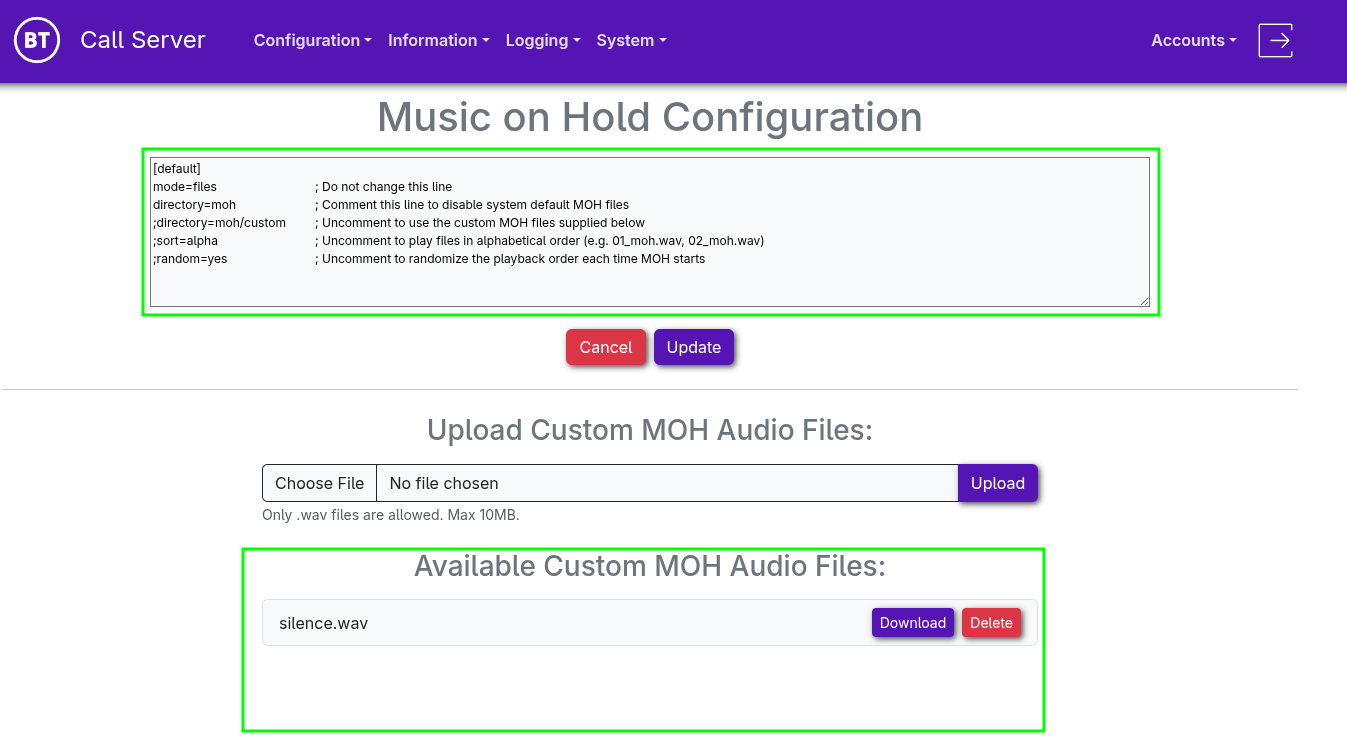
The Music on Hold Configuration is divided into two sections:
Configuration: Provides direct access to edit and manage the Asterisk musiconhold.conf file. Available Custom MOH Audio Files: Allows management of the audio files available for Music on Hold playback.
Note: Sound files should be created in 16-bit, 8 kHz, mono PCM WAV (.wav) format.
Configuration Examples
Use custom moh files, playback mode is set to "random", which plays a random file from all the files present.
[default] mode=files directory=moh/custom random=yes
Use custom moh files, playback mode is set to “alphabetical”, which will play files in alphabetical order Note: It always starts playback at the first alphabetical file
[default] mode=files directory=moh/custom sort=alpha
System default MOH config. (Disable Custom MOH), which uses the default internal system MOH files
[default] mode=files directory=moh
|