Extensions


Extensions |
|
| Solution Integration > PBXs > BT Call Server > Web UI > Configuration |
Extensions Configuration
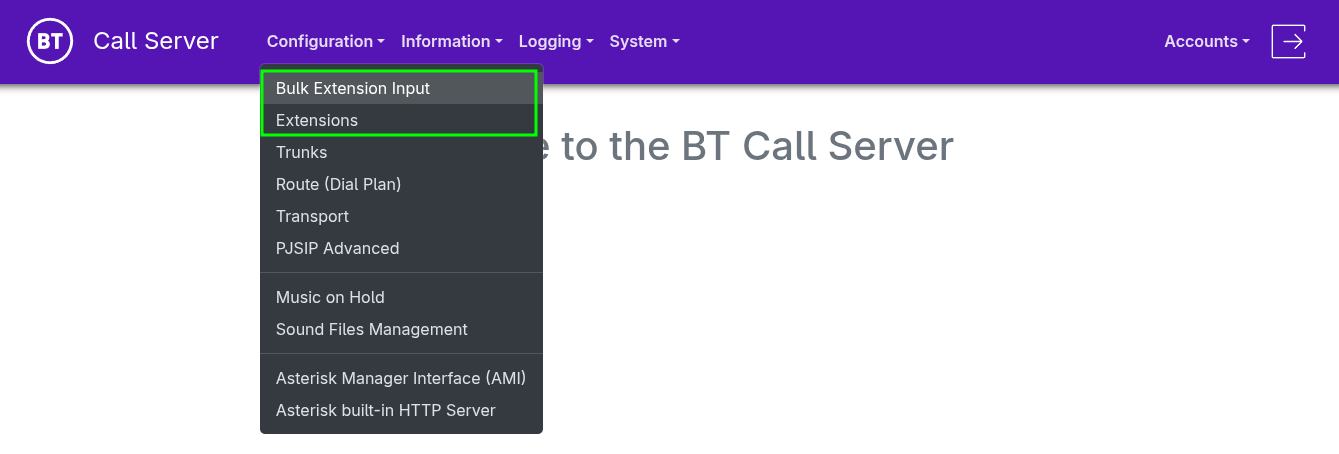
•Two modes are available to define extensions in the Admin UI "Configuration" menu •"Bulk Extension Input" (Basic) and "Extensions" configuration.
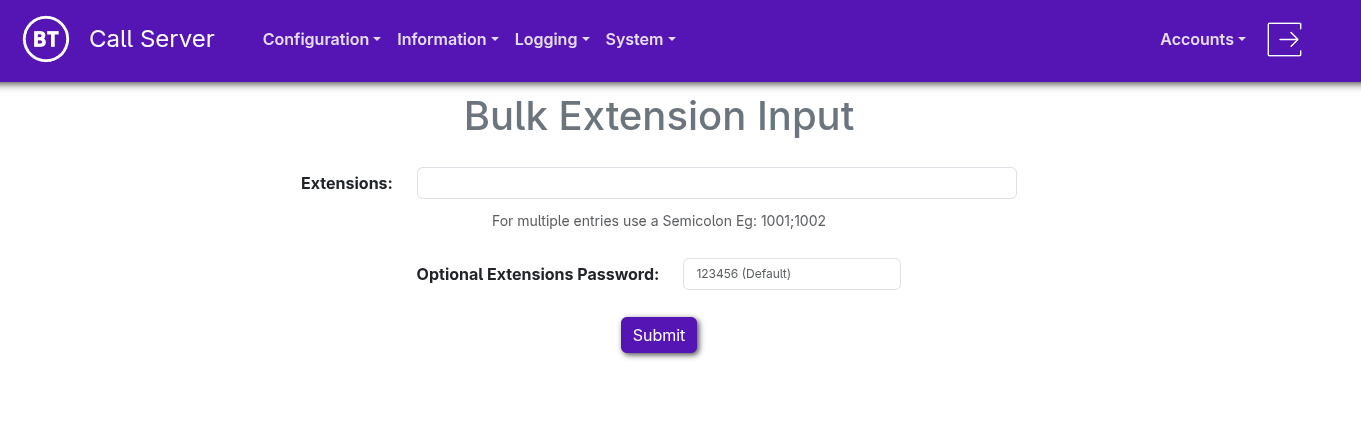
Bulk Extension Input
•For "Extensions", enter the extension numbers separated by a semicolon (;) •Define an "Optional Extensions Password" if you want to use a value other than the default (123456) for all extensions.
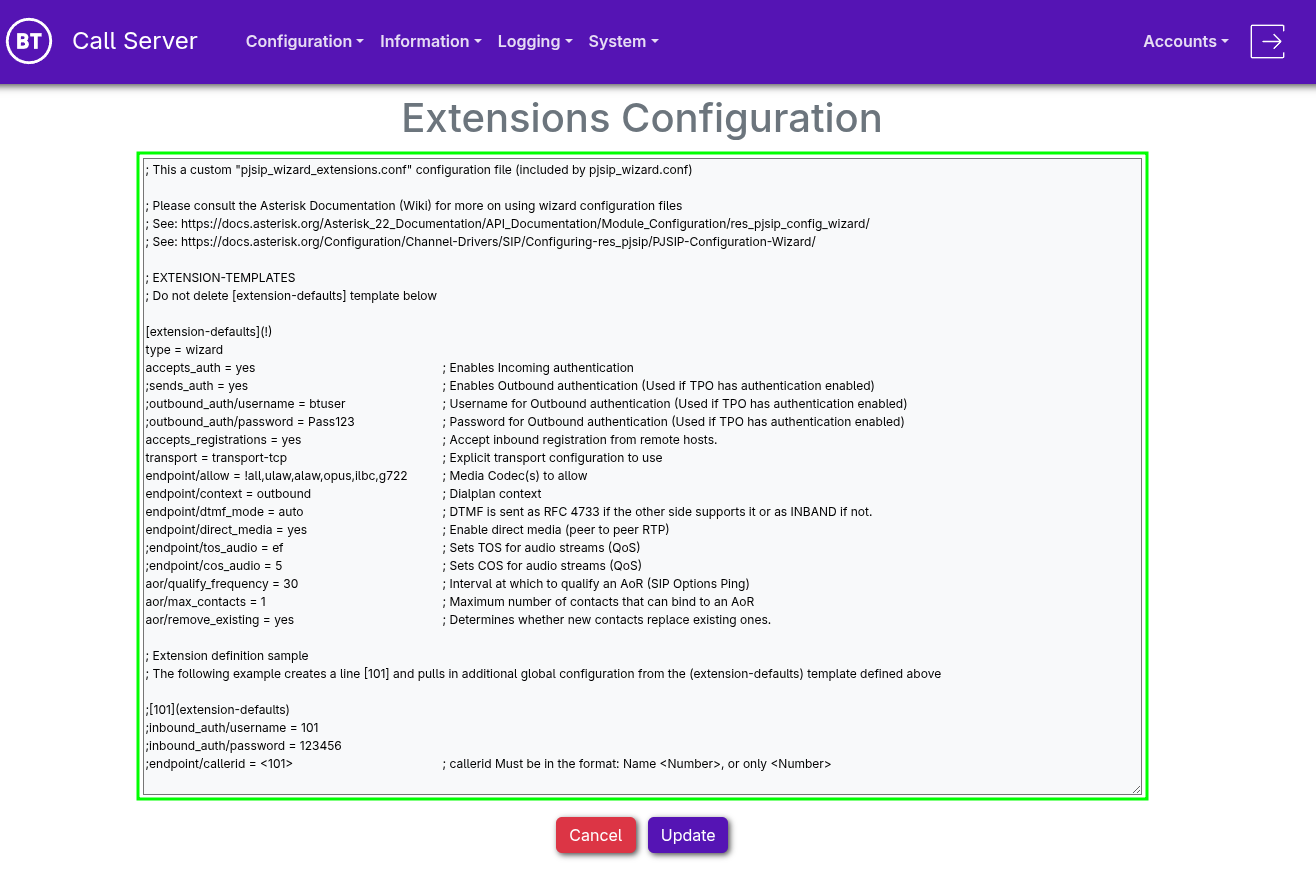
•Extensions Configuration provides full advanced control over settings related to lines (extensions).
•A default template, "extension-defaults", is available to simplify management by applying global settings to all lines (extensions).
[extension-defaults](!) type = wizard accepts_auth = yes ; Enables Incoming authentication ;sends_auth = yes ; Enables Outbound authentication (Used if TPO has authentication enabled) ;outbound_auth/username = btuser ; Username for Outbound authentication (Used if TPO has authentication enabled) ;outbound_auth/password = Pass123 ; Password for Outbound authentication (Used if TPO has authentication enabled) accepts_registrations = yes ; Accept inbound registration from remote hosts. transport = transport-tcp ; Explicit transport configuration to use endpoint/allow = !all,ulaw,alaw,opus,ilbc,g722 ; Media Codec(s) to allow endpoint/context = outbound ; Dialplan context endpoint/dtmf_mode = auto ; DTMF is sent as RFC 4733 if the other side supports it or as INBAND if not. endpoint/direct_media = yes ; Enable direct media (peer to peer RTP) ;endpoint/tos_audio = ef ; Sets TOS for audio streams (QoS) ;endpoint/cos_audio = 5 ; Sets COS for audio streams (QoS) aor/qualify_frequency = 30 ; Interval at which to qualify an AoR (SIP Options Ping) aor/max_contacts = 1 ; Maximum number of contacts that can bind to an AoR aor/remove_existing = yes ; Determines whether new contacts replace existing ones.
•New lines can be added with settings adapted to your requirements:
; Extension definition sample ; The following example creates a line [101] and pulls in additional global configuration from the (extension-defaults) template defined above
[101](extension-defaults) inbound_auth/username = 101 inbound_auth/password = 123456 endpoint/callerid = <101> ; callerid Must be in the format: Name <Number>, or only <Number>
•Once editing is complete, press Update
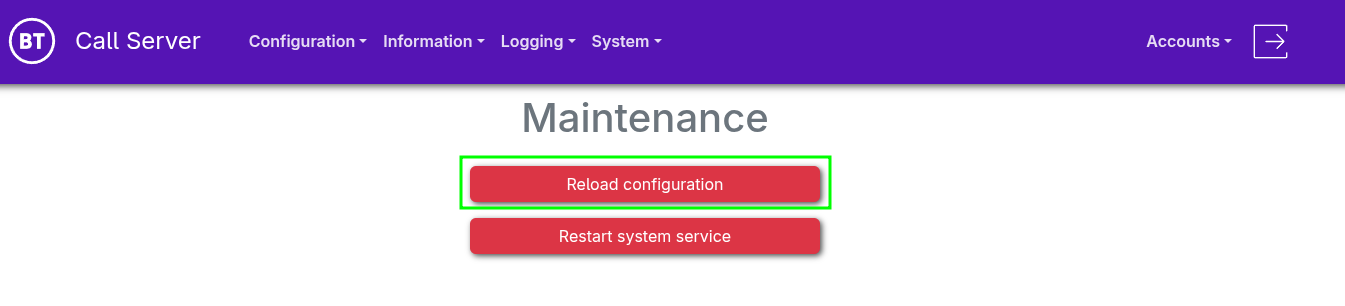
•From the navigation menu, select "System > Maintenance" •Select "Reload configuration"
|