CUCM Trunk


CUCM Trunk |
|
| Solution Integration > PBXs > BT Call Server > Example Configurations > Trunks Configuration |
CUCM Trunk
Here is the Ad-Hoc procedure to define a Trunk between CUCM and Asterisk:
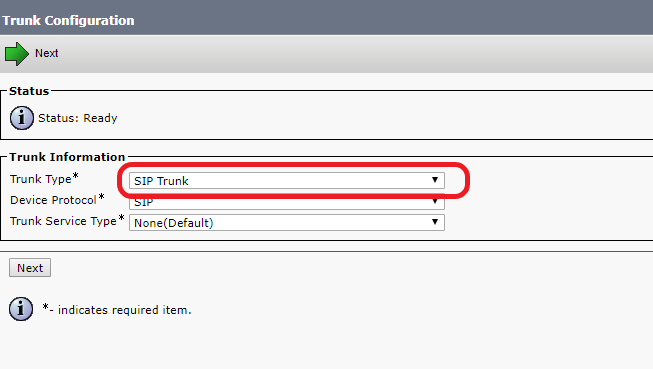
1. Connect to the Call Manager Administration Interface and open the "Device > Trunk" page 2. Select "Add New" 3. Select "SIP Trunk" as Trunk Type
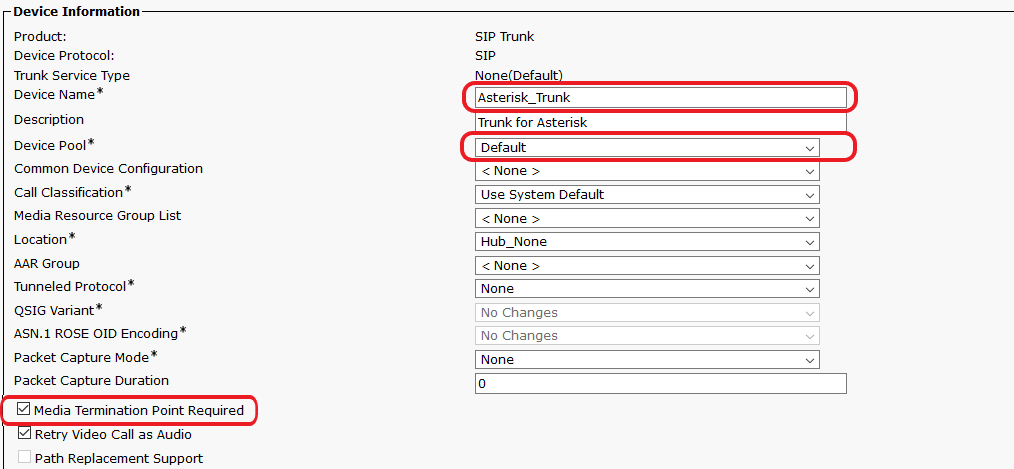
4. Enter a name, set the "Device Pool" to Default and check "Media Termination Point Required"
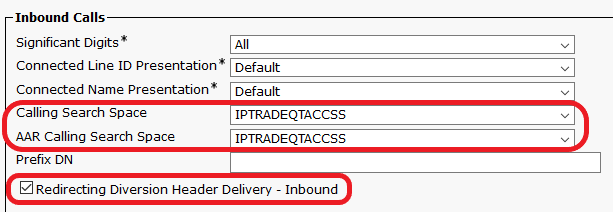
5. Configure the right Calling Search Space and check the "Redirecting Diversion Header Delivery - Inbound" box
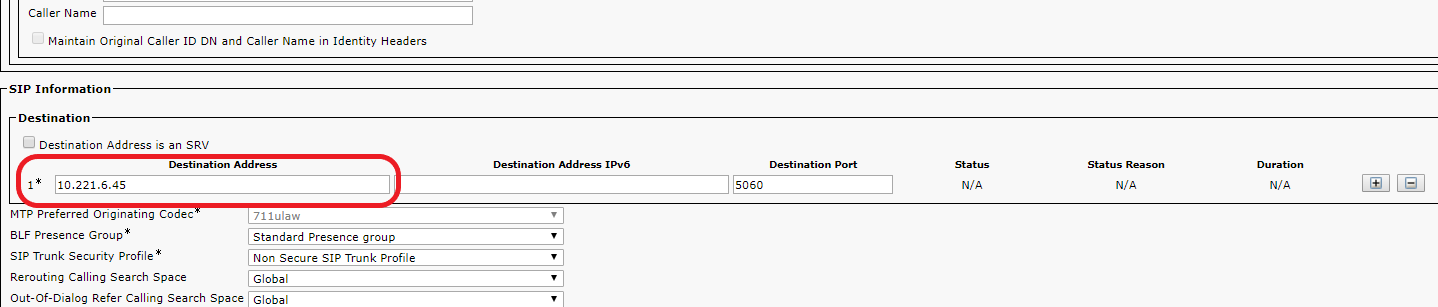
6. Enter the SIP Information of the Trunk => IP address of the Asterisk Server For a single Asterisk node PBX :
For dual Asterisk node PBX :
SRV DNS records need to be configured :
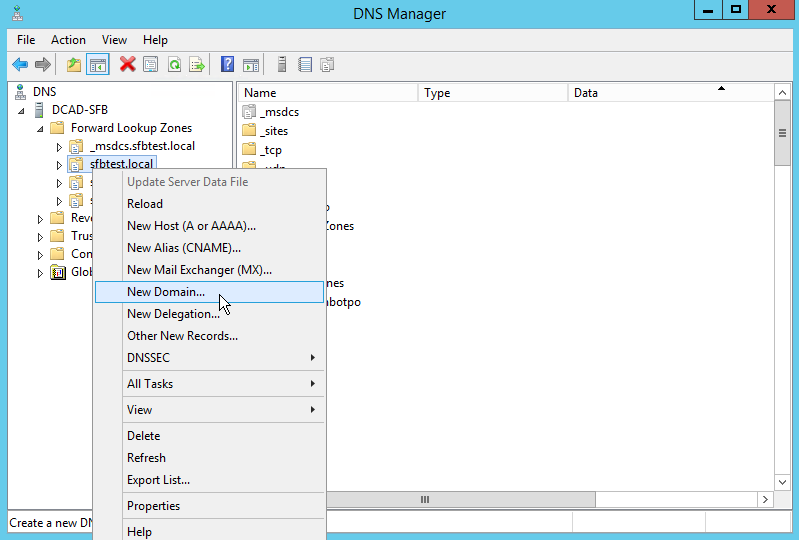
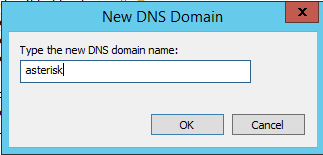
a) In the DNS server, create a new domain in the main domain
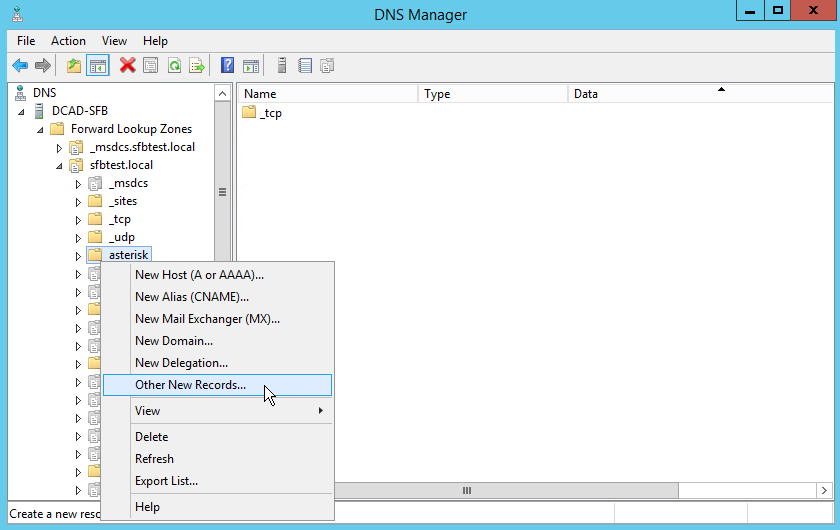
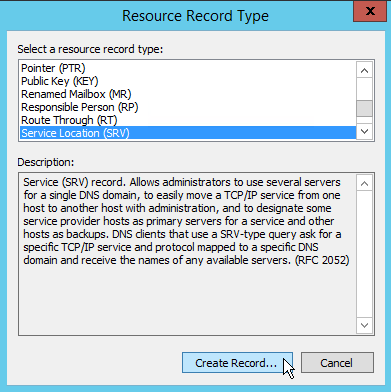
b) In the newly created domain, add a "Other New Records" of type SRV
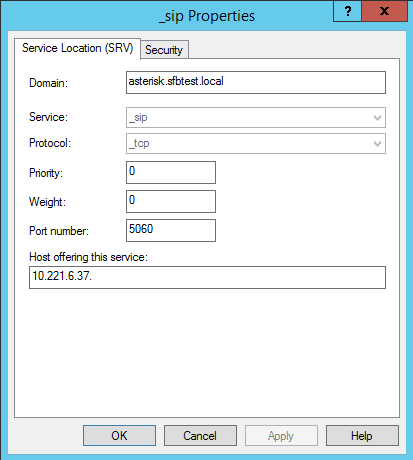
c) Fill the information with : service _sip, protocol _tcp, priority 0, weight 0, port 5060 and the IP address of the primary Asterisk
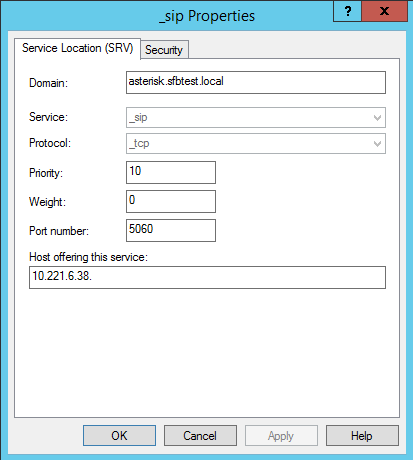
d) Create a new SRV record with the information : service _sip, protocol _tcp, priority 10, weight 0, port 5060 and the IP address of the secondary Asterisk
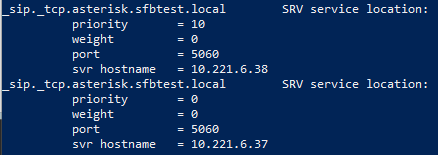
e) Summary of the new SRV records
f) In the SIP Trunk on CUCM, check "Destination Address is an SRV" and enter the newly created domain
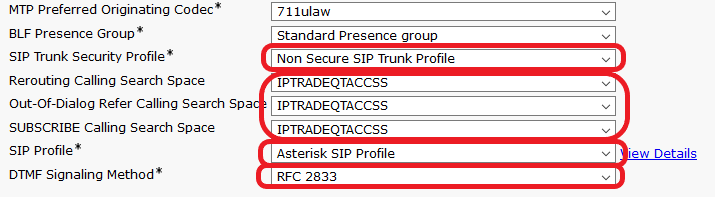
7. Select "SIP Trunk Security Profile" as "Non Secure", configure the right Calling Search Spaces, use a SIP profile created as shown just below and choose the "RFC 2833" DTMF method
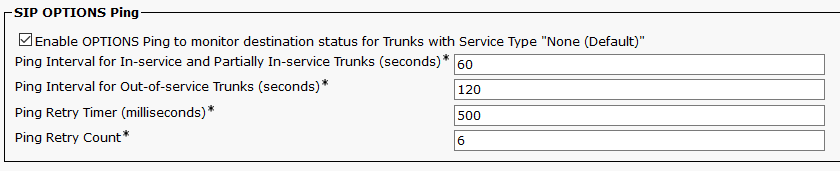
The SIP Profile used for the Asterisk trunk is a copy of the Standard SIP Profile with the SIP OPTIONS Ping enabled. See here:
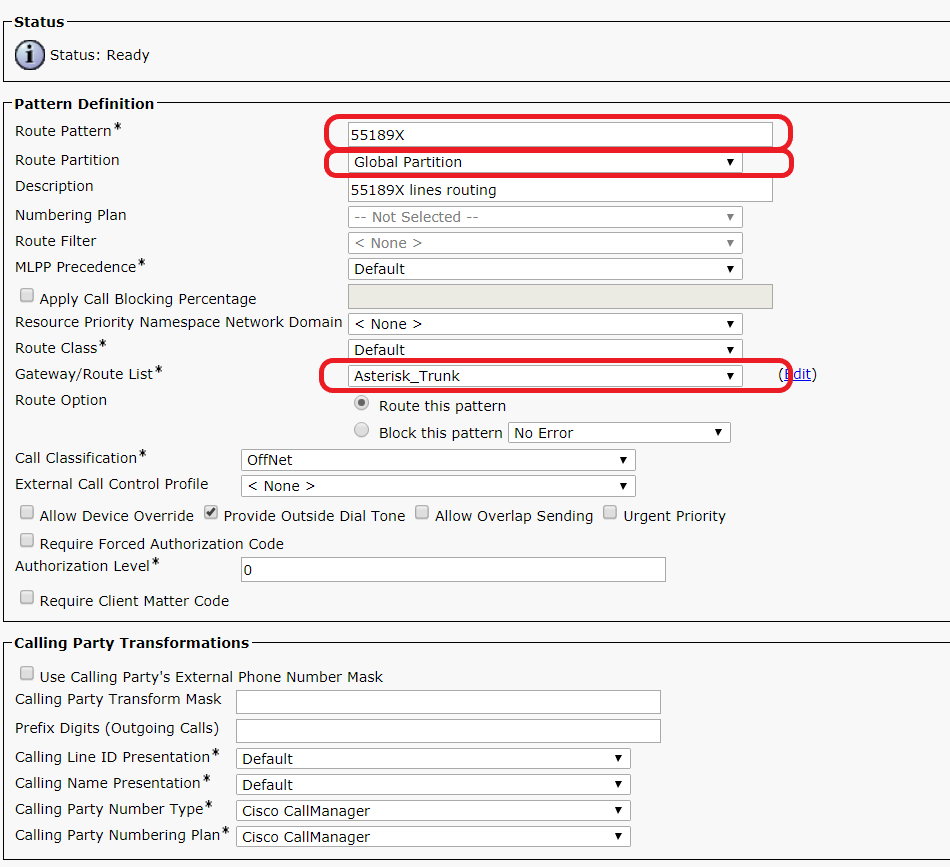
8. Go to the "Call routing > Route/Hunt > Route Pattern" page
9. Select "Add New"
10. Set the "Route Pattern" and "Route Partition" accordingly, then select as "Gateway/Route List" the SIP Trunk created above
11. Repeat step 9 for each Pattern that must be routed to Asterisk.
12. The Trunk configuration of Asterisk must have the "remote_hosts" and “identify/match” parameters set to the CUCM IP Address:
For a single CUCM node setup (Pub):
[CUCM](trunk-defaults) remote_hosts = IP_address_PBX_Pub:5060 identify/match = IP_address_PBX_Pub [CUCM](trunk-defaults) remote_hosts = IP_address_PBX_Pub:5060,IP_address_PBX_Sub:5060 ; Comma separated IP's (with port) of PBX Pub and Sub identify/match = IP_address_PBX_Pub,IP_address_PBX_Sub ; Comma separated IP's of PBX Pub and Sub
|