Turret's bootstrap


Turret's bootstrap |
|
| Networking > 802.1X > Configuration |
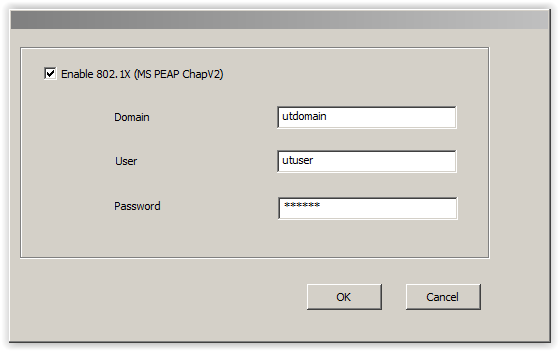
Turret's bootstrapSupplicant Setup - First Initialization1.Power up T4 2.Press 802.1X button 3.Select Enable 802.1X 4.Input 802.1X domain, user and password 5.Press OK 6.Configure T4 in usual way using Web Wizard
Supplicant Setup – Normal running, enable 802.1x1.Enter SuperUser Mode with ALT-F4 and F2-Top Right corner 2.Enter SuperUser password 3.Press 802.1X button 4.Select Enable 802.1X 5.Input 802.1X domain, user and password 6.Press OK 7.Select Reboot Button Supplicant Setup – Normal running, disable 802.1x1.Enter SuperUser Mode with ALT-F4 and F2-Top Right corner 2.Enter SuperUser password 3.Press 802.1X button 4.DO NOT Select Enable 802.1X 5.Press OK on 802.1X Dialog Box 6.Select Reboot Button
|