Remotely Capture Packets


Remotely Capture Packets |
|
| Basic > Troubleshooting Data: How to retrieve them > TSS > Wireshark Capture > On Virtual Appliance |
This topic contains the procedure which allows taking traces from the TSS OVA
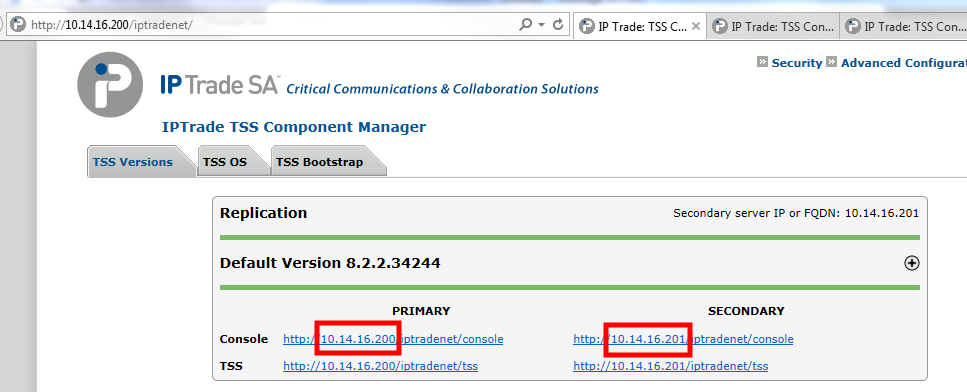
1.Ensure latest version of Wireshark is installed on your computer. 2.Get IP addresses of the TSS on which remote capture service has been started:
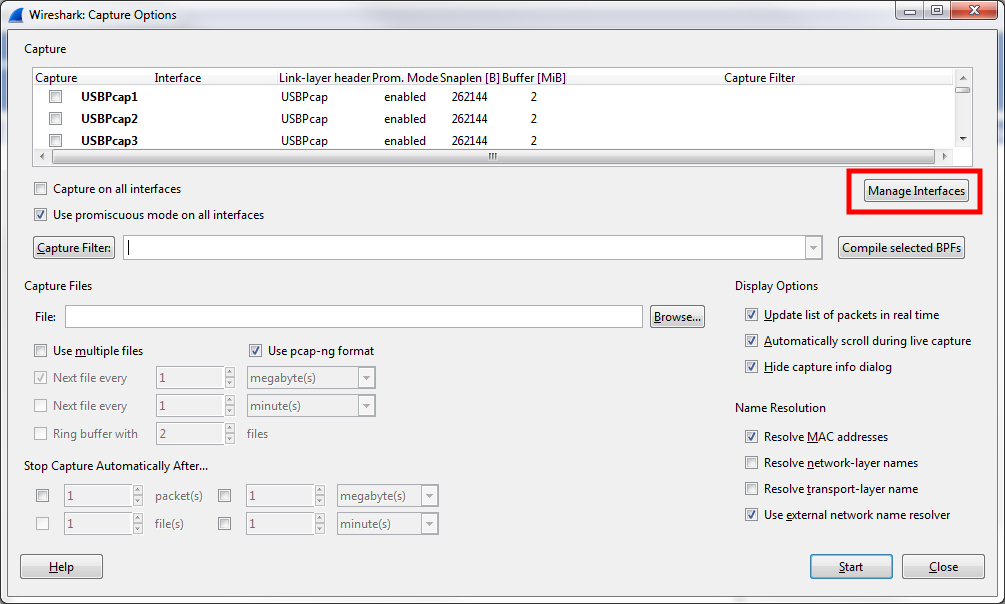
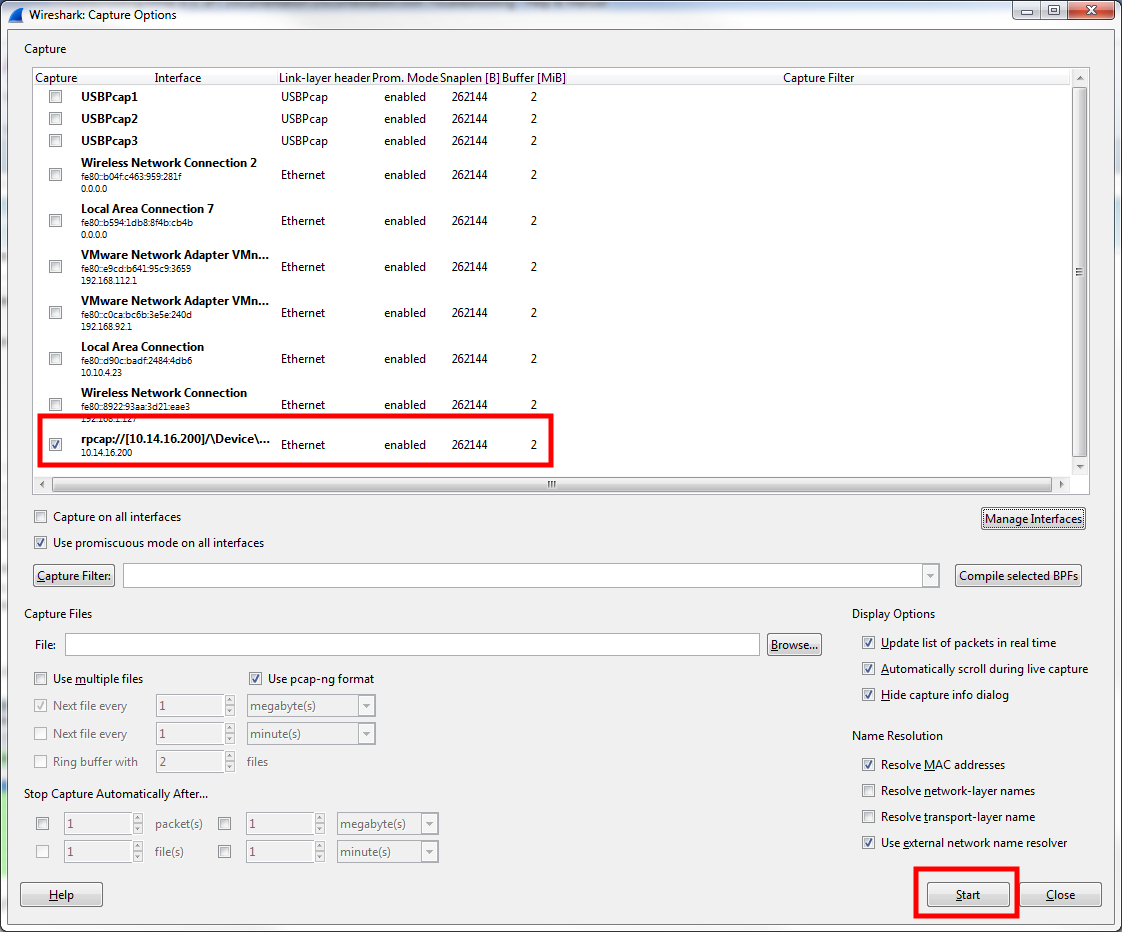
3.Launch Wireshark.exe 4.Navigate to Capture > Options
5.Click Manage Interfaces button
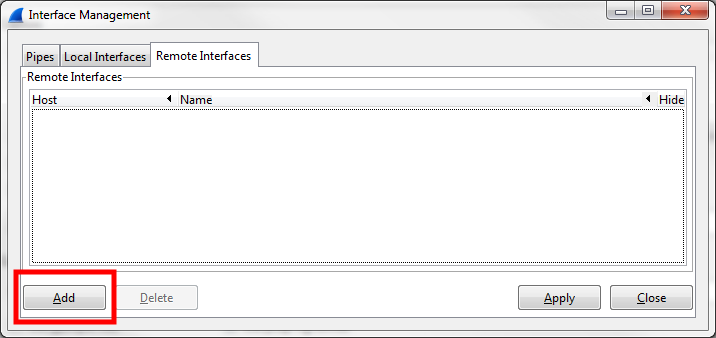
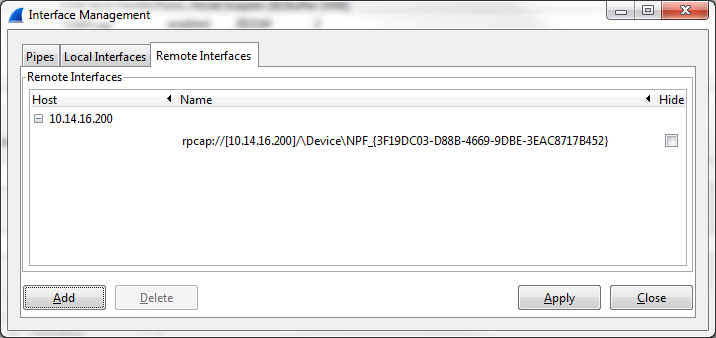
6.Select Remote Interfaces tab and click Add button
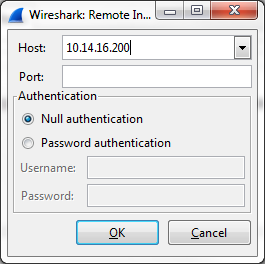
7.Type in the TSS IP Address in Host field, leave Port field empty and Null Authentication selected.
8.Click OK button: Corresponding turret interfaces are listed
9.Uncheck Hide boxes for all interfaces 10.Click Apply button, and then, Close button 11.Uncheck Capture boxes of local interfaces and check Capture boxes next to the relevant remote interfaces (which are indicated by IP Addresses)
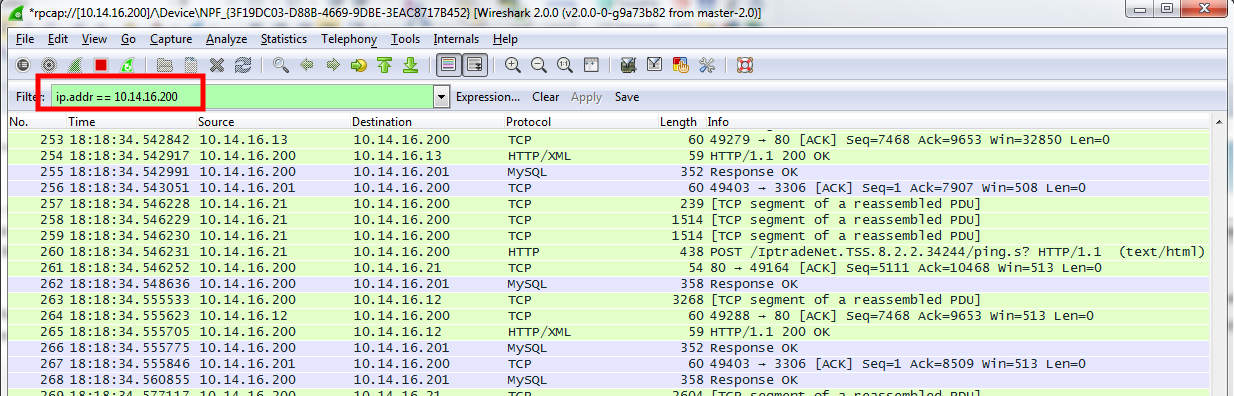
12.Click Start button in order to begin packet capture. You may apply a display filter based on interesting IP Addresses.
|