How can I retrieve debug information


How can I retrieve debug information |
|
| Basic > Troubleshooting Data: How to retrieve them > Others > Mobile Trader |
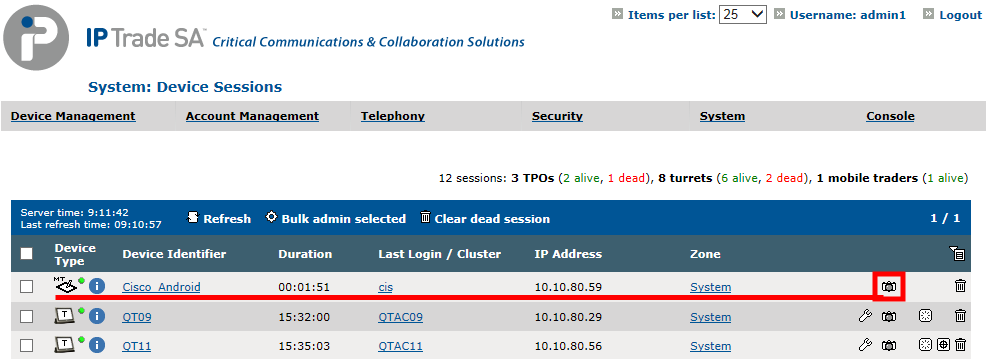
From managed TSS.From device session list as soon mobile trader is registered against the TSS. -On the TSS console, System --> Sessions --> Device Sessions. -A “dump” icon
Debug information directory is created on the server which host Mobile Trader application in directory defined by the following key: application.global.debuginfo.path (default value: C:\IP Trade\Debug Info\Mobile Trader) Directory can be changed in TSS console --> Mobile Trader settings --> Mobile Trader Device
|