Enable Remote Packet Capture Service


Enable Remote Packet Capture Service |
|
| Basic > Troubleshooting Data: How to retrieve them > TPO > Wireshark Capture > On Virtual Appliance |
The Remote packet capture service for the TPO VA can be enabled via the TSS console.
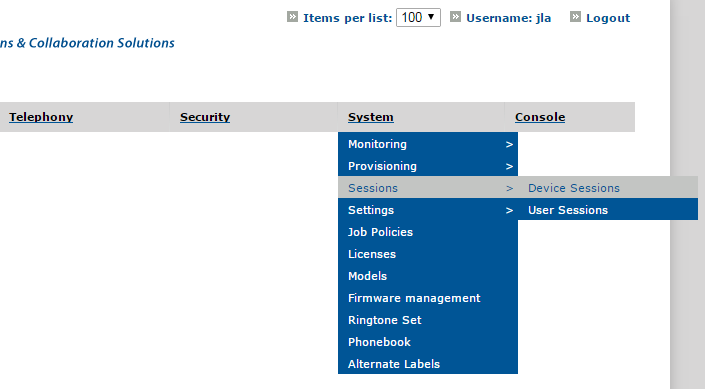
1.Open TSS Console Administration 2.Go to System > Sessions > Device Sessions
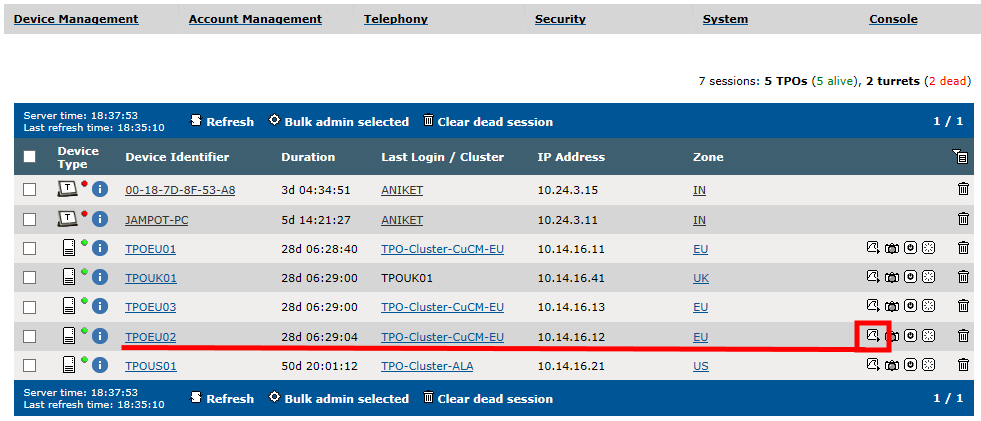
3.Press the "Start Network Capture" button for the concerned TPO
|