Receiver section


Receiver section |
|
| User Options > Peripheral devices > Wireless Push To Talk > Configuration > Graphical interface |
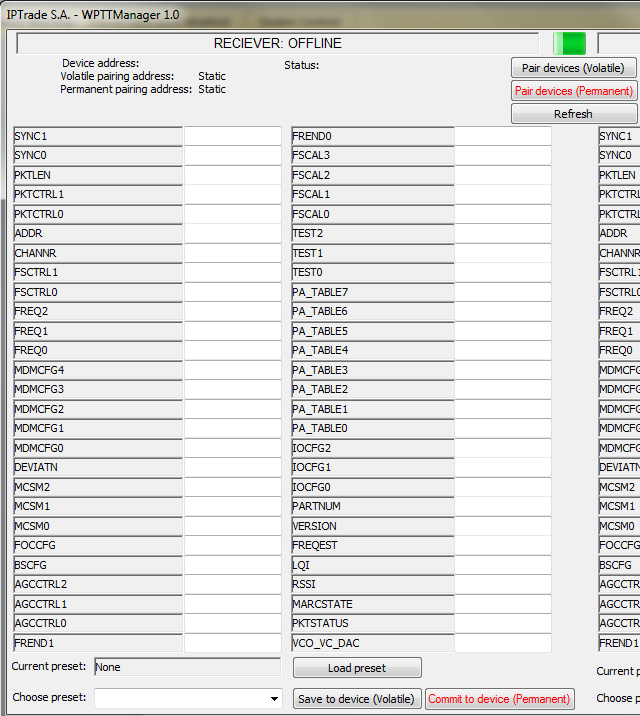
This section is dedicated to the receiver device. The status is displayed at the top of it. In this screen-shot, the receiver is not connected. Once the receiver connected, the following pieces of information are available.
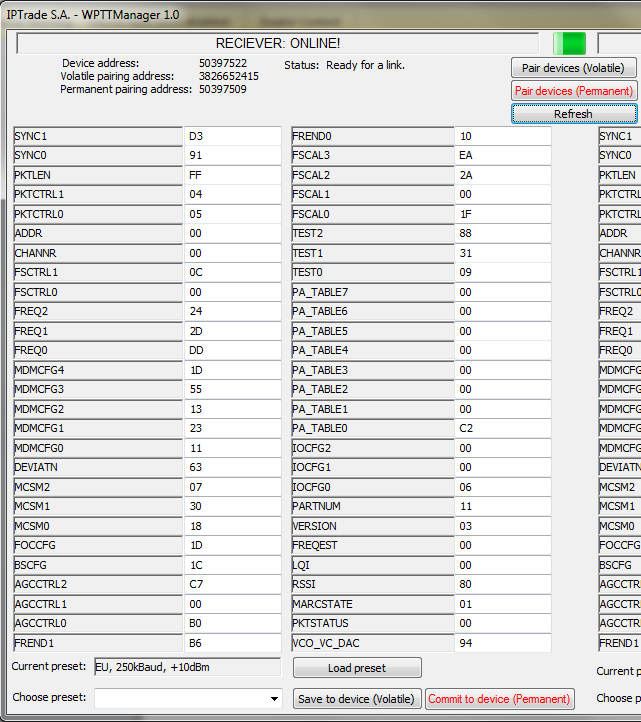
First, we can now see that the reciever is online. The device address is an information that cannot be modified and is proper to each device.
The volatile and permanent pairing addresses are displayed under the device specific address. For more details about the volatile/permanent pairing addresses, please refer to the next sections or to the WPTT- Software Architecture - 00DOC10501-000 document.
The status “ready for a link” indicates that the device is ready to be paired with an emitter.
Then, we can find the list of parameters of the devices. Those parameters are stored in the device and represent its current configuration. Please note that those values are hexadecimal. For this WPTTM manager version (1.0), no format check is applied on those fields; please ensure that correct hexadecimal values are used in those fields when modifying them.
At the bottom of the screen, we can find the preset section. A preset is a list of specific values defined for the device parameters. Those presets can be applied on the device in order to change its working frequency, its dataflow speed and its power. For more details, please refer to the corresponding section of this document.
|