Broadcast to distant parties on-demand
|
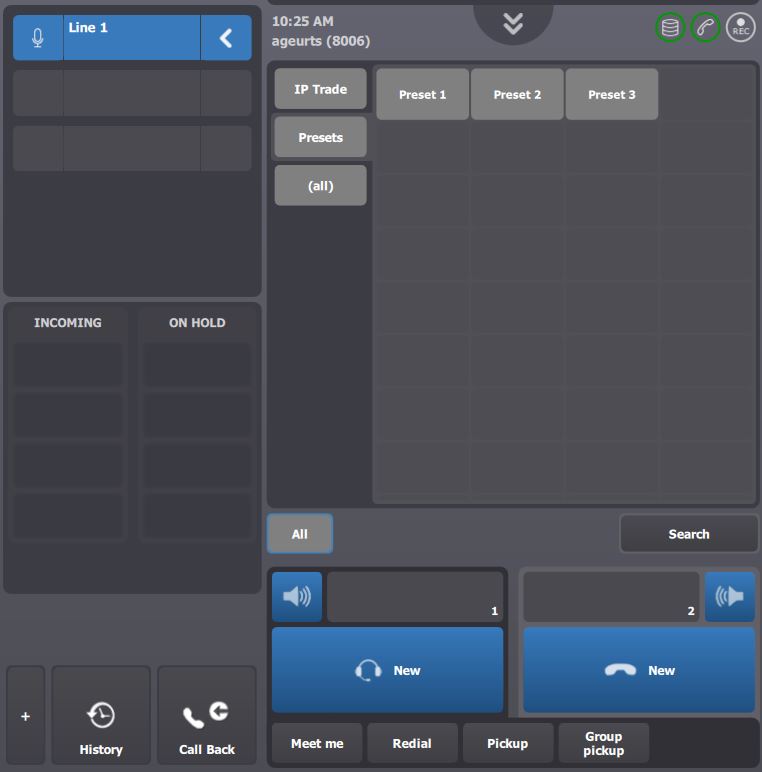
Once turret is logged on, line 1 is connected to the speaker channels at the left-side of screen. Associated distant parties can be heard on the loudspeaker.
Line 2 and 3 remains idle.
|
|
|
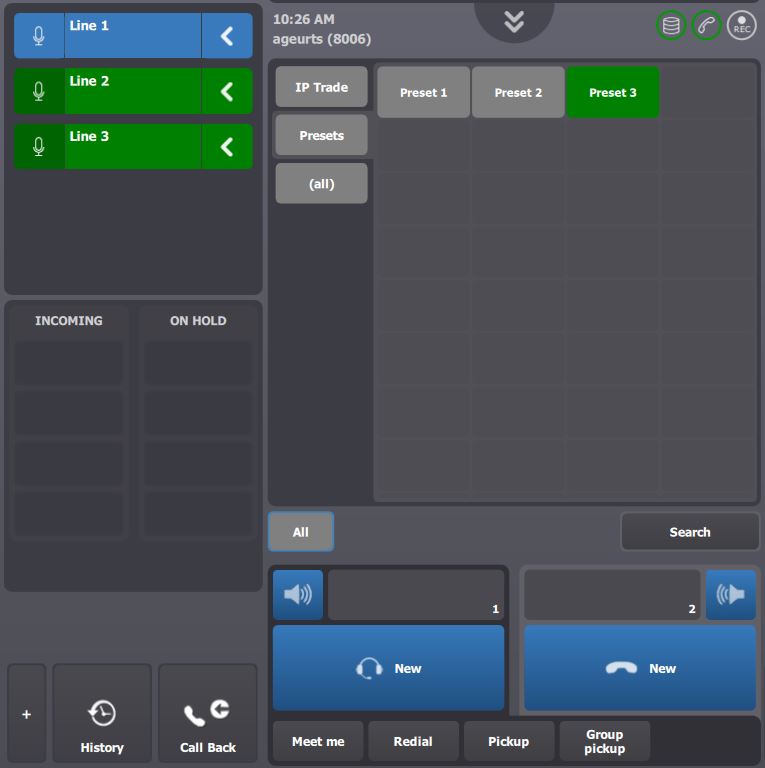
Pressing Preset 3 key connects associated lines to the first available speaker channels, sets up the voice circuit to the distant parties and opens the microphone.
Traders must wait for the Preset 3 key and speaker channels background to turn green before shouting on the microphone.
Pressing a second time the Preset 3 key closes the microphone and restores the system in its original state.
|
|
Program a key using the auto-configure facility
An auto-configure facility has been introduced to make Preset key definition more straightforward.
We assume that
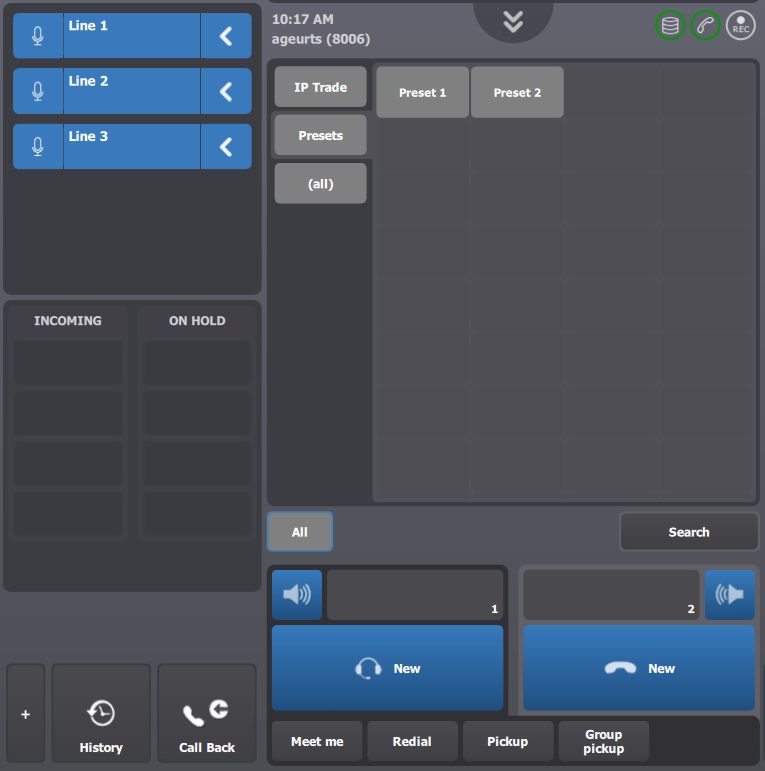
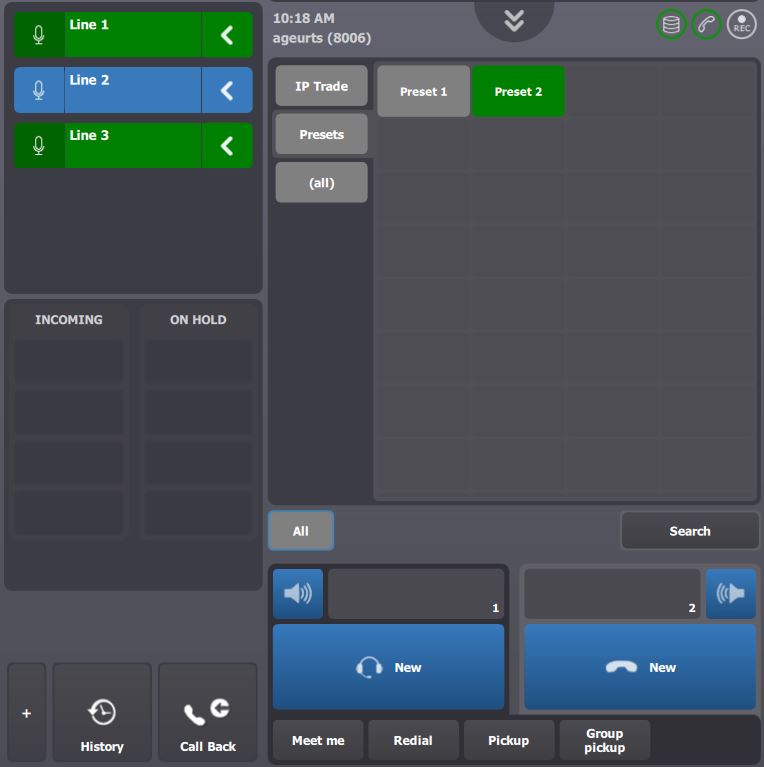
•Three lines labeled Line 1, Line 2, Line 3 are defined and associated to speaker channels spread across two monitoring applets; •Two Preset keys labeled Preset 1, Preset 2 are defined and programmed as follows: Preset 1 [Line 1], Preset 2 [Line 1, Line 3]; •The profile option Preset shortcut mute calls (profile.setting.shortcut.preset.mute) is obsolete.
|
Once turret is logged on, lines are connected to the speaker channels at the left-side of the screen.
Associated distant parties can be heard on the loudspeaker.
|
|
|
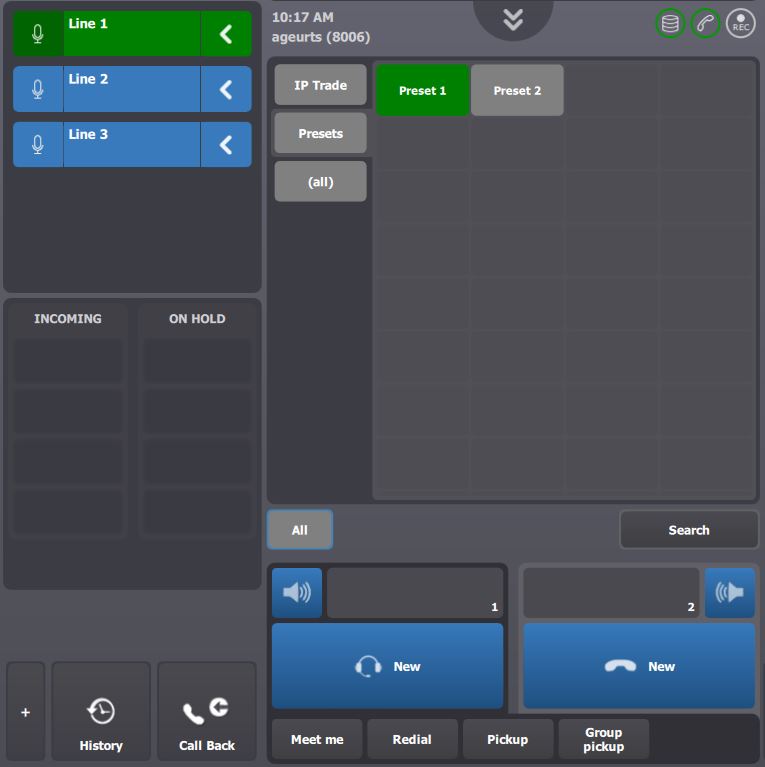
Let assume that traders wants to re-program Preset 1 key.
To proceed, they first need to choose which speaker channels they want to associate to the key using the selection arrow next to each speaker channel slot.
|
|
|
|
|
Traders must then press the Preset 1 key and keep it pressed for at least two seconds.
A brief audio tone is then played out to confirm that the new selection has been saved.
|
|


