Display Settings


Display Settings |
|
| Trading and C&C > Netrix > Settings > Usage |
The Display Settings menu allows you to configure the following: •the contrast of the line and speaker displays. •the length of time before screen save mode switches in. •the brightness level for the displays.
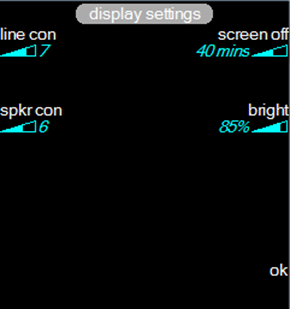
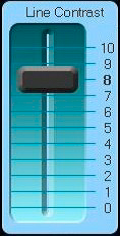
Opening the display settings menupress utilities …in the Netrix menu press display settings Adjusting the line contrastChanges the contrast on the line displays. The label and graph adjacent to the key show the current setting. Range: 0 to 10 (maximum contrast).
press line con …the line contrast control is displayed
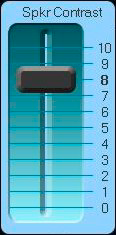
press …to increase or decrease the line contrast press ok or press line con …to confirm and close the line contrast control Adjusting the speaker contrastChanges the contrast on the speaker display. The label and graph adjacent to the key show the current setting. Range: 0 to 10 (maximum contrast). press spkr con …the speaker contrast control is displayed
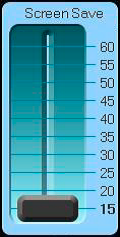
press ...to increase or decrease the speaker contrast press ok or press spkr con …to confirm and close the speaker contrast control Changing the screen save timeoutWhen the screen save timeout expires all displays (line, application and speaker) are turned off. The label and graph adjacent to the key show the current timeout setting. Range: 15 to 60 minutes Default: 30 minutes press screen off …the screen save control is displayed
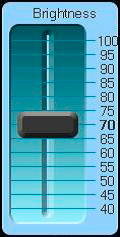
press …to increase or decrease the screen save timeout press ok or press screen off …to confirm and close the screen save control Adjusting the brightness of the displaysAllows you to change the brightness of the displays. The higher the percentage the brighter the displays. The label and graph adjacent to the key show the current setting. Range: 40% to 100%. Default: 70% press bright …the brightness control is displayed
press …to increase or decrease the brightness press ok or press bright …to confirm and close the brightness control
|
 or
or