Turret


Turret |
|
| IT&Operations > Security > Securing Device Session |
Turret ConfigurationThis section explains how device session creation request from turret to TSS can be secured.
Turret devices session request is secured when: •HTTPS is being used. •A secret is configured in TSS's Credentials Manager. •Same secret is configured in Turrets Credentials Manager •TSS settings from Securing Device Session > TSS are applied.
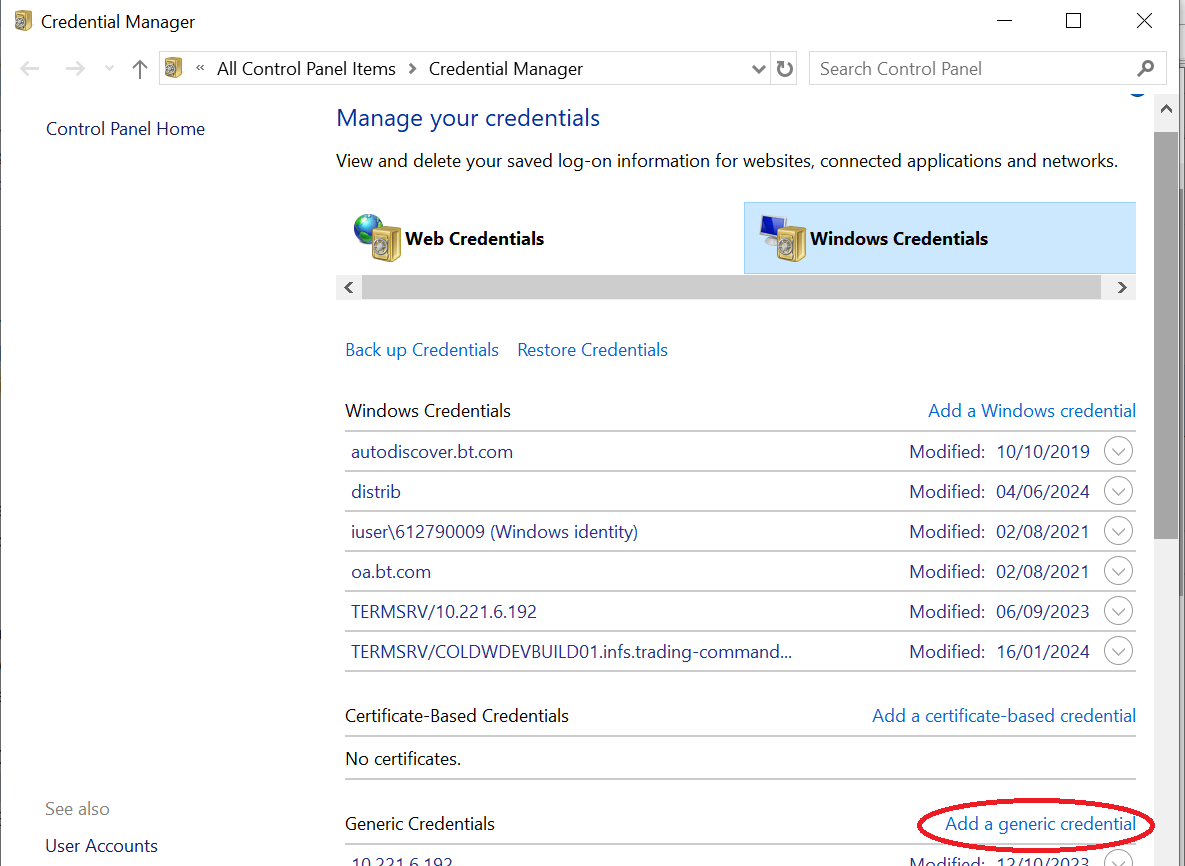
On Turret: •Open windows credential manager, select "Windows Credentials" and click on "Add a generic credential".
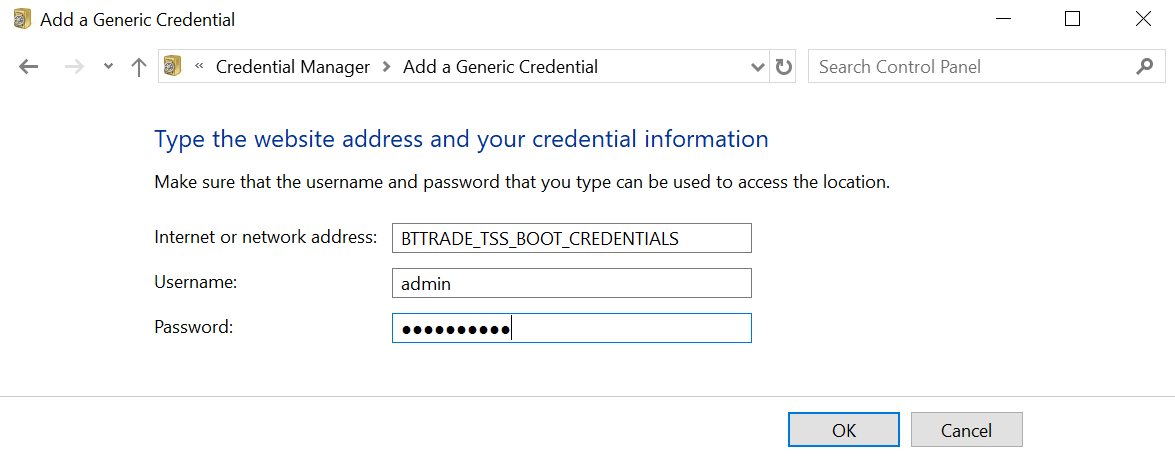
•Set "Internet or network address" to "BTTRADE_TSS_BOOT_CREDENTIALS". Set the same "username" and "password" configured on TSS above.
TroubleshootingIf not properly configured turret will not be able to connect to TSS and it will display error "Turret has booted without TSS Server" on Turret UI. Check the following points if this error occurs.•Verify that https is enabled by checking that the url set in application.bscg.baseServiceURI in application.cfg begins with "https". •Verify that the username and password match in TSS credentials manager and Turrets credentials manager. •Ensure that "Reload application" is done after configuring TSS settings in TSS console.
|