Licensing


Licensing |
|
| Solution Integration > Session Border Controllers > Audiocodes |
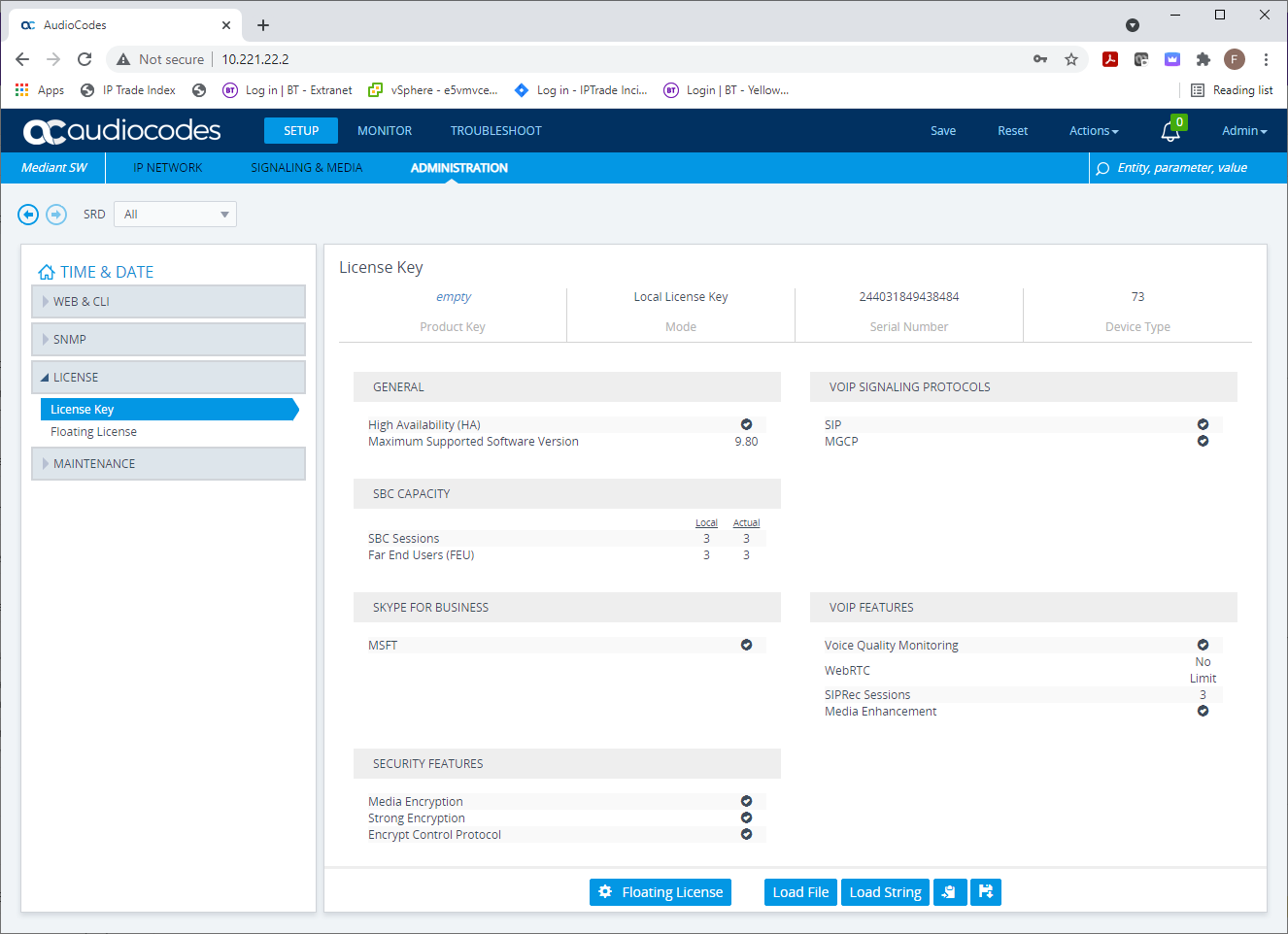
The Audio Codes VE SBC system comes with a free 3 call license. Each call has a maximum duration of 1 minutes and 30 seconds. This allows for lab tests without the need for a full license.
For further information in licensing please view the documentation on obtaining the Adding LicenseThe License should be supplied as part of the customer order to generate it AudioCodes will need to know the SBC serial Number which will only be known when SBC is installed.
To find the serial number log on to the SBC web console select Administration->License->License Key to verify the SBC has the default three licenses and to find the serial number.
Copy this and email to BT and a valid License will be issued back to you.
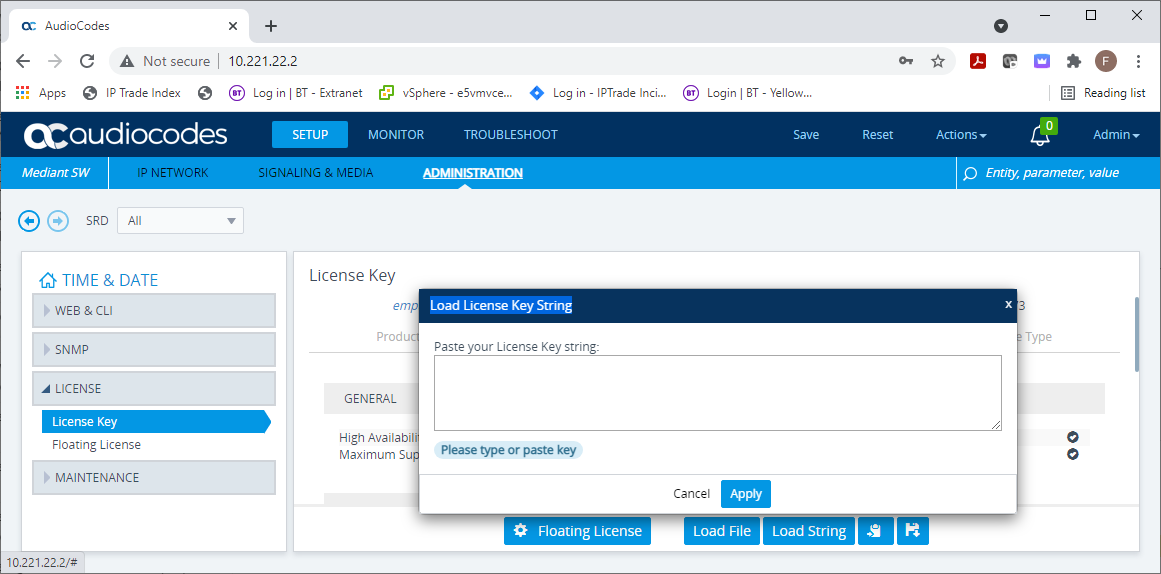
From this screen you can also load a new License you received. These are normally a long string of characters but can also be a file.
To load the license select Load String or File depending on the format you have and then copy into the dialog and apply .
License featuresThe Audiocodes SBC has several features that are enabled by the license files. We are generally interested in•SBC Sessions - This is the number of SIP calls that are active through the SBC •Far End Users (FEU) - The number of DDIs that can be registered to the device. There are many more licenses, for example transcoding but we are not using these features.OVOCIn addition to the fixed SBC licensing above the Audiocodes can be licensed through the Audiocodes OVOC server. OVOC provides a pool of licenses that SBC's seize when they boot up. OVOC also provides additional functionality such as software upgrades, monitoring and configuration managementOVOC is typically only used on large carrier installs that are managing hundreds of SBCs and therefore is out of scope for a typical BT Trade deployment.
|