Usage


Usage |
|
| Enterprise Telephony > Common > DialPlan |
A dial plan configuration allows to manipulate various extensions (provided through shortcut keys, dial pad, PIM shortcut, ...) before using them to place an outbound call.
How dial plan is appliedA dial plan is constituted of a set of normalization rules. A normalization rule is the composition of a pattern to match and a translation rule. In addition, each normalization rule has a priority defined within the dial plan to specify in which order these rules will be applied.
A pattern to match is described as a regular expression, which provides a powerful tool to describe complex patterns. The turret is able to deal with regular expressions given in the ECMAScript grammar. A short documentation for writing simple regular expression is available here.
A translation rule describes how to translate a calling address once it has been matched against the pattern expression. Any captured group (up to nine) in the pattern regular expression can be injected in the translation rule's placeholders. The captured group placeholder are numbered following the capture group order: the first captured group can be inject in place of any '$1' placeholder, the second in place of any '$2' placeholder, etc..
In the following scenario, we will define a simple dial plan, for a single line (of extension 4242):
The dial plan application consists in this simple process. Given the line used to place the outbound call, three levels of dial plan configuration are considered in this order: 1.Dial plan configuration coming from Skype for Business server for SfB lines. 2.Dial plan configuration coming from settings specific to this line. 3.Default dial plan configuration coming from settings.
The entire process can be described by the scheme below: 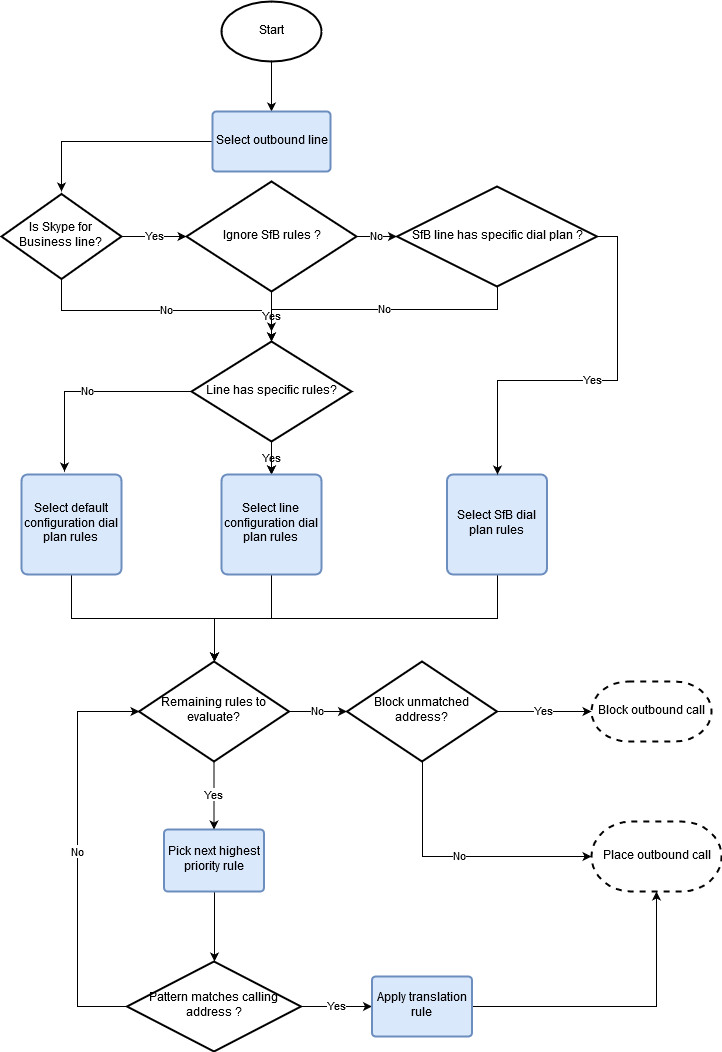 Dial plan process Placing an outbound call from a shortcut or the dial pad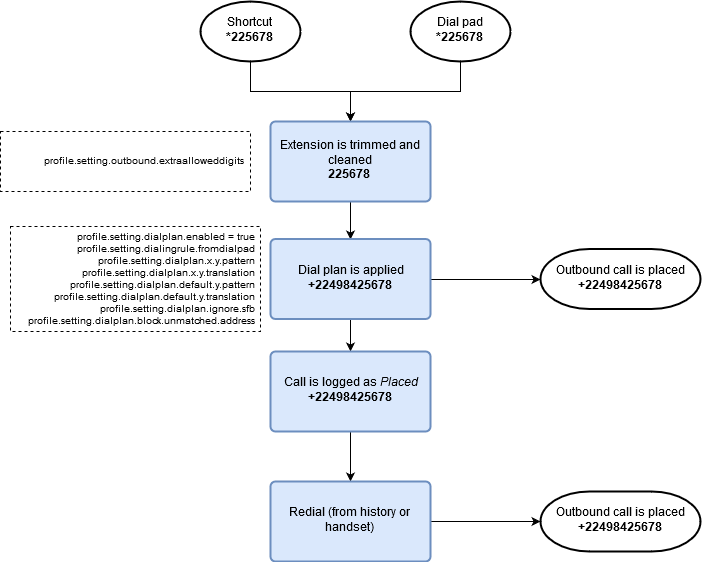 Outbound call from shortcut or dial pad
Placing an outbound call from a PIM contact or a corporate search resultWhen having PIM shortcuts or corporate search results, special dialing rules can apply before the regular dial plan. 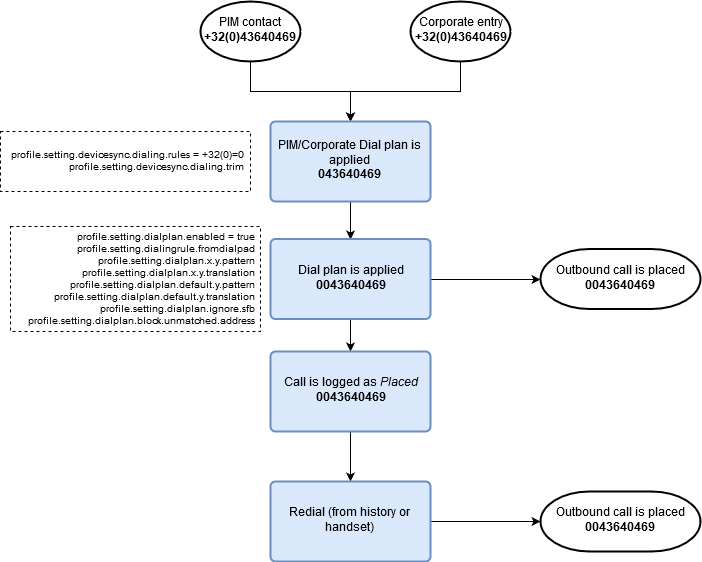 Outbound call from pim contact or corporate search result Receiving an inbound call, and redialing it
Dialing rules can also be applied when logging a received call in the Call History. A specific set of dialing rules also exist when redialing Call History entries.
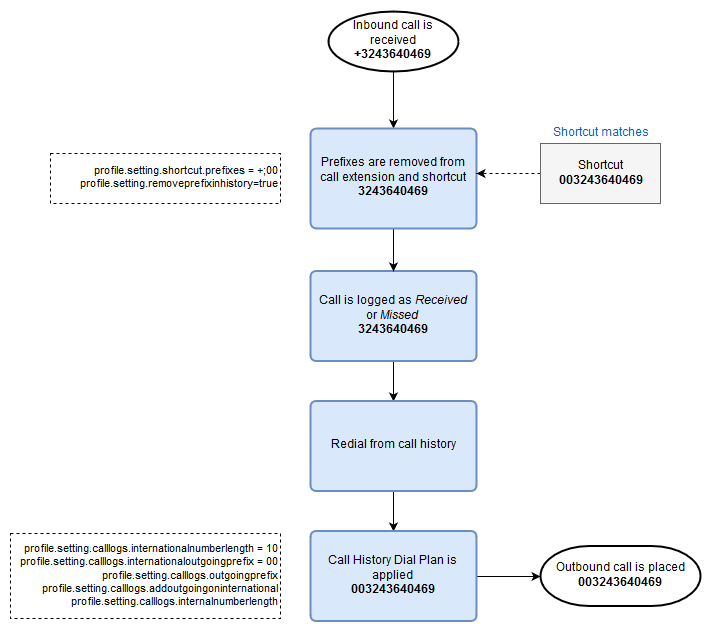 Receiving an inbound call and redialing it
For the received and missed calls the dial plan is applied. To apply it to the placed calls, see Configure. Receiving an inbound call, and creating a shortcut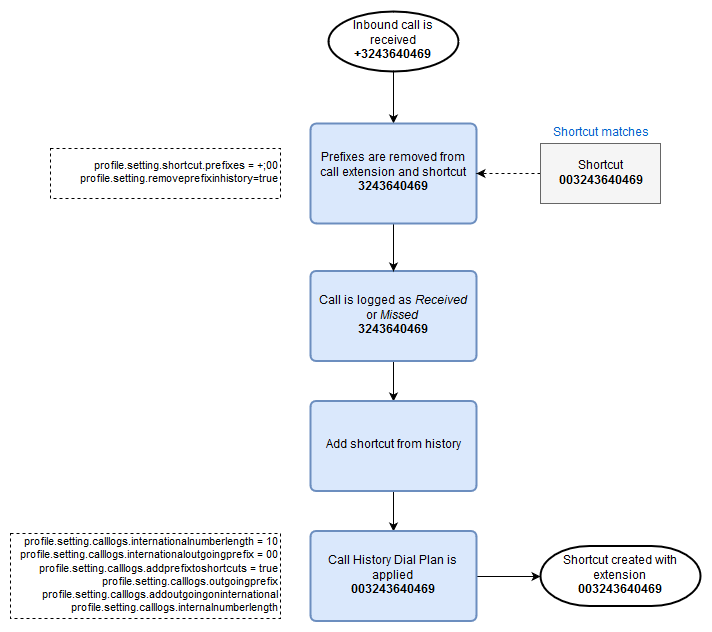 Receiving inbound call and creating shortcut
|