SSL Certificate pinning


SSL Certificate pinning |
|
| IT&Operations > Security > Securing Device Session |
Configure Certificate Public Key
Certificate pinning is validated when the Certificate public Key configured on the Turret is validated against the public key sent in https response from TSS server.
Following configuration are required for enabling the Certificate pinning
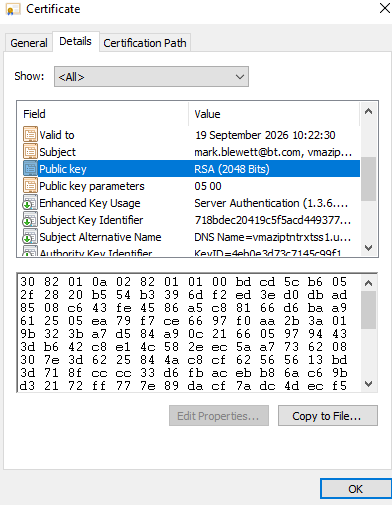
1. HTTPS is being used. 2. The Credential Keys (Cert public Key) is configured on Turret's Credentials Manager. How to get the public Key of the server Certificate.1. Click on the TSS Server Certificate ->Details ->PublicKey 2. Copy the public Key details to be configured on Credential Manager. Remove the space in between the public key
Above steps need to executed for both TSS server Certificates .(Primary and Seconday TSS servers).
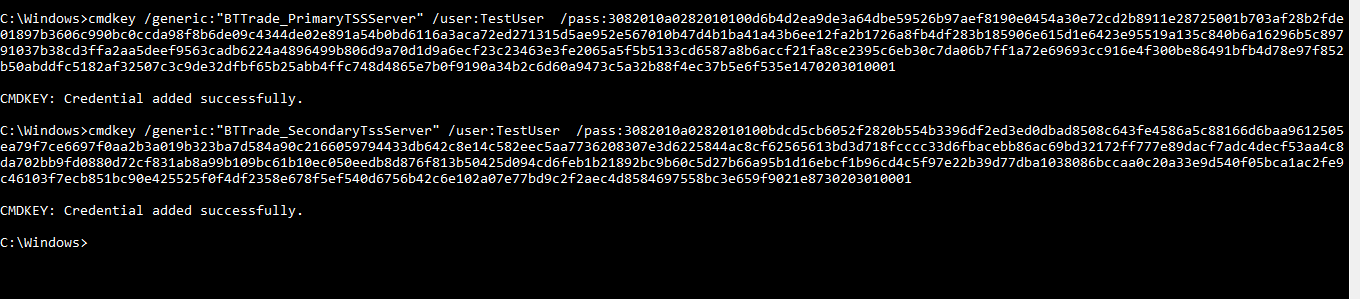
Configure Public Key on Turret.Run the below command from Command Prompt .
cmdkey /generic:"BTTrade_PrimaryTSSServer" /user:TestUser /pass:< Public Key after removing the space > (Primary TSS server)
cmdkey /generic:"BTTrade_SecondaryTssServer" /user:TestUser /pass:< Public Key after removing the space > (Secondary TSS Server)
Note : Generic name should be always BTTrade_PrimaryTSSServer and BTTrade_SecondaryTssServer. We should not change the string value.
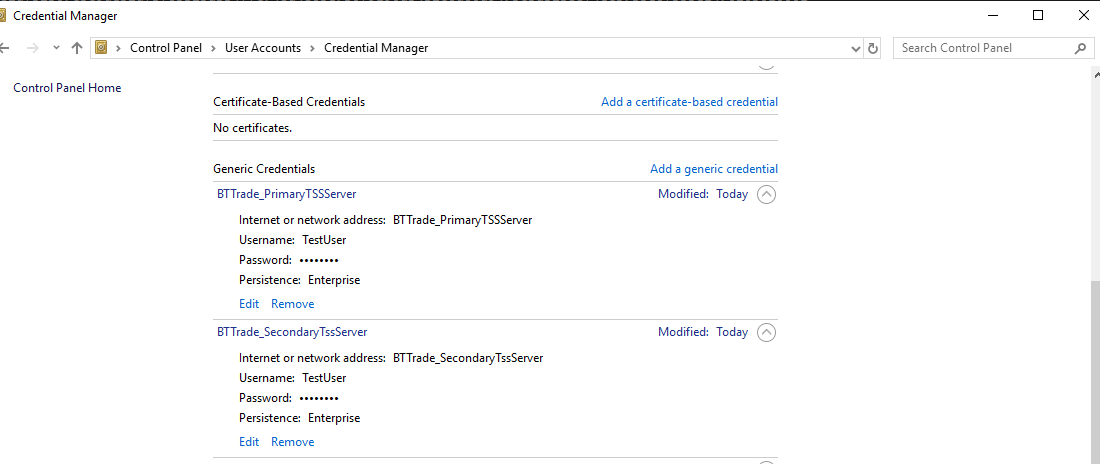
Check in the credential Manager once configured.
TroubleshootingIf not properly configured turret will not be able to connect to TSS and it will display error "No access to TSS - Certificate Pinning failed" on Turret UI. Check the following points.•Certificate pinning is enabled only when https is enabled and Certificate public Key is configured •Verify that https is enabled by checking that the url set in application.bscg.baseServiceURI in application.cfg begins with "https". •Verify that the Certificate public Key for both the TSS servers is configured correctly on the credential manager. (BTTrade_PrimaryTssServer and BTTrade_SecondaryTssServer)
|