Usage


Usage |
|
| Enterprise Telephony > Common > Color based identity matching |
Let a user whose profile is configured for Color Based Identity Matching and defined speeds of Shortcut Notification in Turret Layout Settings with following values:
This user has got a shortcut to xxxx (an IPPhone). This shortcut's colors are configured to:
The user log in to his turret
The shortcut is "inactive", it stays off (ie: red over green).
John Smith calls the user
The shortcut "Incoming", it blinks with the defined colors using the Incoming speeds (ie: 0.5 sec green over red, then 0.5 sec red over green).
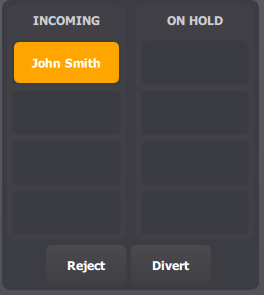
If the user have a call status applet, an entry appears in the Incoming call list. This entry is always steady white over orange.
The user takes the call
The shortcut becomes "Locally established", it stays on (ie: green over red).
The user put the call on hold
The shortcut becomes "On Hold", it blinks with the defined colors using the held speeds (ie: 0.5 sec green over red, then 2.0 sec red over green).
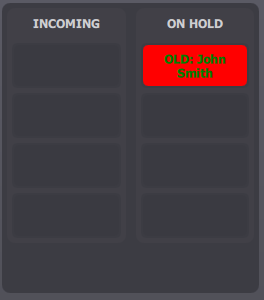
If the user have a call status applet, an entry appears in the On Hold call list. This entry is steady on (ie: green over red).
|