Twilio Trunk


Twilio Trunk |
|
| Solution Integration > PBXs > BT Call Server > Example Configurations > Trunks Configuration |
Twilio Trunk
Here is the Ad-Hoc procedure to define a Trunk between Twilio and Asterisk.
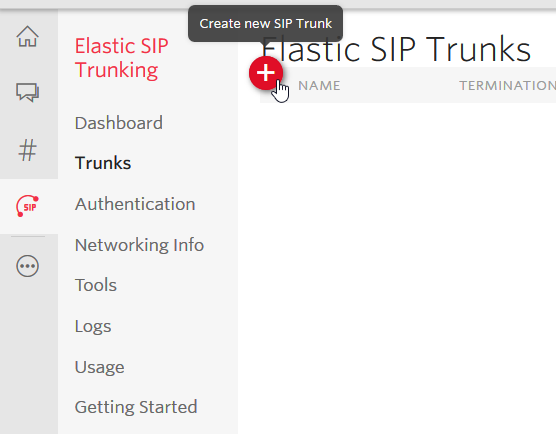
1. Connect to Twilio and open the Elastic SIP Trunking page and select "Create new SIP Trunk"
2. Set a Name for the Trunk
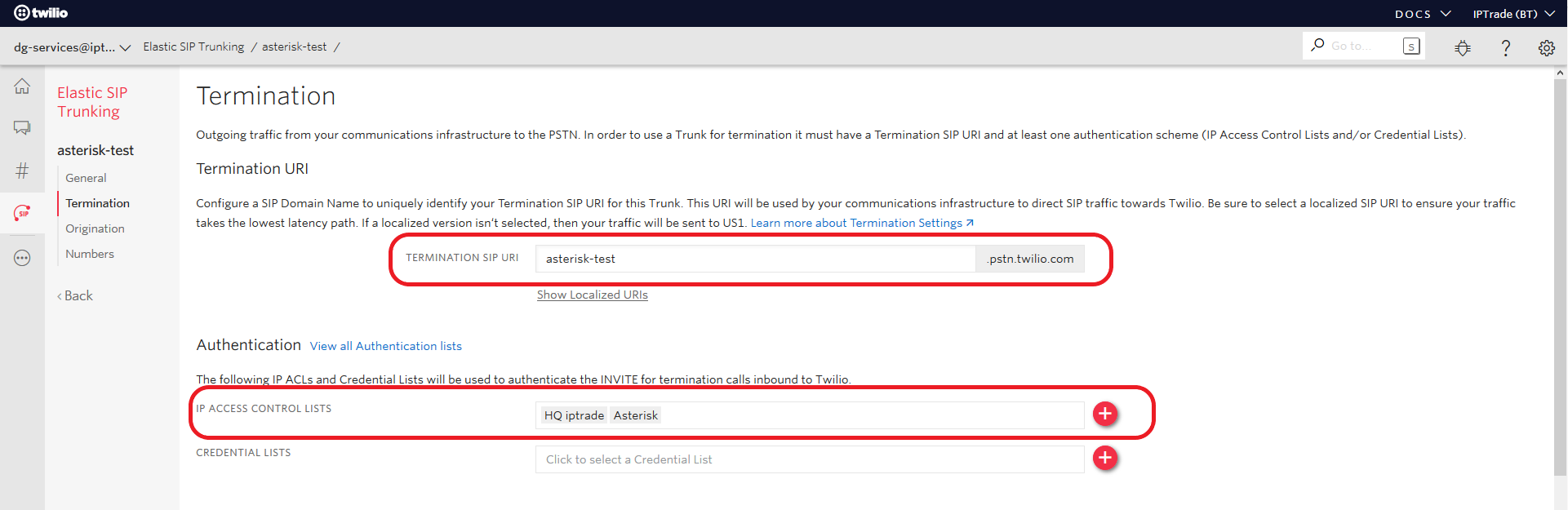
3. Go to "Termination" tab
4. Define a "Termination SIP URI" that Asterisk will use to reach out to Twilio and add in the "IP ACL" field the list of IP addresses that INVITE from Asterisk will come from (technically the Public IPs of your infrastructure)
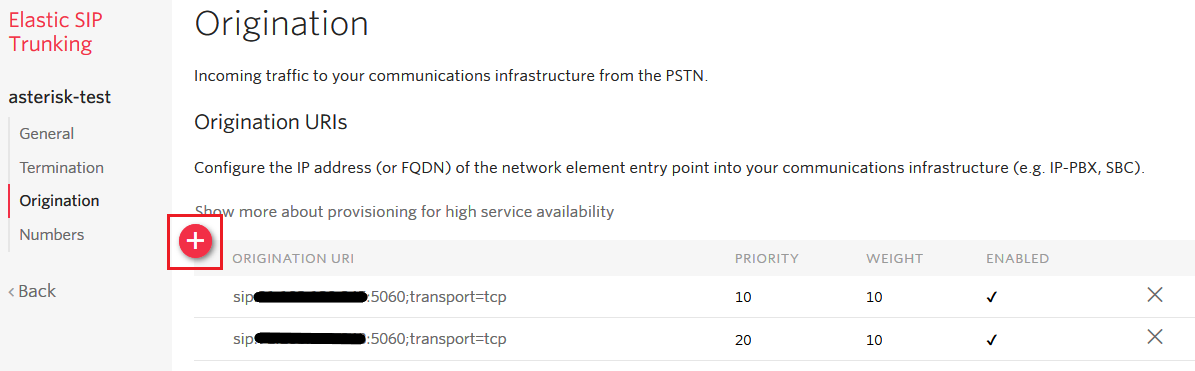
5. Go to "Origination" tab
6. Enter the IP Address or Domain Name that Twilio should use to reach your infrastructure (e.g. "sip:1.1.1.1:5060;transport=tcp"). This entry must eventually lead to the Asterisk server.
For dual Asterisk node, put the two public IP addresses linked to the Asterisk servers. Put a priority of 10 for the primary Asterisk and 20 for the secondary.
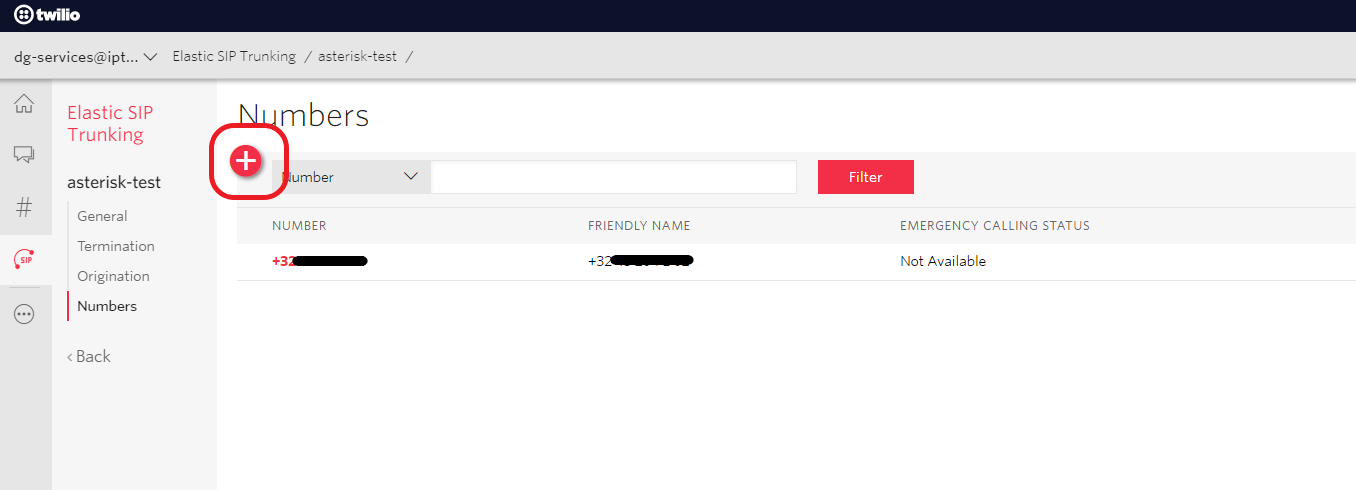
7. Go to "Numbers"
8. Add at least 1 number which will be used to place calls
9. Setup the Trunk and Extension configuration in Asterisk (Extension configuration tab). As seen in the below example.
; Extension definition needs to use the same number as defined in Twilio
[+443xxxxxxxxx](extension-defaults) inbound_auth/username = +443xxxxxxxxx inbound_auth/password = 123456 endpoint/callerid = Twilio <+443xxxxxxxxx>
; Trunk template definition
[twilio-trunk-defaults](!) type = wizard endpoint/context = incoming endpoint/transport=transport-udp endpoint/allow = !all,ulaw,alaw endpoint/direct_media=no endpoint/rewrite_contact=yes endpoint/rtp_symmetric=yes endpoint/dtmf_mode=rfc4733 endpoint/allow_subscribe = no aor/qualify_frequency = 60
; Trunk definition ; For "remote_hosts" Add in the Twilio Termination URI as well as any additional Localized Termination URI's required. (comma separated) ; If you have set any credentials in the Twilio Trunk you can uncomment the "auth" settings below and fill their information
[TWILIO](twilio-trunk-defaults) remote_hosts = asterisk-test.pstn.twilio.com,asterisk-test.pstn.dublin.twilio.com ;sends_auth = yes ;outbound_auth/username = username ;outbound_auth/password = password
|