SBC Configuration to add PSTN SIP Trunk
In order to add the PSTN SIP Trunk to an SBC that already has the PW SIP Trunk the first thing needed is to add two new proxy sets one for the BT Call Server and one for the PSTN Carrier.
Proxy Sets
To do this go to Signalling and Media->Core Entities->Proxy Sets and hit add new then supply a name “BT Call Server” select the interface that this proxy will use and set the proxy keep alive to use OPTIONS and set period to be 300ms or 5 mins then hit apply.
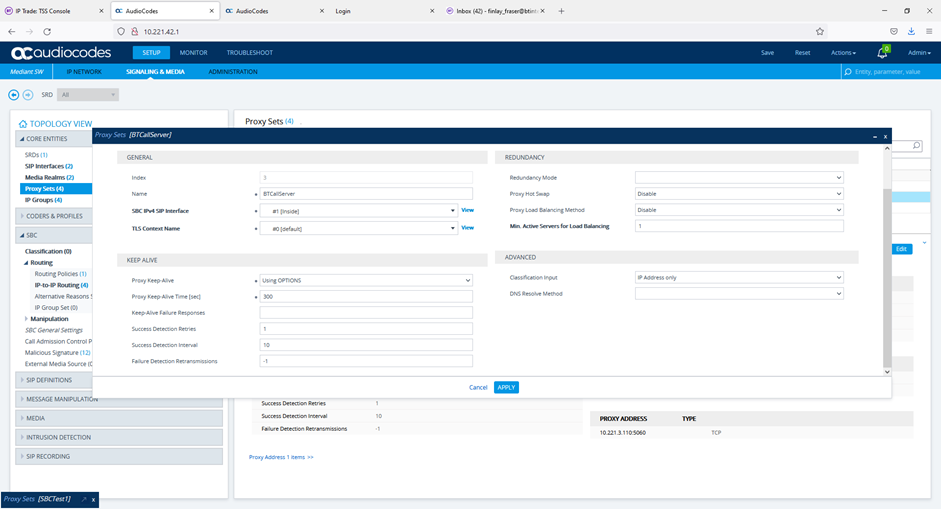
Once added select proxy address and add the connection details for the proxy in my example for the BT call servers add the address and port 10.221.3.110:5060 and the transport type TCP. If resilient BT Call Servers are used just repeat the process so that both are in the proxy list.
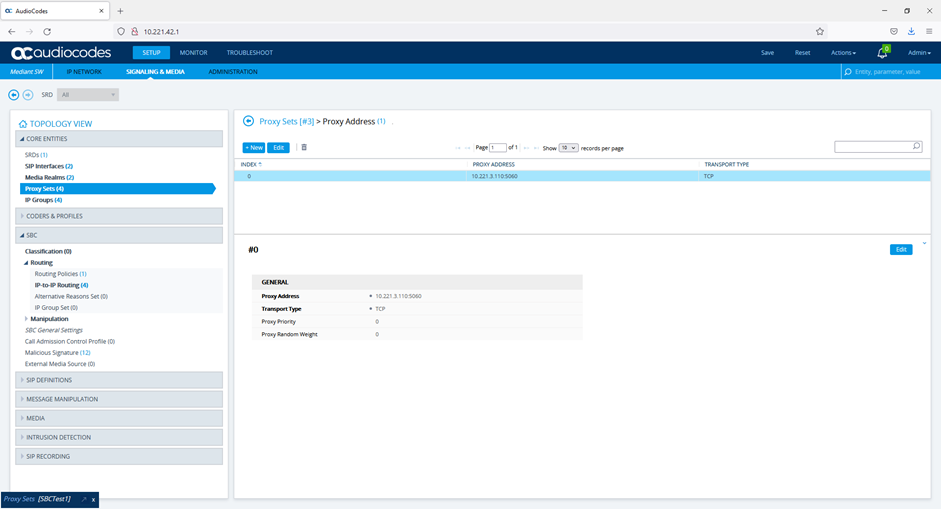
Repeat the process to add proxy set for the PSTN Carrier in the same way specifying a name, the interface, keep alive, Then add proxy list transport type and the proxy address.
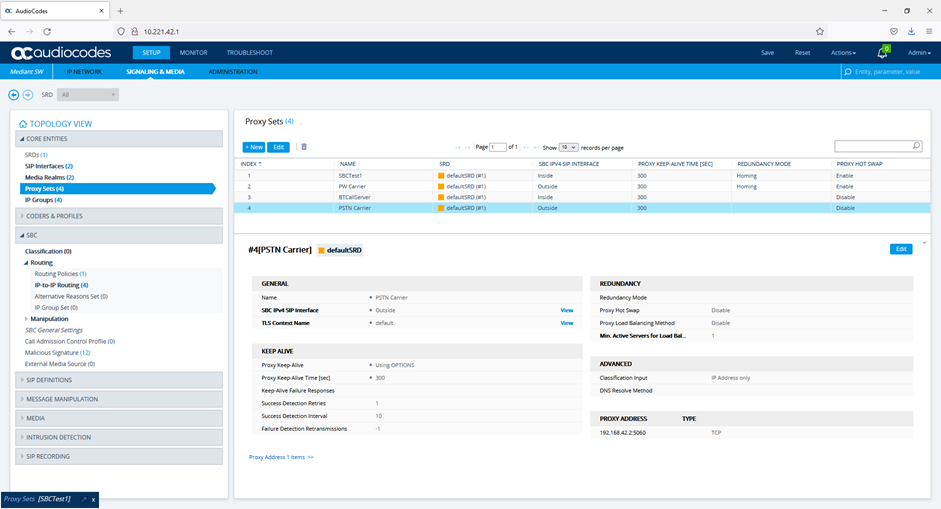
There should now be four poxy sets in the SBC one to the TPO for PW, one to the SIP PW carrier one to the BT Call Server and one to the PSTN Carrier.
IP Profiles
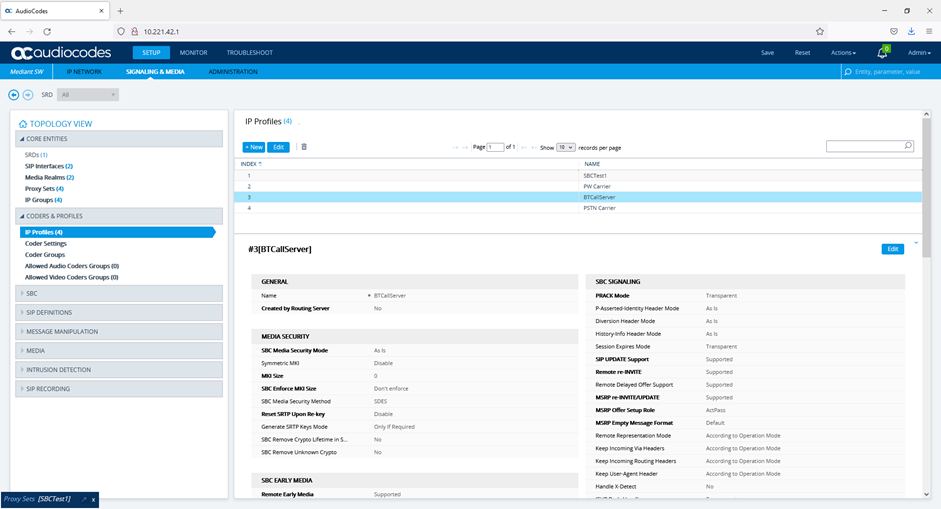
In this case there was no difference in the IP Profiles used and so we could have shared them however since the IP profiles can be used to alter many of the basic SIP signalling parameters it is better to have one for each proxy terminating device. To create the IP Profiles go to Signalling and Media->Coder & Profiles->IP Profiles and add new profiles for BT Call Server and PSTN Carrier in this case the only parameter changed was the name once done should have 4 IP Profiles.
IP Groups
As with Proxy Sets it is necessary to create an IP Group for both of the new trunks. To do this go to Signalling and Media->Core Entities->IP Groups and hit add to add a new IP group. Give the group a name in this case BTCallServer select where it is in the topology normally down for inside and up for outside. Select the proxy set and IP group configured earlier that match the IP group.
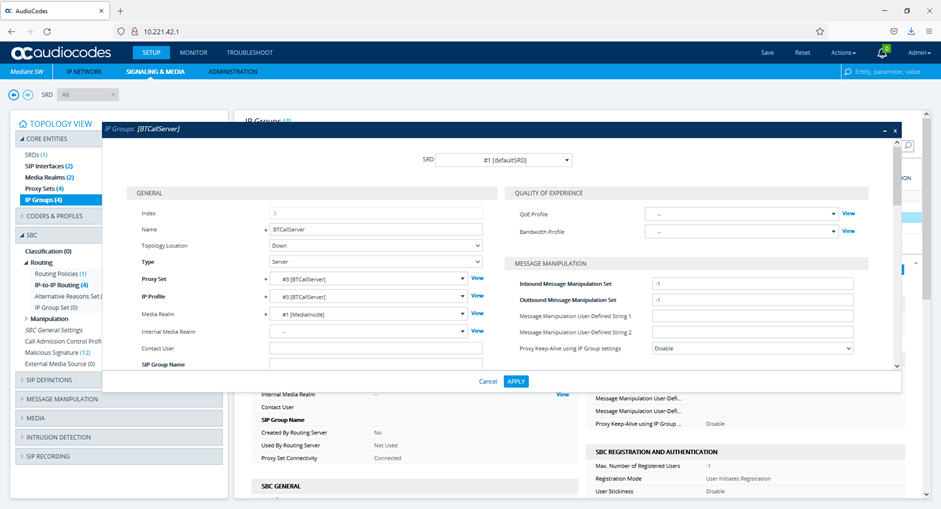
Once done hit apply and then repeat process for the PSTN Carrier IP group. There should now be 4 IP groups one for each SIP trunk terminating on the SBC.
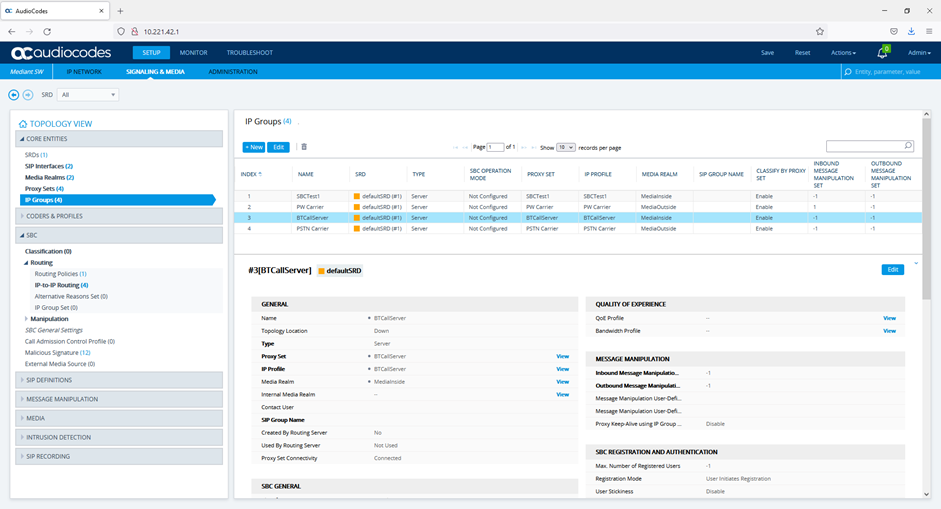
IP to IP Routing
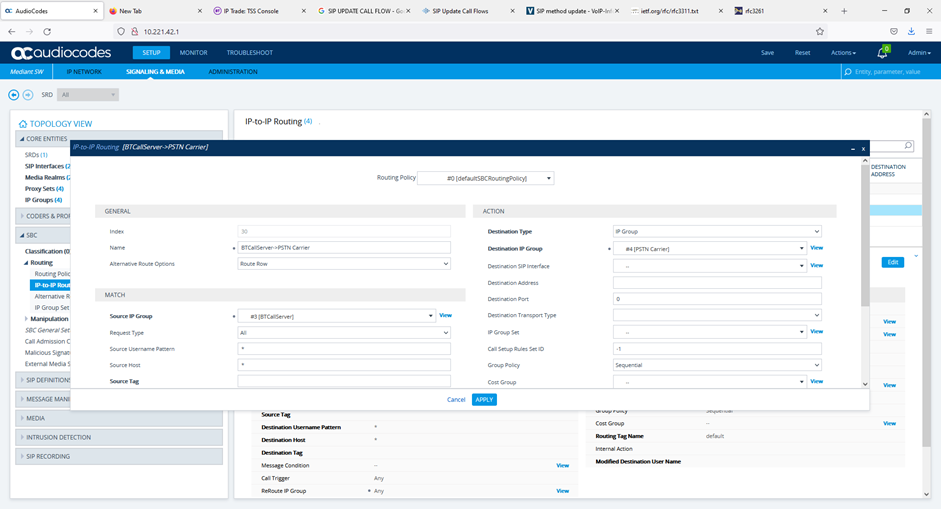
In order to get the phone calls to route correctly routing statements need to be added to the IP-to-IP Routing section to do this go to Signalling and Media->SBC->Routing->IP-to-IP Routing from here add two new route to send calls from BTCallServer to PSTN Carrier and from PSTN Carrier to BTCallServer.
Give the route a name in this case “BTCallServer->PSTN Carrier”, specify the source IP group specify the destination type as IP Group, specify the destination IP Group,
Now repeat the process to add the route from PSTNCarrier to PSTNGateway note in this case as all BTCallServer extensions are 19xxxx we use an additional match parameter destination user name pattern to only accept call to numbers that are 6 digits starting 19. The same thing could have been done on the previous route by say setting numbers have to start with 0 for example. Once finished should have four IP-to-IP routes.
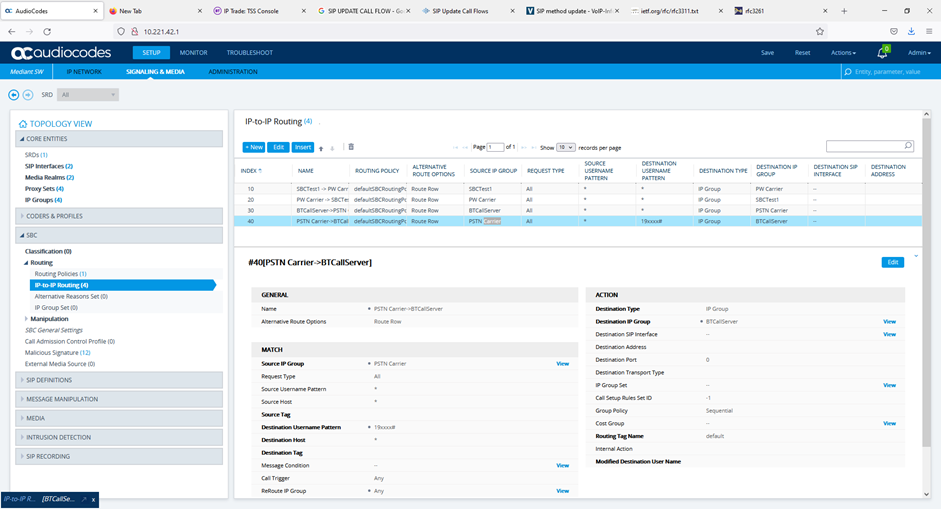
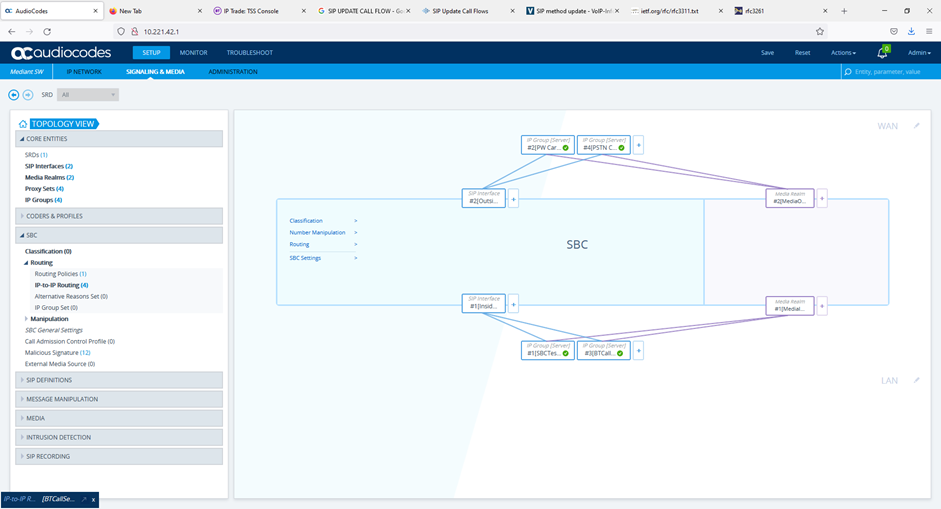
Once this config is complete the TOPOLOGY VIEW should look as below
Domain Manipulations
Some carriers are expecting the number sent in the Request and To headers to be number@carrier. The BTCallserver sets the To and Request URI to be number@SBC and the SBC does not change this as standard so the calls will be sent back as NOT FOUND. To fix this two header manipulations are needed on the SBC to change the domain part of the URI in the To and Request headers.
Note this is only needed where carrier expects this otherwise this configuration is not needed.
To do this go to Signalling & Media->MessageManipulations-.MessageManipulations and then add a new manipulation to change the To Header to the correct domain. To do this give the manipulation a name leave the match section empty but in the action set to the correct header set to modify and then give iip address or domain name of the carrier and save.
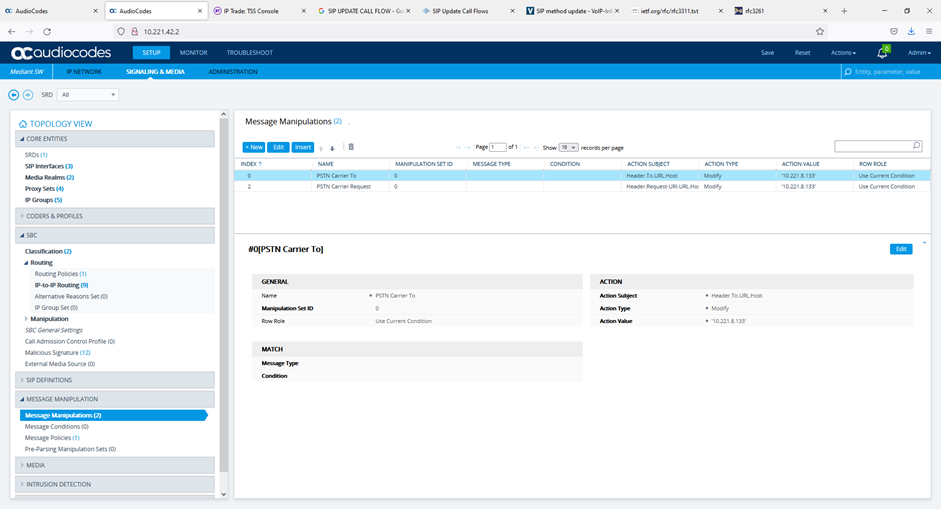
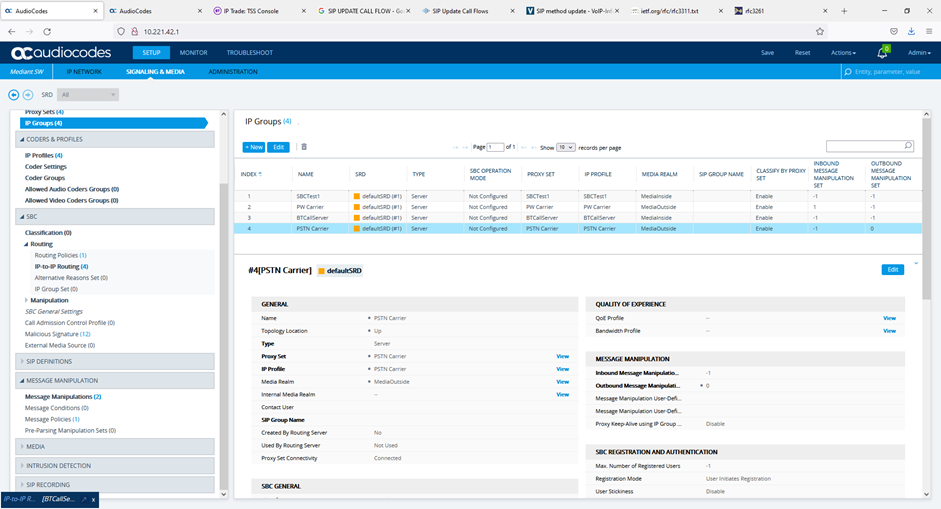
Once the manipulation sets are complete need to go back to the IP Group and apply the manipulation set top the PSTN Carrier Group by specifying the manipulation set on the outbound message manipulation.
|


